Table of Contents
Overview
This guide explains how to play blockman go now GG online, no download required in clear, practical terms. It covers the key concepts, recommended steps, common limitations, and useful checks so you can make a better-informed decision.

Blockman GO play for free no download required
How to play Blockman Go Now GG online without downloading
The Now GG website used to allow players to experience Blockman Go online and many other attractive games right on the browser for free. However, the online playing service for this game has stopped working. However, you can still participate in the game directly through its homepage. Follow the steps below to get started:
Step 1: Access the game HERE.
Step 2: On the home page, click the Download button on the top right of the screen and select PC Download.
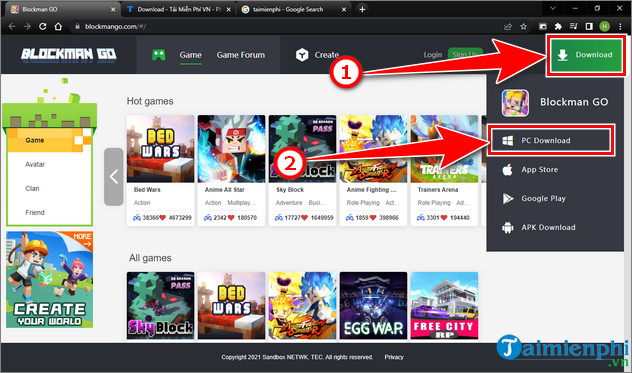
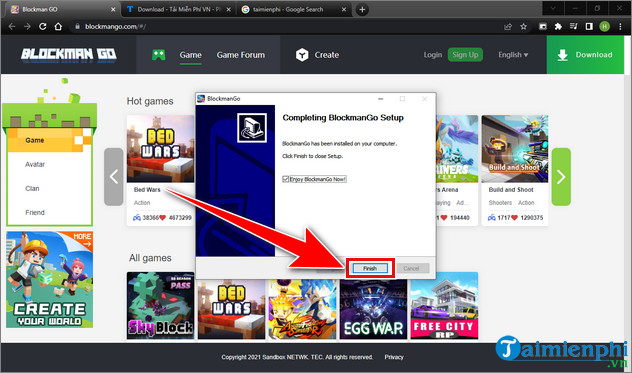
Step 3: Open the downloaded file to install the Blockman Go client, click Finish to complete the installation process.
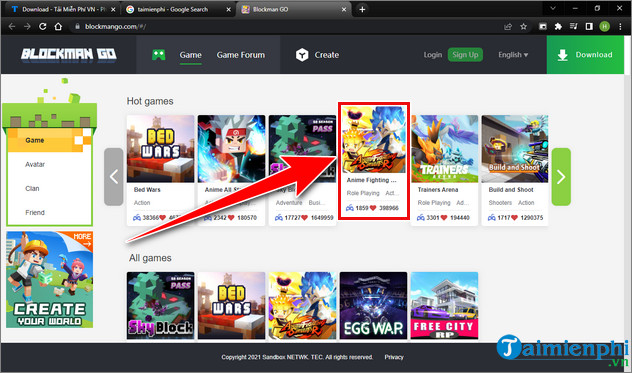
Step 4: Return to the Blockman Go homepage and choose a minigame you want to participate in, here this guide will choose the minigame Anime Fighting Simulator.
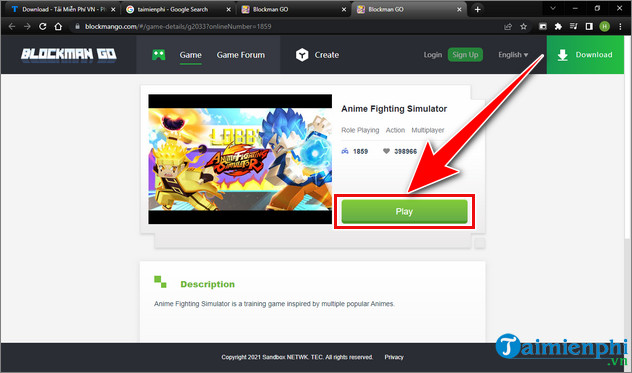
Step 5: Click Play to start playing the game on your computer.
Step 6: Before entering the game, you need to log in with your Blockman Go account or log in with your Facebook or Google account. Enter your account and click Login to log in.
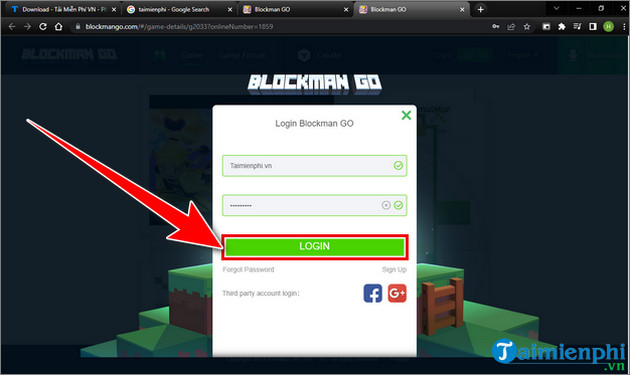
Step 7: Wait about 1-2 minutes for Blockman Go game to load data.
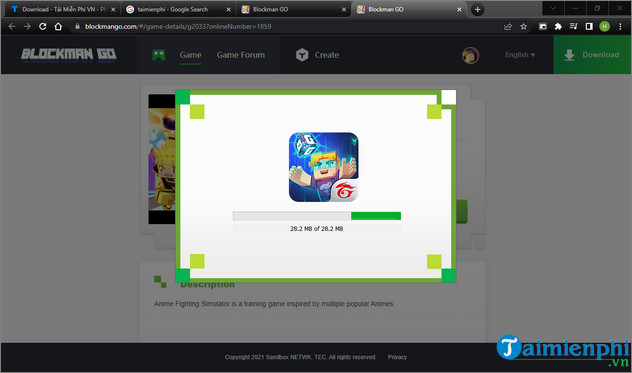
Step 8: After the data loading process is complete, you can play Blockman Go online directly on your computer without downloading a phone emulator.
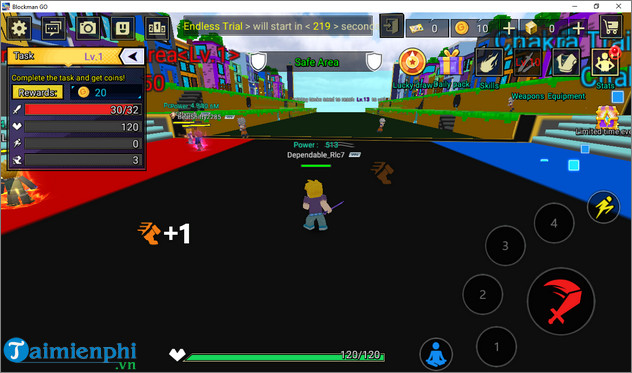
So this guide has introduced to readers how to play Blockman Go online without downloading and without using a phone emulator on the computer with detailed steps. If you have any questions, please leave a comment below for specific answers.
In addition, you can also refer to how to play Roblox now gg online on your computer without downloading here to experience the game.
Key Takeaways
Use the guidance above as a practical reference for how to play blockman go now gg online. Check compatibility, follow the steps carefully, and verify important details with official documentation when software, security, accounts, health, or purchases are involved.
FAQ
How do I play blockman go now GG online, no download required?
Follow the steps in this guide in order, confirm each setting before continuing, and save, restart, or reconnect the device when the instructions require it.
What should I check before I begin?
Confirm the correct device, account access, software version, compatibility, and a current backup whenever the process could affect files, settings, or security.
What should I do if the process does not work?
Repeat the steps carefully, check for model or version differences, install available updates, and consult the manufacturer's official support documentation.
Related Articles
 Download Blockman Go for PC without Emulator: What You Need to Know5 minutes read
 How to Play Among Us Online, Download Among Us Online4 minutes read
 The Top Google Play Store Alternatives: Expert Selection Guide11 minutes read
 Best Errors and How to Fix FIFA Online 45 minutes read
 The Basic Techniques in FIFA Online 4 You Need to Master6 minutes read
 How to Play Super Smash Flash 2 Without Flash7 minutes read
Reader Comments 0
Sign in with email or Google to join the discussion.