Table of Contents
Free Pascal is a free, open-source compiler for Pascal and Object Pascal. On Windows, its official installer can add the compiler, command-line tools, documentation, and the text-mode Free Pascal IDE. After installation, you can write a small .pas file, compile it with fpc, and run the resulting program.
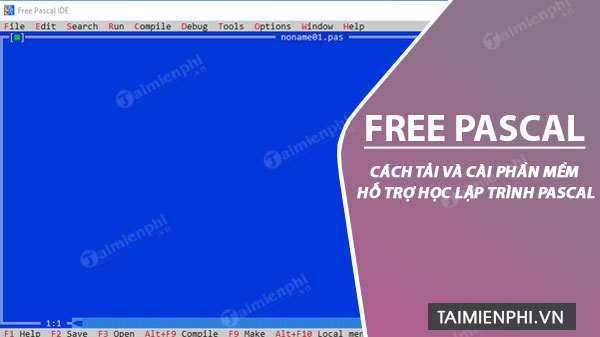
Download Free Pascal from the official site
The current stable release listed by the project is Free Pascal 3.2.2. Open the official Free Pascal download page, select the package for your operating system and processor, and choose an official mirror. Development builds in the 3.3.x line are intended for testing; beginners should use the stable release unless a course requires something else.
Do not download a repackaged installer from an unknown software portal. The official package includes a README with platform-specific notes.

Install Free Pascal on Windows
Close any older Free Pascal IDE windows, then run the downloaded installer. If Windows displays a security prompt, verify that the file came from the official Free Pascal mirror before allowing it to run.
1. Start the setup wizard
On the welcome screen, confirm that the version is the one you intended to install, then select Next.
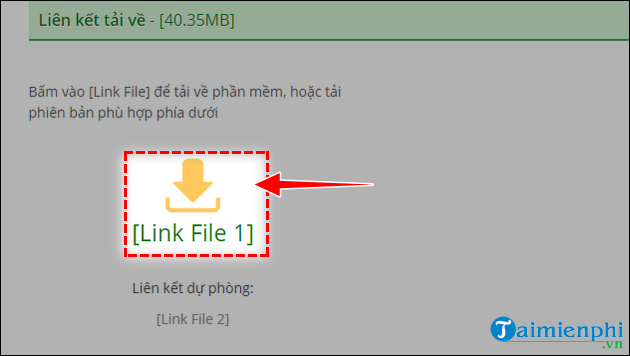
2. Choose the installation folder
The default folder is suitable for most learners. If you change it, use a path your account can access and avoid placing the compiler inside an unrelated project folder. Select Next.
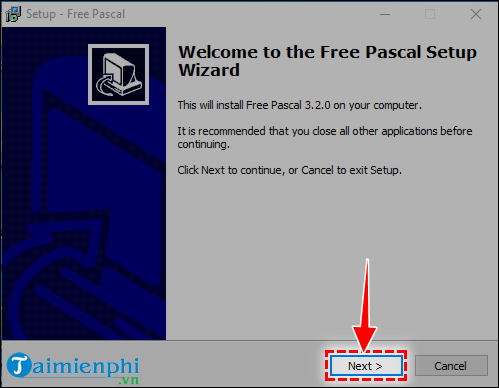
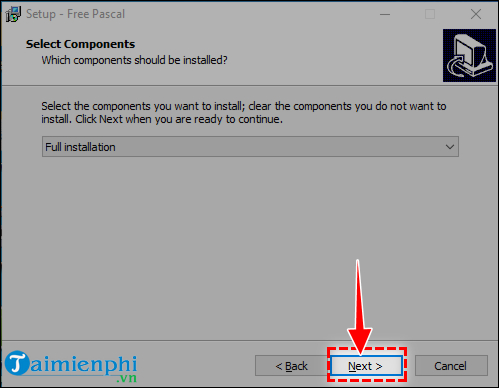
3. Select components
Full installation is convenient for a first setup because it includes the compiler, utilities, units, documentation, and IDE components supplied by the package. An experienced user can choose a smaller installation when disk space or a managed environment requires it.
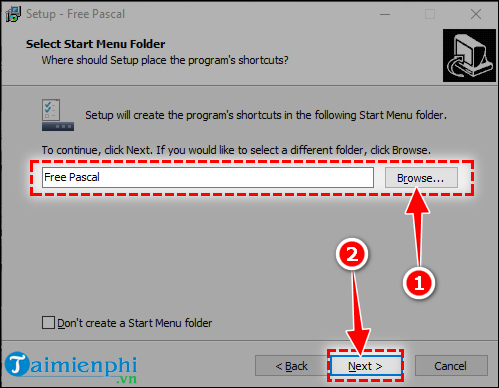
4. Choose the Start menu folder
Keep the suggested Start menu folder or choose another recognizable name. This affects shortcuts, not where your Pascal source files are stored.
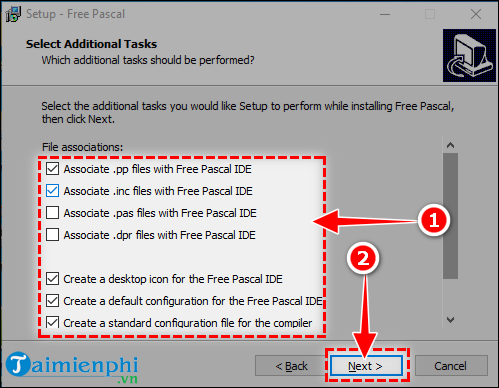
5. Review file associations and extra tasks
The installer may offer to associate Pascal-related file types with Free Pascal. Enable an association only if you want those files to open in this IDE by default. Existing editor associations can be left unchanged.
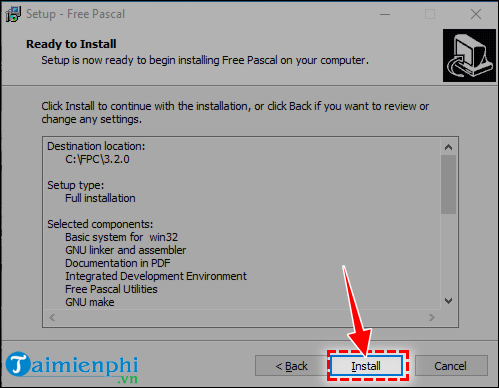
6. Install the selected components
Review the summary, select Install, and wait for the files to be copied. Do not interrupt the installer while it is updating paths or shortcuts.
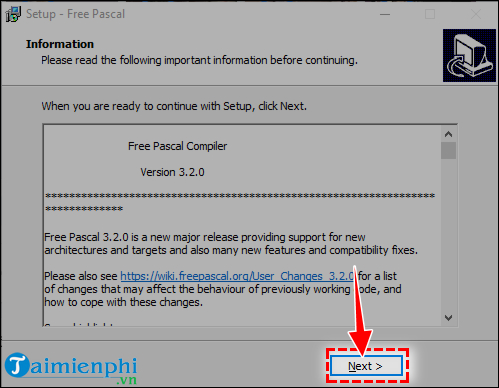
Read any release notes offered by the wizard, then continue to the final page.
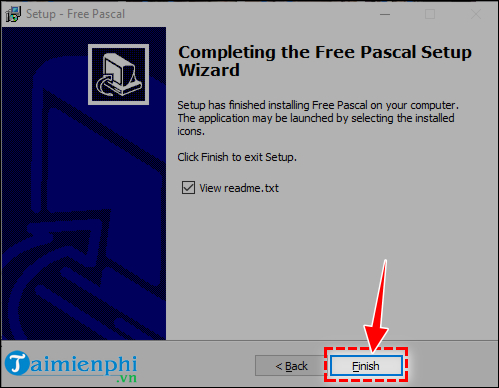
Select Finish. If the compiler command is not available in a terminal that was already open, close that terminal and start a new one so it can read the updated environment.
Verify the compiler
Open Command Prompt or PowerShell and run:
fpc -iVThe command should print the installed compiler version. You can also run fpc -iTP to display its target processor and fpc -iTO to display its target operating system. These checks are useful when more than one Free Pascal installation is present.
To open the text-mode IDE supplied with the Windows package, run:
fp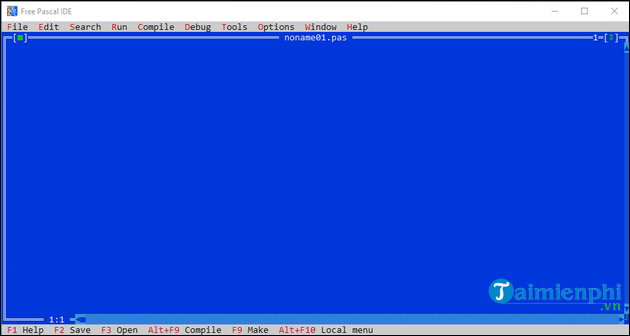
Free Pascal is the compiler toolchain; Lazarus is a separate graphical IDE built around Free Pascal and the Lazarus Component Library. Use Lazarus if you need visual form design or a more conventional desktop editor. The smaller fp IDE is enough for basic console exercises.
Compile your first Pascal program
Create a working folder such as Documents\Pascal. Save this source as hello.pas:
program HelloTipsMake;

begin
  WriteLn('Hello, Pascal!');
end.
Open a terminal in that folder and compile it:
fpc hello.pasIf compilation succeeds, run the generated program on Windows:
hello.exeYou should see Hello, Pascal!. The compiler may also create an object file in addition to the executable; that is a normal build artifact.
Compile inside the Free Pascal IDE
- Open
fpfrom the Start menu or terminal. - Create a new file and enter the sample program.
- Save it with the
.pasextension. - Use the IDE's Compile command and correct any line and column reported in an error.
- Use Run after compilation succeeds.
Pascal statements normally end with a semicolon, while the final end. ends with a period. A missing semicolon or final period is a common first error.
Install on Linux or macOS
Free Pascal also provides packages for several Linux and macOS targets. Use the package listed on the official download page or a maintained package from your operating system. Package names and available compiler targets vary, so follow the package README and verify the result with fpc -iV. Avoid mixing distribution packages and manually extracted compiler files in the same prefix unless you understand which executable your PATH selects.
Fix common installation problems
The fpc command is not recognized
Open a new terminal first. If the problem remains, locate the folder containing fpc.exe and check whether it is in your user or system PATH. Do not move individual compiler files out of the installation directory because the compiler also relies on units and configuration files.
The compiler cannot find a unit
Confirm that you installed the component containing that unit and that your source uses the correct unit name. If a custom fpc.cfg is present, it can override search paths. Test a minimal program without third-party units to separate an installation issue from a project configuration issue.
The program compiles but closes immediately
Run the executable from an already open terminal so its output remains visible. For a classroom exercise, you can temporarily add ReadLn; before end., but terminal execution is usually the cleaner way to inspect output.
Windows blocks the downloaded file
Download it again from an official mirror and verify the filename and source. Do not disable antivirus protection merely to force an untrusted installer to run.
What to learn next
Start with variables, types, expressions, if statements, loops, procedures, functions, arrays, and records before moving to classes or GUI development. TipsMake's overview of how to start learning computer programming provides a broader study plan. You can also compare Pascal's role with other options in the guide to popular programming languages.
Related Articles
 Download Pascal and Install Pascal on Windows3 minutes read
 Free Pascal - 3.2.25 minutes read
 How to Use Pascal Online, Learn Programming Online3 minutes read
 Link Download Free Pascal 3.24 minutes read
 Who Invented the Pascal Programming Language?5 minutes read
 Advantages and Disadvantages of Pascal Compared to Other Programming Languages4 minutes read
Reader Comments 0
Sign in with email or Google to join the discussion.