Table of Contents
This practical guide explains how to get the New Wind Charge Weapon in Minecraft 1.21 in a clear sequence, including preparation, key settings, common mistakes, and troubleshooting steps.
What This Guide Covers
- What is the new Wind Charged weapon effect in Minecraft?
- Where to find Wind Charge weapons in Minecraft 1.21?
- How to make Wind Charge in Minecraft 1.21?
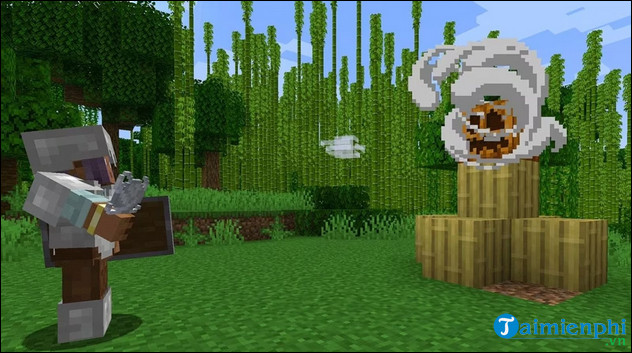
Wind Charge Minecraft is a new type of ranged weapon that shoots wind instead of arrows. It looks like a ball of swirling wind. Unlike a bow and arrow, it operates independently and does not require anything to launch.
What is the new Wind Charged weapon effect in Minecraft?
The Wind Charged status effect causes the player or mob to release Wind Burst when they die. This effect, introduced in Minecraft 1.21 Tricky Trials, has many levels including Wind Charged II, Wind Charged III, Wind Charged IV and others. Here are other effects that Wind Charge can bring to players:
- You can use Wind Charge to launch an attack similar to Breeze. When it attacks a mob or block, it creates a Wind Burst, knocking back all nearby entities. Note that direct attacks on players or mobs will cause minor damage.
- Wind Charges can break Decorated Pots and Chorus Flower blocks.
- When the player fires Wind Charge, this attack will cause knockback that is 10% greater than the Breeze attack but has a smaller range effect.
Where to find Wind Charge weapons in Minecraft 1.21?
1. Defeat Breeze
The only way to get Wind Charge is to defeat Breeze, a hostile mob hidden in the challenge rooms, introduced in Minecraft version 1.21. Once you defeat it, the mob will drop Wind Charges as loot.
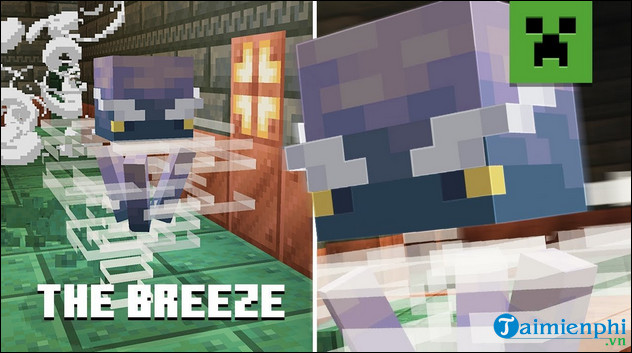
Since Breezes only appear in testing rooms, Wind Charges are also quite rare. You can go to some lab seeds and find these mobs inside.
Breeze usually drops 1-2 Breeze bars when dying. Using the loot charm will increase the rate and give you up to 8 bars. Therefore, you can get Looting 3 in Minecraft to stack items faster.
2. Find Vault Block
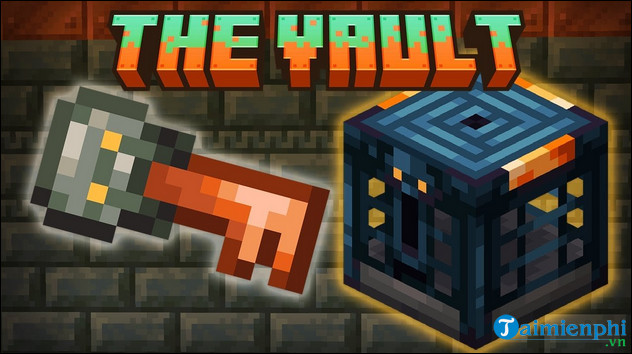
Additionally, you can earn Wind Charge by looting various containers in the testing rooms. One of those containers is the Vault Block, which has a 9.6% chance of generating 4-12 Wind Charge.
The Vault can provide 8-12 Wind Charge refills, with different chances depending on the version of Minecraft you are playing. In the Java version, vault blocks have a 46.2% chance of providing Wind Charge, while in the Bedrock version, the chance increases to 54.5%.
How to make Wind Charge in Minecraft 1.21?
Currently, there are no recipes or trading options for crafting Wind Charges. The only reliable method is to defeat the Breezes and collect the wind charges they release in the testing chambers.
If you want a better experience, you can download and install Minecraft 1.21 Vietnamese APK on your device. The new version has a Vietnamese interface that will help you explore the blocky world, use tools, medicine, and tables. manufactured in the most effective way.
Final Thoughts
Use the instructions and checks above in order, verify the result after each major step, and keep a backup whenever the process changes important files or system settings.
FAQ
What should I check before starting?
Confirm that your device or software version matches the instructions, save important data, and note the original settings before making changes.
What should I do if the steps do not work?
Restart the app or device, install available updates, review any error message, and repeat the steps carefully in the same order.
Can I undo the changes?
Many changes can be reversed, but the exact method depends on the feature. A backup or restore point gives you the safest way to recover.
Related Articles
 How to Craft and Use a Spear in Minecraft: Step-by-Step Guide5 minutes read
 Top Powerful Weapon Mods in Minecraft21 minutes read
 Device to Charge the Phone with Water and Wind for Phượt People2 minutes read
 When Will the Mounts of Mayhem Minecraft Version Be Updated7 minutes read
 How to Get Trident in Minecraft, How to Use Trident in Minecraft8 minutes read
 The Most Detailed Gun Mods in Minecraft5 minutes read
Reader Comments 0
Sign in with email or Google to join the discussion.