Table of Contents
This practical guide explains how to collect coins in mini world: creata with clear steps and useful context. It also covers common requirements, potential problems, and the details that can help you get better results.
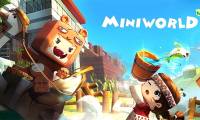
Mini World: CREATA features over 100 in-game elements and hundreds of blocks available, allowing creative expression by building and destroying these blocks.
Game Features
Dream Squad: An easy-to-use, built-in multiplayer setting that invites friends to join you in your creative zone.
Creativity: Following the concept of sorting and removing blocks, players will express their creativity to a whole new level using hundreds of elements and blocks available in the game.
Library: There are many mini-games in Mini World, such as FPS, puzzles, parkour, strategy games, and even role-playing games. Players can also create personalized games using the in-game editor.
Benefits of Coins and Beans in Mini World: CREATA
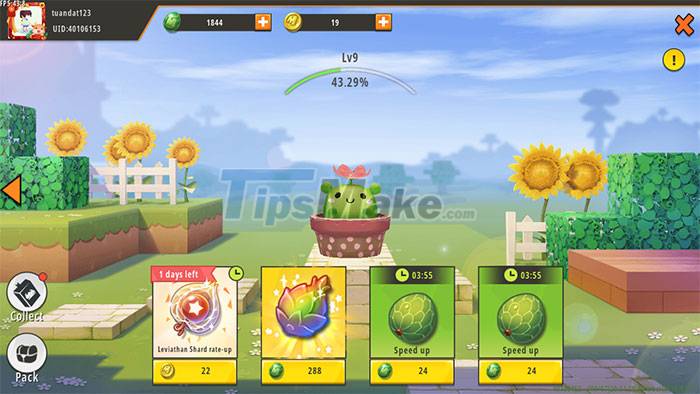
Exclusive resources can be purchased in-game with coins. These coins offer players some of the following benefits:
- Completely free to experiment in the game
- Buy items and characters
- Buy arbitrary amount of any item
- Allows to improve the player's World at will.
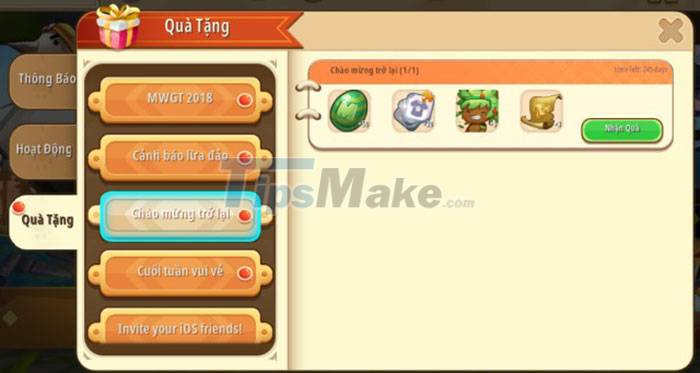
The main in-game currency consists of beans and is essential throughout the game. The Pea gives the ability to expand all options in Mini World: Block Art, as well as allowing people to unlock new elements. This bean can provide you with some of the following benefits:
- Gain more experience points.
- Ripe fruit in the garden, bringing important rewards.
- Buy items for the farm.
- Earn points by unlocking characters and mounts (dinosaurs, unicorns.)
How to Get Coins and Beans in Mini World: CREATA
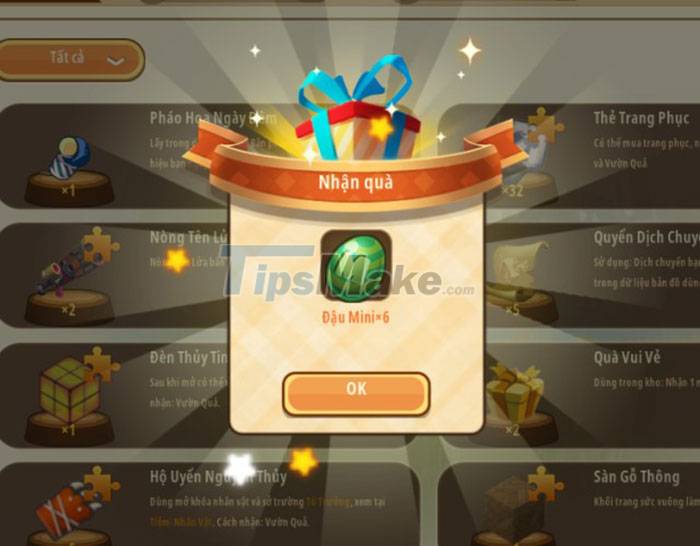
The most important resources in the game include beans and coins, as they give the player many benefits. The easiest ways to earn coins and beans in the game are:
- Invite your Facebook friends to join the game.
- Rewards for logging in to play the game every day.
- The Gums Up platform can provide free beans and coins.
Get Beans by Helping Friends
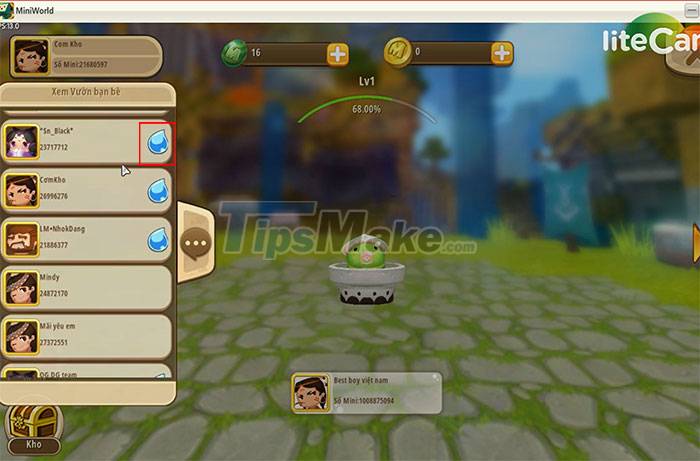
At the main interface of the game, click Garden. In this window, click on the friends window. Remember to make friends with a lot of people to get more beans, the more friends, the larger the number of beans everyone collects.
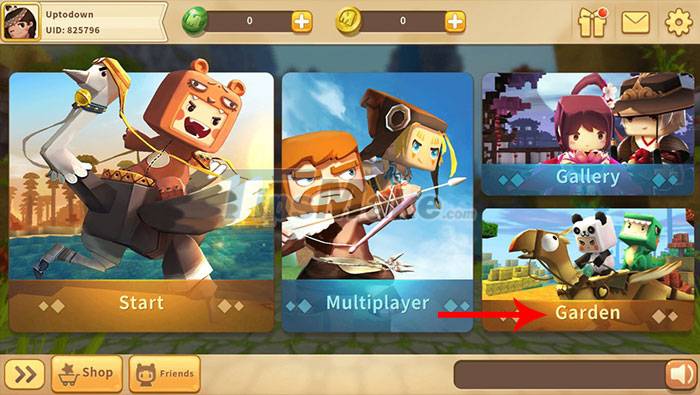
Continue to find out which friends have a water drop icon next to them, click on it to water their plants.
The player will receive one pea for each watering, the first number of seeds is not much, but if there are many friends who need to water the plants, the number of beans will increase significantly after each help. In addition to watering the plants, there is also worm capture, with each worm that catches the recipient a pea.
Participate in-Game Events
Step 1: Click on the gift box icon in the top right corner.
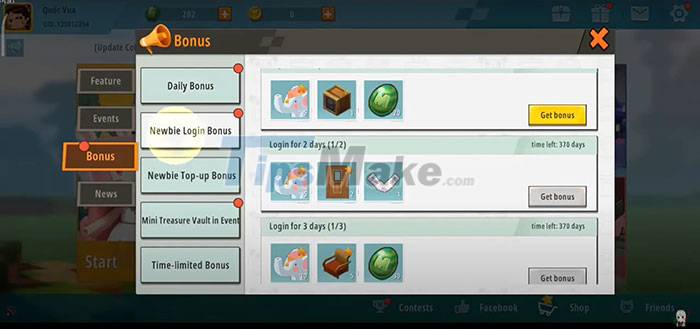
Step 2: Click on the Activity tab > Login Gifts to receive gifts for players who take attendance every day.
Step 3: Select Get Mini Beans, copy the link in that tab and share it with your friends, every time someone clicks on the link, you will receive 20 beans, up to 5 times per day.
Step 3: The next tab is Activation Code Gifts, there will be events that the publisher is organizing for gamers. Accompanied by the gifts received when logging in, click Get Gifts or Receive Prizes to collect.
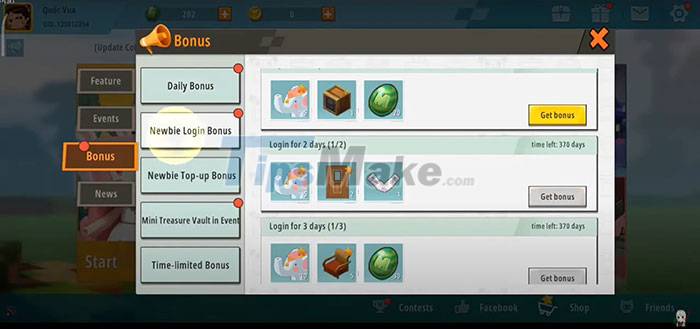
There are also gifts from other events such as welcoming gamers back after a while of not playing the game. These gifts are mainly beans or puzzle pieces used to unlock.
Step 4: After receiving a series of gifts from the publisher, select Garden > go to Warehouse in the lower left corner, in this warehouse you will see a lot of gifts received, find Happy Gifts and open to receive one number of beans.
Exchange Unlocked Items for Beans
During the times when receiving gifts from the event or logging in, people will receive puzzle pieces that can be used to unlock items, use them to exchange for beans.
To change these items to peas, simply click Revoke All. Note that unlock items before switching to peas, if the player has a lot of items.
In addition to beans, you can also get more EXP when exchanging items. Click Reveal All to exchange the item for peas.
Free Resource Generator for Mini World: CREATA
There are many resource generators on the internet, one of them is TrukoCash.com, as it is a useful and reliable resource generator that can generate beans and coins for Mini World: Block Art without any problem. what subject.
With the coins and beans earned, players can buy a variety of items, mounts, characters and costumes in Mini World: CREATA.
Most items are purchased with coins. While beans don't buy as many things as coins, they are much easier to obtain. People can collect free beans from certain events or even open gift boxes. Even friends can help players earn beans.
Conclusion
Understanding Mini World CREATA makes it easier to compare options, avoid common mistakes, and apply the information in this guide more effectively. Review the relevant requirements before making changes or choosing a solution.
FAQ
How do you collect coins in mini world: creata?
Follow the steps in this guide in order, confirm the required settings or tools, and verify the result before making additional changes.
Is it safe to collect coins in mini world: creata?
It is generally safe when you follow the recommended instructions, use trusted tools, and avoid changing settings you do not understand.
What should you do if the process does not work?
Recheck the requirements, restart the device or application when appropriate, and review each step for missed settings or compatibility issues.
Related Articles
 Do You Collect Old Coins? Here's How You Can Benefit from It8 minutes read
 7 Most Exotic and Interesting Coins in World History6 minutes read
 How to Earn Mini Beans and Get Free Gifts in Mini World: Block Art7 minutes read
 Instructions on how to download and play Mini World Royale6 minutes read
 How to Collect Coins and Frost Crystals Fast in Cookie Run: Kingdom8 minutes read
 How to Configure the Mini World Block Art Configuration4 minutes read
Reader Comments 0
Sign in with email or Google to join the discussion.