Table of Contents
Hailuo AI is an AI video-generation service from MiniMax. It can create short clips from written prompts or animate a supplied image. The tool lowers the technical barrier to prototyping a shot, but it does not replace editing, fact-checking, rights clearance, or a filmmaker's judgment.
Features, credit costs, duration limits, resolution, watermarks, and regional availability can change. Check the current Hailuo interface and official app-store listing before paying for a plan or designing a production workflow around a particular limit.
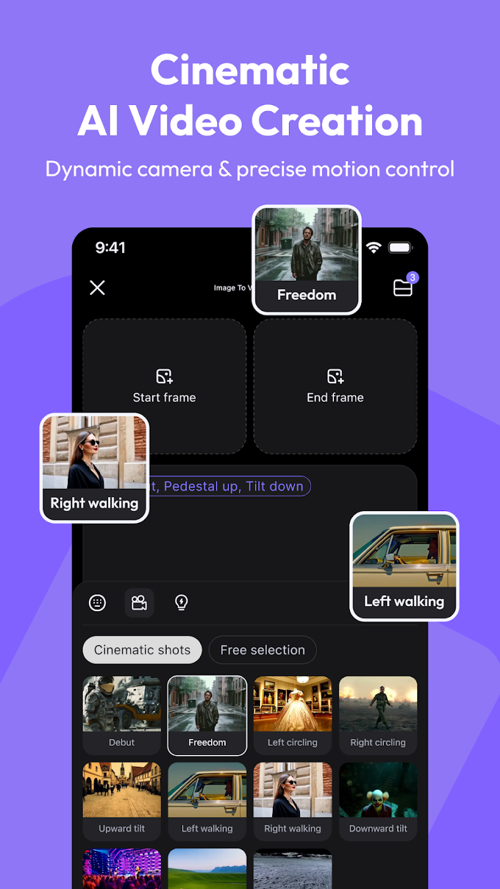
What Hailuo AI can do
Text to video
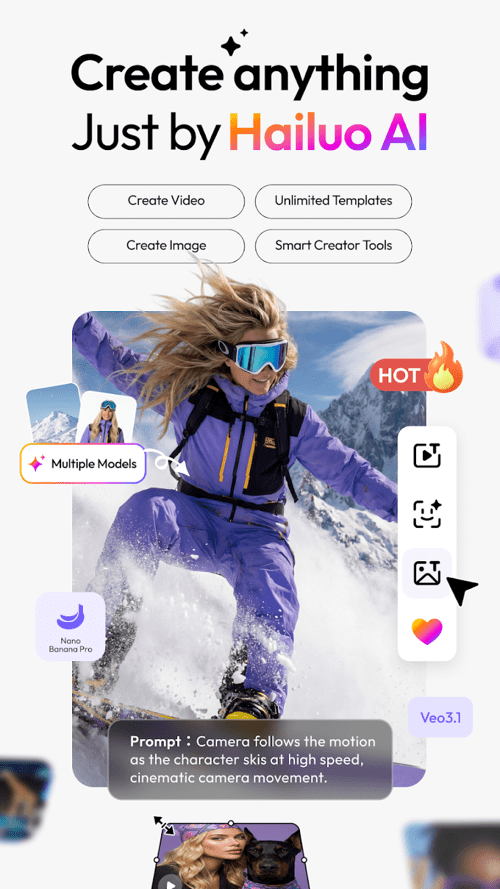
Describe a shot in natural language and the model generates a clip that attempts to follow it. A useful prompt identifies the subject, action, setting, framing, camera movement, lighting, and mood.
For example, replace “an astronaut on Mars” with: “Wide cinematic shot of an astronaut seated beneath pale-pink flowering trees on Mars, slowly lifting a cup of tea, gentle wind moving the branches, warm sunrise, camera dolly forward.”
Image to video
Upload a still image and describe the movement you want. This is useful for adding a slow camera push, moving clouds, hair motion, or a small facial expression while retaining the original composition.
Ask for one or two clear movements at first. Complicated choreography, fast interactions, and large changes to the camera angle are more likely to produce distorted anatomy or inconsistent objects.
Subject or character reference
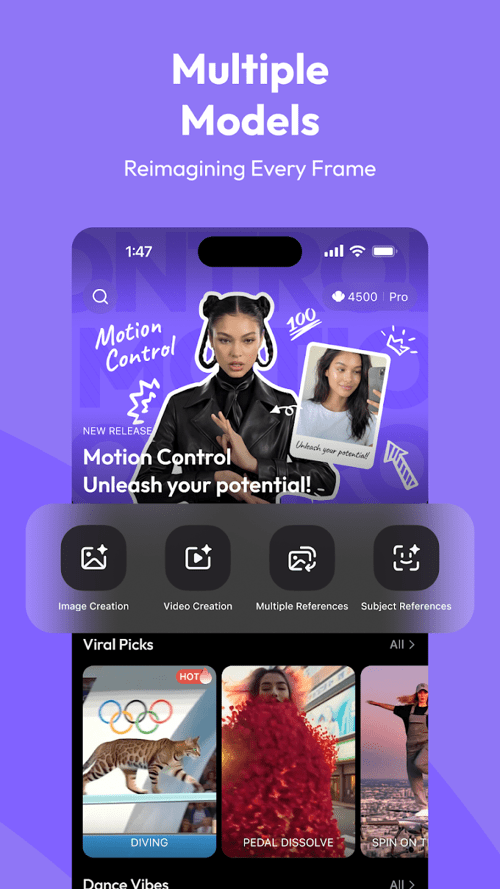
When a reference feature is available, it can help preserve a person's or character's appearance across generations. It improves consistency but does not guarantee an identical face, outfit, body, or environment in every frame.
Use a clear reference image, repeat key visual traits in the prompt, and generate short shots separately. Edit the most consistent shots together rather than expecting one long generation to remain perfect.
A practical generation workflow
- Define one shot. Decide what should happen during a few seconds of screen time.
- Choose text or image input. Use image-to-video when composition and appearance matter more than surprise.
- Write a structured prompt. Specify subject, action, environment, camera, lighting, and style.
- Generate a draft. Treat the first result as a test, not a finished asset.
- Change one variable at a time. Adjust the motion, framing, or style separately so you know what improved the output.
- Inspect every frame. Look for face changes, extra fingers, warped text, disappearing objects, and abrupt background shifts.
- Edit outside the generator. Trim clips, add licensed audio, correct color, add captions, and confirm the final aspect ratio.
How to write a controllable prompt
| Prompt element | What to specify | Example |
|---|---|---|
| Subject | Who or what is visible | A calico cat |
| Action | One clear movement | Walks slowly through tall grass |
| Setting | Location and important background | A sunlit garden with lavender |
| Framing | Shot size and angle | Low-angle medium shot |
| Camera | Movement, if any | Camera tracks from left to right |
| Lighting | Time and light quality | Soft late-afternoon light |
| Mood | Emotional tone | Calm and playful |
More words do not automatically produce a better video. Remove instructions that conflict with one another. If the model repeatedly ignores a detail, simplify the shot or use a reference image.
Prompt example
A calico cat walks slowly through tall grass in a garden of lavender, low-angle medium shot, camera tracks from left to right, soft late-afternoon light, calm and playful mood, natural motion.
Improve character consistency
- Use the same reference image and repeat the same concise character description.
- Keep wardrobe, lighting, and camera distance stable between adjacent shots.
- Avoid hiding the face or changing from a close-up to an extreme wide shot unless needed.
- Generate short shots and select matching takes during editing.
- Do not assume a generated likeness is authorized; obtain consent before using a real person's face.
Quality and safety checks before publishing
- Rights: use images, characters, music, logos, and footage you own or are licensed to use.
- Consent: do not create deceptive or harmful impersonations of real people.
- Accuracy: label illustrative footage when viewers could mistake it for a real event, place, product, or person.
- Platform rules: check disclosure requirements for AI-generated or altered media.
- Privacy: avoid uploading confidential images, identity documents, or private workplace material.
- Commercial terms: verify the current plan's usage rights, attribution, watermark, and export conditions.
Common problems and fixes
The subject changes appearance
Use a cleaner reference, reduce camera movement, repeat defining traits, and shorten the shot. Generate several versions and keep the one with the least drift.
Motion looks unnatural
Ask for slower, simpler action. Remove simultaneous movements and avoid demanding a complex physical interaction in a single clip.
The result ignores the composition
Start with an image that already has the desired framing. Image-to-video usually offers more compositional control than a text-only prompt.
Text inside the video is distorted
Add titles and captions in a video editor after generation. AI video models are not a dependable replacement for typesetting.
Hailuo AI is most effective as a shot generator and creative prototyping tool. A clear prompt, limited motion, careful selection, and conventional post-production will usually produce a more coherent result than trying to generate a complete finished video in one step.
Related Articles
 8 Best AI Video Creation Tools7 minutes read
 How to Use Hailuo AI to Turn Photos Into Videos3 minutes read
 Artificial Intelligence Learns to Create Another Artificial Intelligence7 minutes read
 Using the Wrong AI Video Maker Could Infect Your PC with Malware5 minutes read
 6 Photo Editing Software Using Artificial Intelligence to 'Elevate' Your Image7 minutes read
 Microsoft Launches Bing Video Creator to Compete with Veo3 minutes read
Reader Comments 0
Sign in with email or Google to join the discussion.