Table of Contents
This article examines Experience the New Lag and Upload Speed Feature of FAST.com. It presents the main facts, practical implications, and key points in a clearer, easier-to-follow format.
Understanding Experience the New Lag and Upload Speed Feature of FAST.com
In 2016, Netflix launched FAST.com, a website dedicated to checking internet speed of users at any time and anywhere.

Measuring network speed with FAST is very simple, you just need to visit FAST.com website or open FAST application, tests will be performed. You just need to wait for the results to be returned.
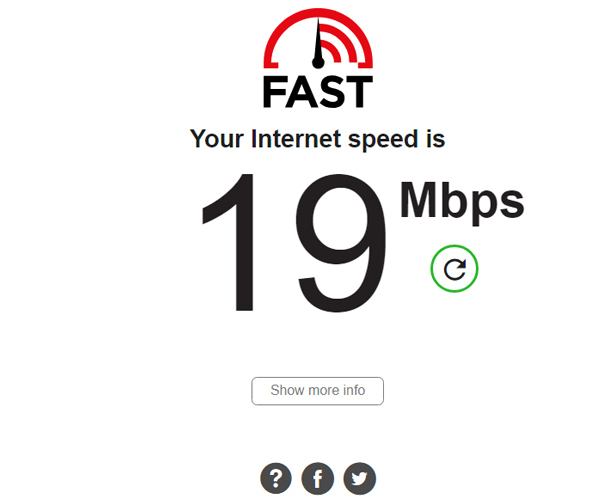
If you choose to display more information (. Show more info ), the upload speed and load time test will be performed. The results you get not only show upload speed, latency but also IP address, ISP name, server name, client name.

To configure some options such as connection number, show details as soon as the test starts, save the configuration. you can select. Settings .

With just a few simple steps on FAST.com, users will be able to have a more comprehensive view of the internet quality they are using.
According to Netflix, there have been more than 500 million speed tests via the web or via iOS and Android applications made by its FAST.com speedtest tool. And over the past seven months, the number of uses of this speedtest site has doubled.
- The average internet speed of Vietnam ranks 75th in the world, reaching 6.72 Mb/sec.
- 8 ways to check the network speed extremely accurately, you should not ignore it.
- Measuring the speed of Viettel, VNPT and FPT using Speed Of Me.
- How to check internet speed with cmd command.
FAQ
What is the main point of Experience the New Lag and Upload Speed Feature of FAST.com?
In 2016, Netflix launched FAST.com, a website dedicated to checking internet speed of users at any time and anywhere. Measuring network speed with FAST is very simple, you just need to visit FAST.com website or open FAST application, tests will be performed.
Why is Experience the New Lag and Upload Speed Feature of FAST.com important?
Experience the New Lag and Upload Speed Feature of FAST.com matters because it can affect how readers understand, choose, use, or respond to the subject discussed in the article.
What should readers verify about Experience the New Lag and Upload Speed Feature of FAST.com?
Check the date, product or software version, compatibility, and any current guidance before acting, especially when technology, security, health, or pricing is involved.
Related Articles
 Why Is Upload Speed Usually Much Slower Than Download Speed?7 minutes read
 What Is the Difference Between Upload and Download Speed?7 minutes read
 Turn Off the Office Upload Center Feature3 minutes read
 Check the Speed of Network Download, Upload Using Speed Test2 minutes read
 How to Find the Upload and Download Speed on Your PC4 minutes read
 How to Use Wi-Fi Upload Feature to Share Videos on iOS3 minutes read
Reader Comments 0
Sign in with email or Google to join the discussion.