Table of Contents
This guide covers 'degree' netbook has a touch screen with practical context and easy-to-follow details. Use it to understand the subject and apply the information confidently.
A Taiwanese company introduced a kit that allows netbook users to have a tap screen by connecting the panel to the computer's circuit points. The kit was sold by the company on the Ebay e-commerce website, users can install it on netbooks like the Acer Aspire One or Eee PC 900/901. With 4 wires connecting the control panel to the ports, this kit will create 25 routing points, allowing users to directly manipulate the screen to control the machine directly. Once installed, the device works well with netbooks running on Mac, Linux or Windows operating systems. The price of this product is 96 USD (equal to 25% of netbook value). Below is the installation diagram and mounting instructions introduced by the company on Ebay.
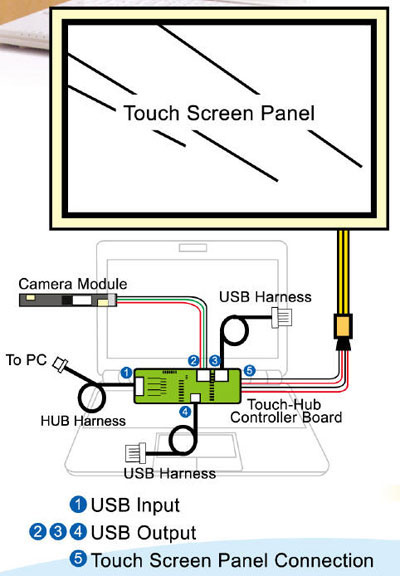 Installation diagram.
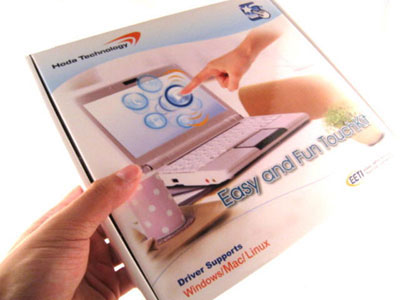
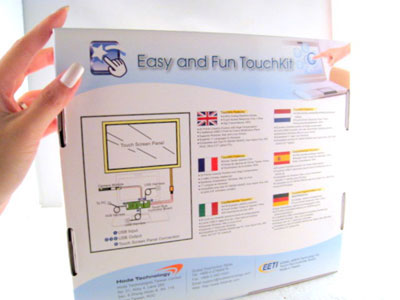 Kit kit for mounting on netbooks.
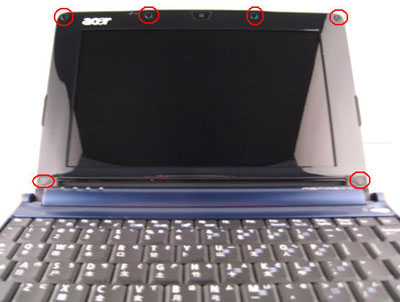
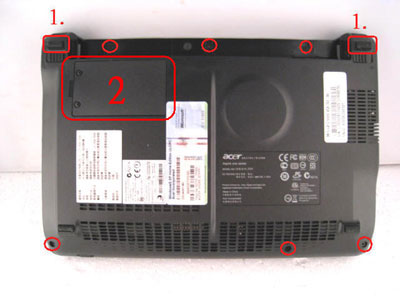
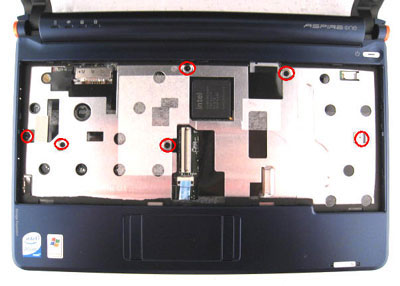
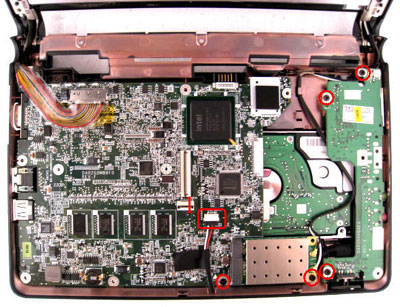
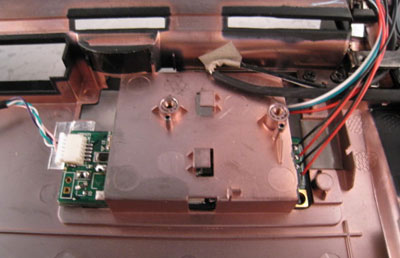
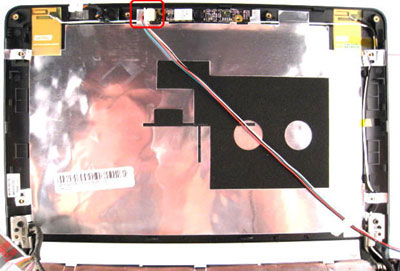
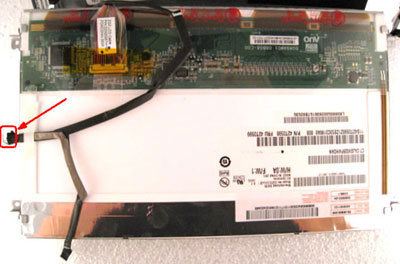
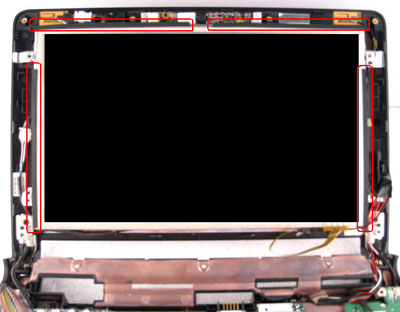 The steps are done on the Acer Aspire One.
FAQ
What should I check before following these steps?
Confirm device and software compatibility, save important data, and make sure you have the required permissions, files, and account access.
Why might the process not work?
Common causes include outdated software, missing permissions, incompatible hardware, an unstable connection, or completing a step in the wrong order.
Can I undo the changes if necessary?
That depends on the tool or setting. Use built-in restore options when available, keep a backup, and record the original configuration first.
Related Articles
 Touch Eee PC Touch Netbook3 minutes read
 Touch Screen Helps Netbook More Sparkling5 minutes read
 Why the Touch Screen Does Not Work and How to Fix It?11 minutes read
 HP Out Touch Screen Netbook4 minutes read
 Should You Buy a Touchscreen PC?5 minutes read
 Watch the Netbook Disassemble the Keyboard2 minutes read
Reader Comments 0
Sign in with email or Google to join the discussion.