Table of Contents
You cannot freely switch a Vietnam League of Legends account to any server for 1 Blue Essence. To play on another shard, use an account transfer only if Riot offers the destination in the client's Store, or create a separate account for that region. Availability, price and transfer restrictions can change, so review the live confirmation screen before paying.
First distinguish the three region settings
| Setting | What it affects |
|---|---|
| League shard | Matchmaking pool, ranked ladder and the players you can queue with. |
| Riot account Region of Residence | Country-based services, currency and legal settings across Riot games. |
| Riot ID tag | The text after # in your Riot ID; it is not reliable proof of the shard. |
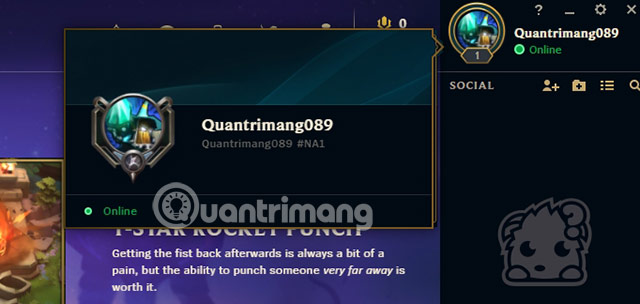
A profile tag such as #NA1 can be customized and should not be used as the only server check. The destination offered under the account-transfer service is a better indicator of the League shard attached to the profile.
Option 1: Use the in-client account transfer
- Open League of Legends and select the Store.
- Open the Account section.
- Look for a region-transfer service and select the intended destination.
- Read the current price, eligibility rules, cooldown and the list of data that will or will not transfer.
- Confirm only after checking your destination and Riot ID carefully.
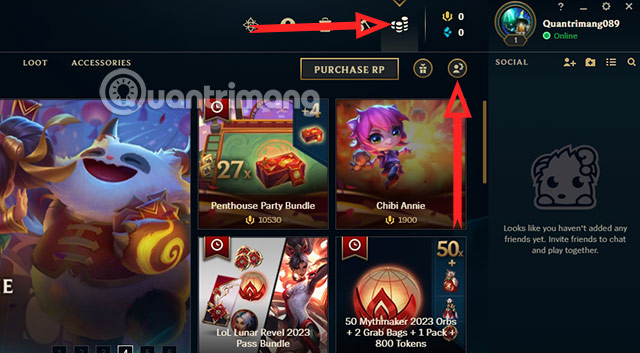
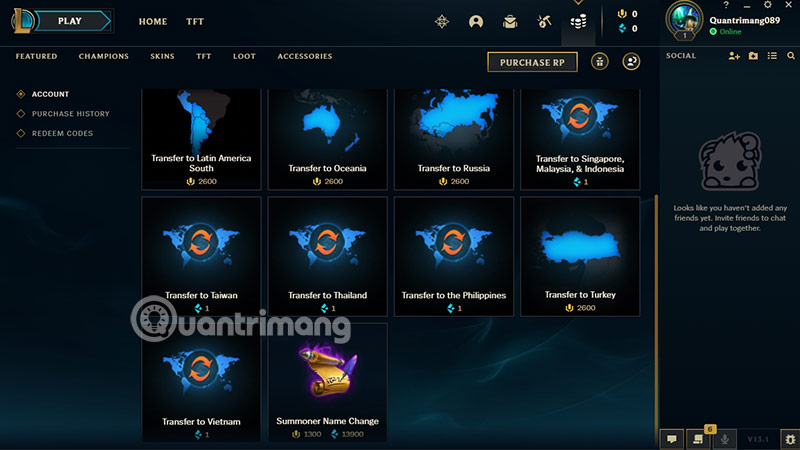
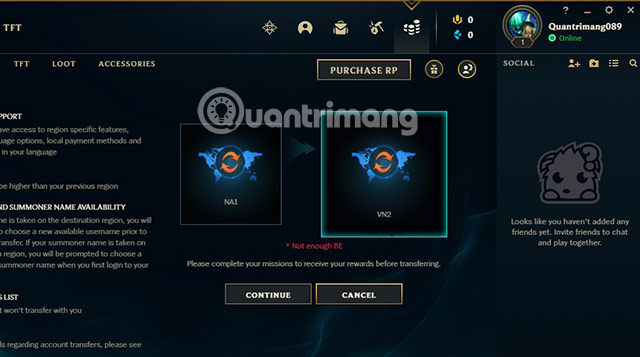
If the destination is not listed, there is no supported way to force it through the client. Riot may temporarily disable all transfers or restrict specific routes during season changes, service migrations or technical work.
Option 2: Create a separate regional account
A new account is the practical choice when no transfer route exists or when you do not want to move the original profile. The account starts without the original champions, skins, rank, currency or match history, but the original profile remains on its current shard.
Create the account through Riot's official sign-up flow for the intended region. Do not buy accounts or use a VPN to falsify residence; doing so can create verification and account-recovery problems. If you are only testing upcoming content, a PBE account is separate from a normal regional transfer—see TipsMake's guide to using Vietnamese on League PBE.
What to check before transferring
- Friends and clubs: players on the original shard may no longer be available to queue with.
- Ranked progress: league placement, rank or season records can be changed or reset depending on the transfer policy.
- Riot Points and content: review the confirmation list for balances, loot and region-specific items.
- Cooldown: transfers normally have a waiting period before another move; use the current value shown by Riot.
- Ping: a server closer to your physical location generally improves latency, but routing and ISP quality still matter.
Historical screenshots and obsolete claims
The screenshots in this guide show an older transfer interface. The former “1 Blue Essence” offer and its broad destination list were tied to a past Southeast Asia migration period and should not be treated as current pricing or permanent availability.
If you moved to another country
A League shard transfer and a Riot account Region of Residence correction are different requests. If your country setting is wrong after a real move, sign in to Riot Support and use its official region/account tools. Do not change the account country merely to shop in another currency.
Before any paid move, read Riot's Account Transfer FAQ and take screenshots of the confirmation terms. If the client offers no valid route from or to Vietnam, submit a support ticket rather than following an unofficial workaround.
Related Articles
 League of Legends Server Maintenance Period for Version 25.207 minutes read
 League of Legends: Top 4 Useful but Neglected Equipment in the Game7 minutes read
 Want to Improve Your MMR in League of Legends? Here's How7 minutes read
 Instruction to Register to Download League of Legends: Toc Chien3 minutes read
 Top 5 Strongest Generals of the Upper Road in League of Legends 9. 66 minutes read
 League of Legends: 4 Generals Who Gained the Most Power in Version 9. 56 minutes read
Reader Comments 0
Sign in with email or Google to join the discussion.