Table of Contents
Use movement techniques, items, warning cues, quick revives, and teammate carries to move more efficiently and survive longer in Roblox Evade.
Roblox includes many community-created experiences. There are bound to be some outstanding titles among them. And nothing exemplifies this more clearly than Evade.
Evade is an experience created by the Hexagon Development community, heavily inspired by the popular party game Garry's Mod (Nextbit Chase). While Evade is aimed at casual players, there are still some who want to experience the competitive aspect.
Evade is a complex game with countless different mechanics. To save time and minimize frustration, the tips listed in this guide will help you move quickly to your goal.

Additionally, moving faster, finding safe places to hide, and bringing friends there also helps players successfully survive each round. Therefore, this article will provide tips to help Evade players become expert hiders and successfully escape the lurking dangers.
Jump higher
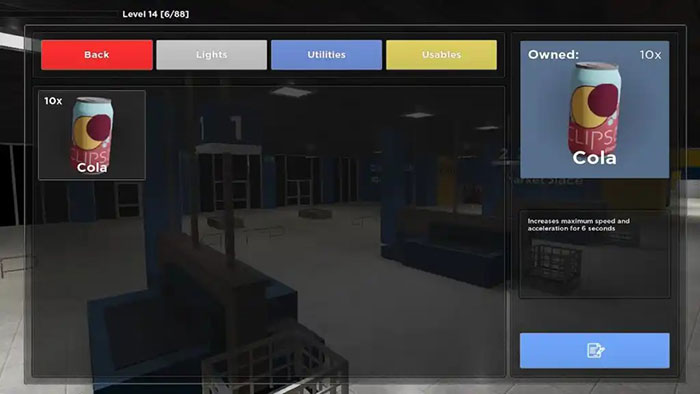
To perform a super-high jump, the character will need a lot of speed. Players can increase their speed by purchasing Cola from the item shop on the main menu, and they only cost $60 each. Buying additional Speed Pads to place on the ground also helps increase the character's speed.
Once you've increased your speed in a level, look for ramps, railings, fences, cars, and other objects that can knock you into the air.
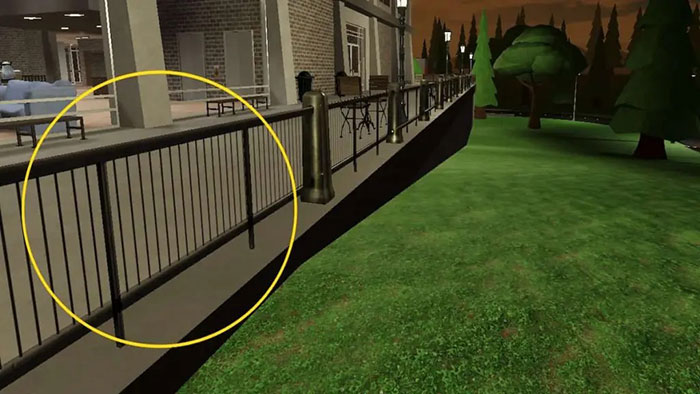
To make your character jump higher in Evade, follow these steps:
- Turn on shift-lock using Shift or via the menu with Esc.
- Run at maximum speed over the object, increase your speed using purchased Cola or Speed Pad.
- Tap the object with your character and use the A or D key to move to the left or right corner.
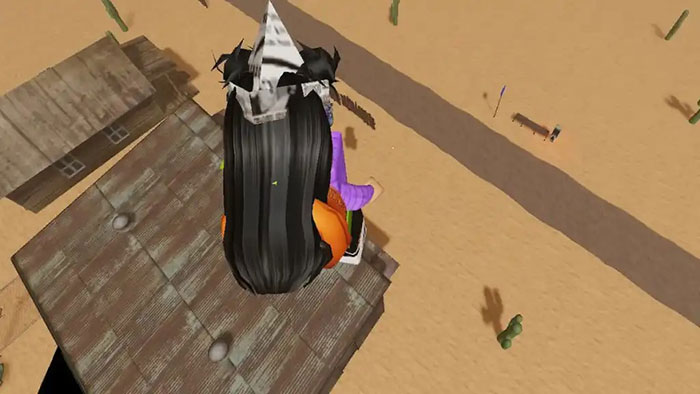
If you master this high-jumping skill, you can use any object to jump high at the correct speed and angle. While in the air, steer your character in the direction you want to land. This is much easier with the shift-lock activated.
Run faster
Strafing is a technique used to dodge incoming bullets by moving left and right while running, and in this case, it makes the character run faster than ever. To perform this action, the player will need to follow these steps:
- Hold down the W key to run continuously in a straight line.
- Switch between the A and D keys, or the left and right arrow keys, to move to the corresponding side while running.
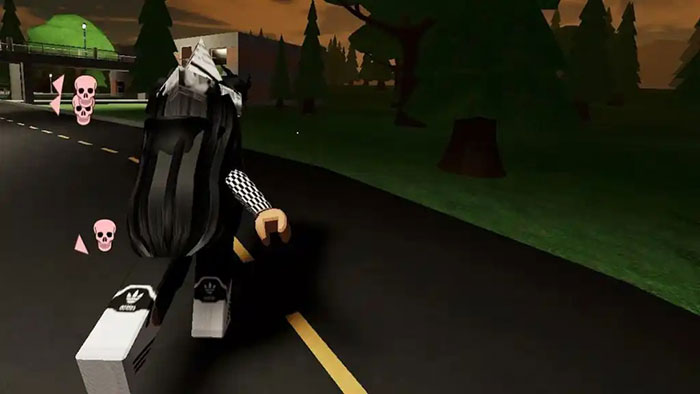
This simple action can help people achieve incredible speeds while running and potentially avoid those following behind them.
Run in circles
Running in circles in Evade means that when Nextbot is chasing you, the player needs to run in circles to confuse Nextbot. The more circles you make, the more confused Nextbot becomes, giving the player more time to escape.
Bunny hopping
Bhopping, or rabbit jumping, is another technique used to increase speed and create more distance from enemies. It uses strafing and jumping to make escaping from nextbot easier.
- Hold down the W key to run continuously in a straight line.
- Press the space key repeatedly.
- Switch between the A and D keys, or the left and right arrow keys, to move sideways respectively while running, and press the spacebar while the character is in mid-air.
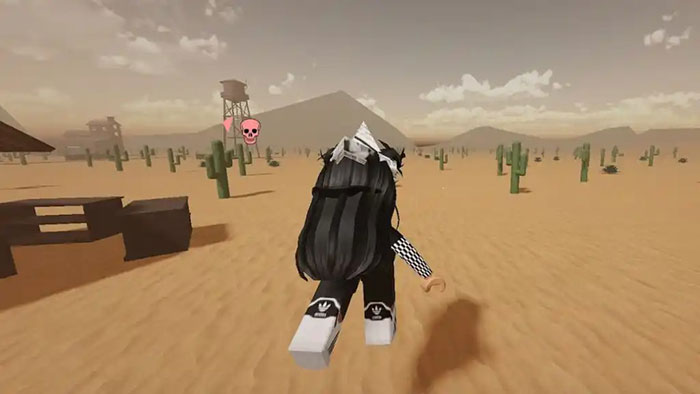
This will make the character continue jumping while strafing and increasing speed, working well even when the nextbot is very close behind. Just be sure to circle around buildings or other objects while bhoping to create more distance from the bots.
Run faster with these items
Evade also offers in-game items that help players run faster. Players can purchase several cans of Cola from the in-game item shop for $60 each. Each can increases movement speed by 50% for approximately 6 seconds.
Gamers can also add Speed Pads to their cart to increase their speed. When stepping on these pads, players will receive a +50% speed boost for 60 seconds. When combined with Cola, players can achieve a speed boost of up to +100%.
How to carry another player
Reviving other players when they're downed is a good practice in each round to earn extra gold. However, attempting to revive players can be quite dangerous, especially in confined spaces where nextbots can easily take you down as well. To make it easier, you can take the player to a safe location before reviving them:
- Approach the player who has been eliminated.
- Press Q on the character's body.
- Press Q again to place the character in a safe location.
Once you're out of danger, you can safely revive that player by holding down the E key on them. This is also a great way to ensure you earn more money after each round.
How to break down a door in Evade
Sometimes doors can prevent players from escaping approaching bots and take too long to open the normal way. You can escape faster by driving right through them. Instead of using E to open the door, do the following:
- Run at full speed through the door.
- Hold C to slide on the floor.
- Break down the door and keep running.
If successful, the doors will spring off their hinges, allowing the character to move much more easily and quickly, so no time is wasted. Players may need to use some Cola to increase their speed sufficiently, as otherwise the doors will not break.
Quick Revive
If you're reviving a downed teammate, there will be a revive bar below their name to indicate the revival progress. While reviving, the player doesn't actually have to revive them completely. Once the revive bar crosses the middle, the revival process will continue regardless. So if you're in imminent danger and want to revive multiple people at once, this trick can be helpful.
Warning lights
Warning lights are also a good way to know when Nextbots are nearby without actually seeing them. Lights in Evade are usually fixed, but when a Nextbot is detected, they will start flashing. The flashing rate indicates how close the Nextbot is to the player, with a higher rate indicating a shorter distance and vice versa. Utilizing this mechanism is beneficial for the player, so be sure to run to a safe location as soon as the lights start flashing.
And that's all you need to know to run faster in the popular Roblox game Evade. Start by mastering basic techniques like Bunny Hopping and Strafing before moving on to more advanced techniques like Shrimping. And remember, practice makes perfect, so train regularly and combine using power-ups to move faster, thus successfully completing the game.
Related Articles
 Latest Evade Roblox Codes and How to Redeem Codes4 minutes read
 How Does Roblox FPS Unlocker Work? Is It Really Safe?6 minutes read
 Best Roblox Music Ids That Should Be Featured on Radio12 minutes read
 The Hottest Music Ids and Hit Songs in Roblox: Complete List9 minutes read
 Roblox Studio13 minutes read
 The Latest Roblox Codes for April and How to Enter Roblox Promo Codes 20265 minutes read
Reader Comments 0
Sign in with email or Google to join the discussion.