Table of Contents
This guide covers battery thin-film - a safe alternative to lithium-ion batteries with practical context and easy-to-follow details. Use it to understand the subject and apply the information confidently.
Dell's laptop uses a burnt lithium-ion battery
The prospect of applying thin-film battery technology to bring this product to market is very positive as this project has received a lot of financial support. Infinite Power Solutions - developer of thin-film battery technology - confirmed that it has received about $ 34. 7 million from a group of private companies. With this investment, Infinite Power Solutions said that they can fully bring new technology batteries into mass production next year. Raymond R. Johnson - executive chairman of Infinite Power Solutions - confirmed that his firm has solved all the technical problems 'getting in the way' of mass production of new batteries. Infinite Power Solutions has successfully produced thin-film battery products that can be used and recharged more than 10, 000 times. In addition to Infinite Power Solutions, there are a number of other companies that develop thin-film battery technologies such as Cymbet Corporation, Excellatron Solid State and Oak Ridge Micro-Energy. Some firms have also planned to launch products within the next few years. Thin-film battery technology could replace lithium-ion batteries applied on current notebook or mobile phones. But to be able to achieve that result, perhaps new battery technology still takes a few years. Not only is the world battery industry developing a scaled-down version of thin-film technology. In this case the battery will be as small as a stamp and directly attached to the computer's microprocessor chip. Hoang Dung
FAQ
What should I check before following these steps?
Confirm device and software compatibility, save important data, and make sure you have the required permissions, files, and account access.
Why might the process not work?
Common causes include outdated software, missing permissions, incompatible hardware, an unstable connection, or completing a step in the wrong order.
Can I undo the changes if necessary?
That depends on the tool or setting. Use built-in restore options when available, keep a backup, and record the original configuration first.
Related Articles
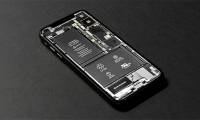 Successful Development of a New Ultra-thin and Lightweight Lithium-sulfur Battery5 minutes read
 Researchers Develop Rechargeable Lithium Batteries: Explained6 minutes read
 Lithium-Sulfur Batteries Will Help Smartphones Work Longer4 minutes read
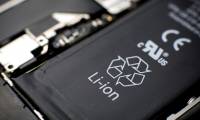 New Technology Helps Prevent Smartphone Batteries from Catching and Exploding4 minutes read
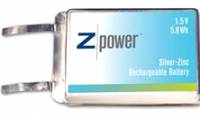 Silver Zinc Batteries Are Over 40% Longer Than Lithium Batteries3 minutes read
 Australia Makes Batteries That 'Like' Heat and Never Explode3 minutes read
Reader Comments 0
Sign in with email or Google to join the discussion.