Table of Contents
This guide provides a practical overview of Apple Stopped Supporting Hardware Repair / Replacement for MacBook Pro 2012, including its main features, benefits, limitations, and important considerations.
Apple typically puts devices that have been out of production for about seven years on the "Outdated" list. These devices will be discontinued to support hardware repair / replacement, and Apple will not produce and stock replacement parts for them. Retina MacBook Pro 2012 screen is listed as "Obsolete" after 8 years of appearing on the market.
 Apple will officially stop supporting / replacing hardware for MacBook Pro 2012 Retina from June 30
If you're still using the 2012 15-inch MacBook Pro with a Retina display and plan to replace your battery or keyboard, you should do so before June 30. After this period, if the 2012 Retina MacBook has hardware problems, users will have to go to external stores and may have to replace components with floating goods of unknown origin.
Last May, Apple also put some 13-inch and 13-inch MacBook Air and MacBook Pro models into the "Outdated" list.
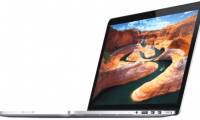
 2012 Retina 15-inch MacBook Pro was highly appreciated at the time of launch for its slim design, beautiful screen
The 2012 15-inch MacBook Pro is the first MacBook Pro model to feature a Retina display. It also has a thinner design than its predecessors when removing the optical drive and Ethernet port.
FAQ
What should I know about Apple Stopped Supporting Hardware Repair / Replacement for MacBook Pro 2012?
Focus on the key features, requirements, limitations, and practical use cases explained in this guide.
How do I get the best results with Apple Stopped Supporting Hardware Repair / Replacement for MacBook Pro 2012?
Follow the recommended steps, use current software or information, confirm compatibility, and review settings before major changes.
Are there any risks or limitations?
Potential limitations depend on compatibility, data quality, cost, privacy, support, and how the product or method is used.
Related Articles
 MacBook Pro Retina 2013 Is Very Difficult to Fix When Hardware Failure5 minutes read
 MacBook Air // Pro Retina Will Be Released in June 20133 minutes read
 Inside MacBook Retina 2015: Exquisite Design, Very Difficult to Repair7 minutes read
 Apple Reduced the Price of MacBook Pro Retina and MacBook Air, Upgraded3 minutes read
 The Price for a MacBook Pro Retina Battery Is US $$ 1993 minutes read
 MacBook Air 12 'Retina Has Started to Be Mass-produced?3 minutes read
Reader Comments 0
Sign in with email or Google to join the discussion.