Table of Contents
This guide covers AMD-based netbooks play full hd videos with practical context and easy-to-follow details. Use it to understand the subject and apply the information confidently.
All three models introduced by Acer in this Netbook Summit show are the Acer Aspire One 521, Gateway LT22 and LT2203 based on AMD processor platform. There is a slight difference in design between these three models, but they all incorporate a 1. 2 GHz AMD V105 chip combined with ATI Radeon HD 4225 graphics chip. According to AMD chip manufacturer, this system can provide grant a better performance than the platform Nividia Ion 2.
Acer Aspire One 521, Gateway LT22 and LT2203 all have 10. 1-inch screens with 1024 x 600 pixel resolution. The Aspire One 521, Gateway LT22 will have a 160GB hard drive while Gateway LT2203 will have a slightly larger hard drive with 250GB.
All three models are preinstalled with Windows 7 Starter operating system for a continuous battery life of up to 7 hours and a selling price of less than 400 USD.
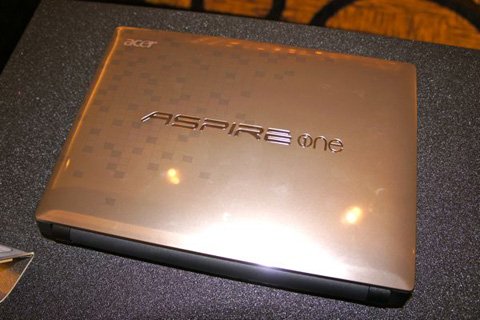 The case with the Aspire One logo is quite large.
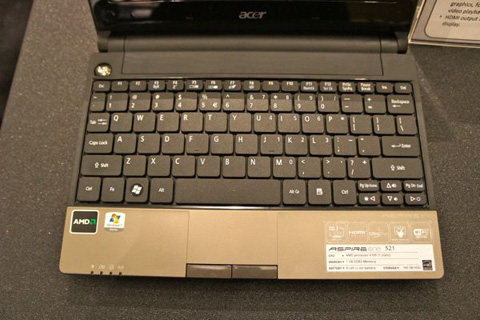 Full keyboard.
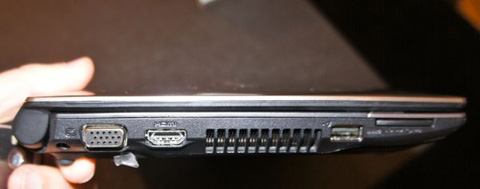 The device is equipped with an HDMI port to output high-definition video to TVHD.
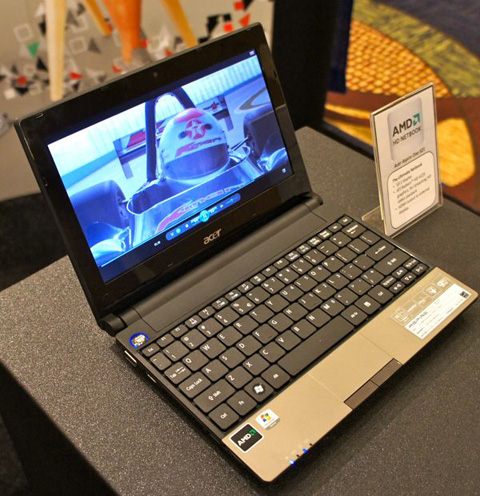 In quick tests, this model can play smoothly with high definition Full HD 1080p videos.
FAQ
What should I check before following these steps?
Confirm device and software compatibility, save important data, and make sure you have the required permissions, files, and account access.
Why might the process not work?
Common causes include outdated software, missing permissions, incompatible hardware, an unstable connection, or completing a step in the wrong order.
Can I undo the changes if necessary?
That depends on the tool or setting. Use built-in restore options when available, keep a backup, and record the original configuration first.
Related Articles
 There Will Be Cheap Netbooks That Can Watch HD Videos7 minutes read
 Watching HD Videos on Netbooks Will Be Easy3 minutes read
 How to Play and View AVI Videos on a Mac5 minutes read
 Full Package of Accessories for Netbooks3 minutes read
 How to Play Videos from Android to TV Via Chromecast Using VLC4 minutes read
 Steps to Play Full Screen Games on Windows 7, 8, 104 minutes read
Reader Comments 0
Sign in with email or Google to join the discussion.