Table of Contents
This updated guide examines Air Conditioner, Lg Air Conditioner Has Any Error Codes? What Is and organizes the essential facts, background, and practical takeaways in clear American English.
How to check LG air conditioner error code
LG air conditioner is one of the highest rated products today. However, as an electronic device, they are unavoidable in case of problems during use. How to check LG air conditioner error code is very simple. When an error occurs, a code will appear on the LG air conditioner controller. You only need to scan the code on the error code to determine the cause and then take the appropriate corrective action. In the absence of controls, you can rely on the lights displayed on the air conditioner.
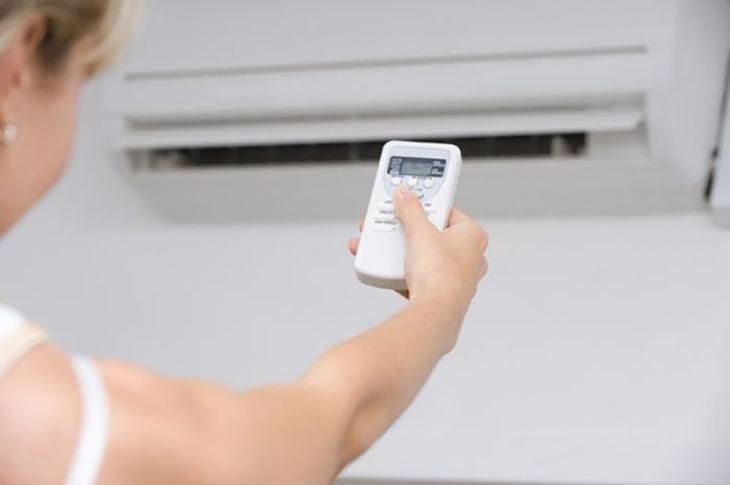
Error code displayed on LG air conditioner controller
LG air conditioner error code
Error code regulating LG localization
LG air conditioner error code on the controller
Report an error on the lamp
Description of the error
Cause of error
Red light
Green light
CH 01
1 times
Error of wind temperature sensor in inner chamber
Open circuit, internal circuit error, poor weld
CH 02
2 times
Error in tube temperature sensor inside
Open circuit, internal circuit error, poor weld
CH 03
3 times
Spread the signal wire from the inner chamber to the air conditioner controller
Open circuit, control error, wrong connection
CH 04
4 times
Drain pump error or float switch
Open float switch (normal status is closed)
CH 05 and CH 53
5 times
Internal connection error signal to external
Due to poor signal transmission
CH 06
6 times
Internal tube temperature sensor error
Machining, internal circuit fault, poor weld
CH 07
7 times
Heterogeneous operation mode error (only in 2-way LG air conditioner)
Because the departments in the operation are not in the same mode.
Code of error correcting LG external department
LG air conditioner error code on the controller
Report an error on the lamp
Description of the error
Cause of error
Red light
Green light
CH 33
3 times
3 times
High push pipe temperature error (over 105 degrees C)
High temperature sensor on the tube pushing the compressor.
CH 44
4 ya
4 times
Error of wind temperature sensor in external unit
Lack of circuit, internal circuit fault, poor weld
CH 45
4 times
5 times
Error of tube temperature sensor of outdoor unit
Due to open circuit, poor weld or internal fault
CH 47
4 times
7 times
Error of temperature sensor on thrust tube
Lack of circuit, internal circuit fault, poor weld
Ch 51
5 times
1 times
Overload error
Due to the total capacity of the unit is larger than the outer one
CH 54
5 times
4 times
Error in phase error
Due to the wrong match of 3 phase wires
Hopefully the air conditioner error code and LG air conditioner that we provide will help your repair. Visit tipsmake.com for detailed advice on LG air conditioner.
>>> More references:
- What is the error of the air conditioner flashing continuously?
- Air conditioning does not work, causes and remedies
- How to choose air conditioners for homes with young children
- What is the best way to buy air conditioner using gas?
- Air conditioner with gas leak is dangerous, how to handle it?
FAQ
What is Air Conditioner, Lg Air Conditioner Has Any Error Codes? What Is about?
It provides a structured overview of LG air conditioner error codes, explains the main context, and highlights practical takeaways for readers.
Why does this topic matter?
Understanding the main concepts helps readers evaluate the issue, avoid common mistakes, and make better-informed decisions.
How should readers use this information?
Use the guidance as a practical starting point, confirm details that may have changed, and follow current product, safety, or security recommendations.
Related Articles
 Panasonic Air Conditioner Error Code, Air Conditioner: How to6 minutes read
 What Is the Error of the Air Conditioner Flashing Continuously?5 minutes read
 The Best Way to Hang the Air Conditioner Heater6 minutes read
 Decode in Detail the Meaning of the Air Conditioner Code5 minutes read
 How to Check and Identify the Air Conditioner Error Code, the7 minutes read
 Certain Locations Must Be Avoided When Installing Air Conditioners6 minutes read
Reader Comments 0
Sign in with email or Google to join the discussion.