Table of Contents
Learning how to accurately distinguish iPhone 6 or iPhone 6s is easier when the steps are completed in the correct order. Use this guide to prepare, make the changes, and verify the result.
You can look through a clip of instructions on how to distinguish iPhone and new goods below
To distinguish iPhone 6S and iPhone 6 is not too difficult. In the article below Network Administrator will guide you how to distinguish some iPhone lines like iPhone 6S, iPhone 6S Plus, iPhone 6, iPhone 6 Plus, iPhone 5S, iPhone 5C, and iPhone 5.
1. iPhone 6S
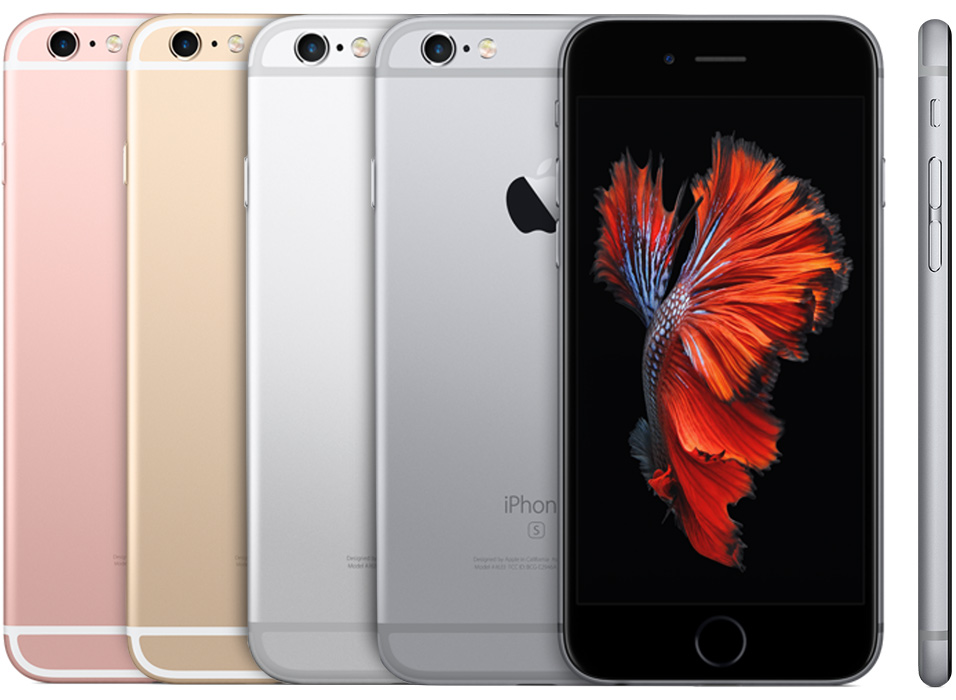
Year of launch: 2015
Versions: 16 GB, 64 GB and 128 GB
Colors: space gray (silver gray), silver, gold, rose gold (pink yellow).
Model Number (Model Number): A1633, A1688, A1700.
Details:
4.7 inch screen.
Touch glass: Oleophobic glass (ion strength)
The back has an S-shaped engraving that is plated with an aluminum layer.
The Sleep / Wake buttons are located on the right side of the device. Home button is integrated Touch ID (fingerprint sensor).
The LED Flash is located on the back of the device.
Sim slot number: 1.
Sim type: Sim Nano
IMEI is engraved on the SIM slot.
How to identify fake iPhone 6S:
Camera: If the fake machine, the plastic part around the lens will protrude out, and the genuine machine only sees the lens, the plastic around the camera is sunk into it. This is the most obvious feature to distinguish fake and genuine goods.
Weight: True iPhone 6s has a heavier weight than counterfeit goods. According to Apple, the iPhone 6 weight is 129 grams and iPhone 6s weighs 143 grams.
Home button: Rose gold (pink yellow) color version of fake iPhone 6S, Home button will not have pink light border but only yellow. This is because iPhone 6 is not pink.
Color: Observation of colors. Counterfeit goods usually only have 2 HOT colors: gold and pink. In the yellow machine, it is difficult to distinguish colors, while in pink machines, counterfeit goods will be darker. The text behind the device is not as sharp as the real one.
2. iPhone 6S Plus
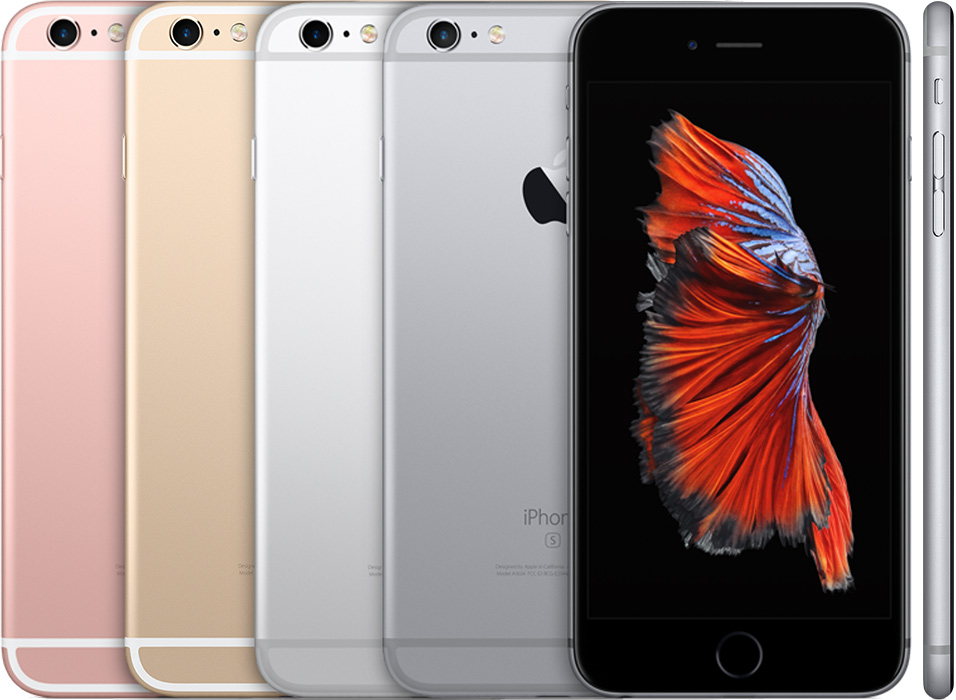
Year of launch: 2015.
Versions: 16 GB, 64 GB and 128 GB.
Colors: space gray (silver gray), silver, gold, rose gold (pink yellow).
Model Number (model number): A1634, A1687, A1699.
Details:
5.5 inch screen.
The back has an S-shaped engraving that is plated with an aluminum layer.
The Sleep / Wake buttons are located on the right side of the device. Home button is integrated Touch ID (fingerprint sensor).
The LED Flash is located on the back of the device.
Sim slot number: 1.
Sim type: Sim Nano
IMEI is engraved on the SIM slot.
3. iPhone 6
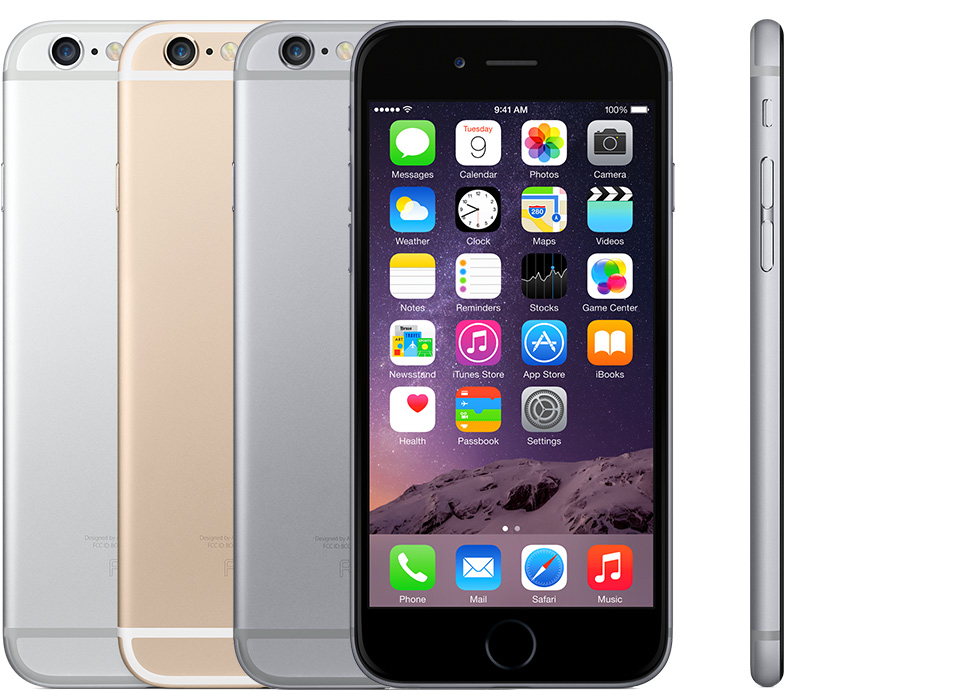
Year of launch: 2014.
Versions: 16 GB, 64 GB and 128 GB.
Color: space gray (silver gray), but silver, gold color.
Model Number (Model number): A1549, A1586, A1589.
Details:
4.7 inch screen.
The back is plated with aluminum.
The Sleep / Wake buttons are located on the right side of the device. Home button is integrated Touch ID (fingerprint sensor).
The LED Flash is located on the back of the device.
Sim slot number: 1.
Sim type: Sim Nano
IMEI is engraved on the back cover.
4. iPhone 6 Plus
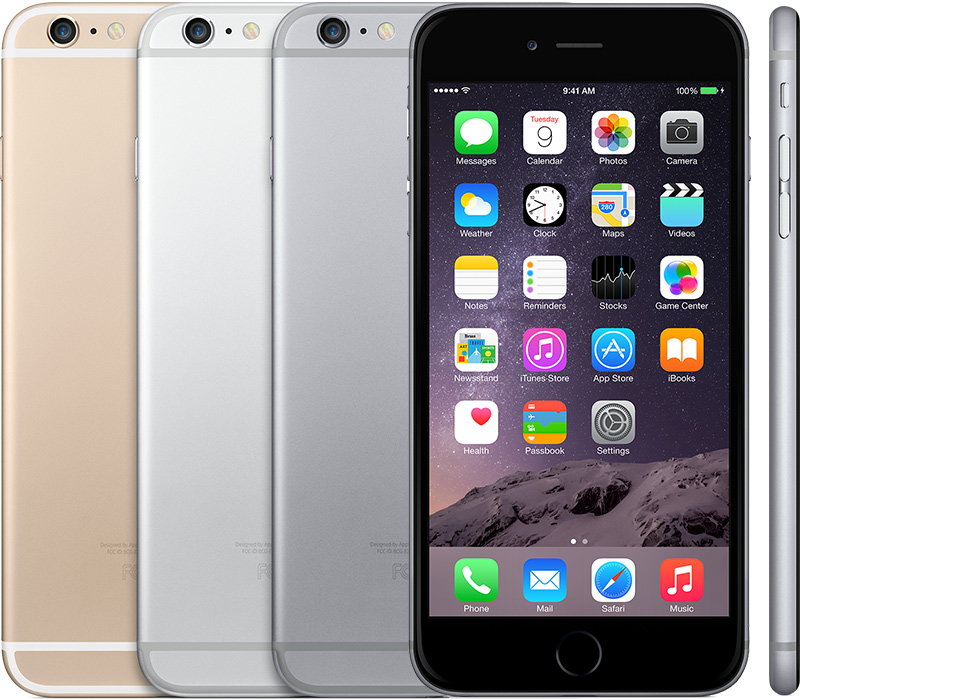
Year of launch: 2014
Versions: 16 GB, 64 GB, and 128 GB
Color: space gray (gray black), silver, gold.
Number Model (Number Model): A1522, A1524, A1593.
Details:
5.5 inch screen.
The back is plated with aluminum.
The Sleep / Wake buttons are located on the right side of the device. Home button is integrated Touch ID (fingerprint sensor).
The LED Flash is located on the back of the device.
Sim slot number: 1.
Sim type: Sim Nano
IMEI is engraved on the back cover.
5. iPhone 5S
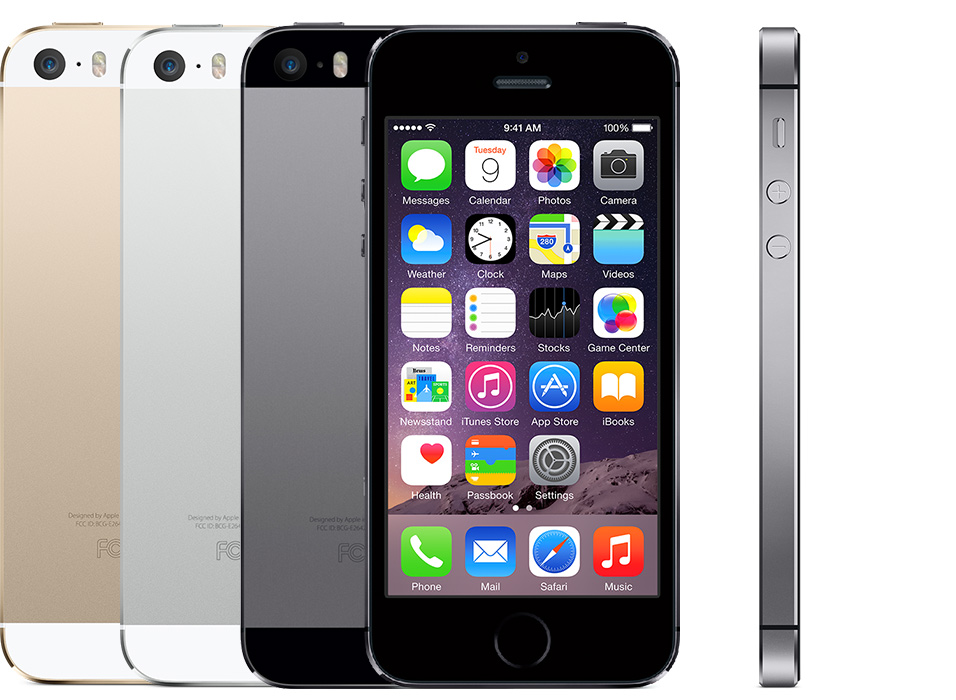
Year of launch: 2013.
Versions: 16 GB, 32 GB, and 64 GB.
Color: space gray (gray black), silver, gold.
Number Model (Number Model): A1453, A1457, A1518, A1528, A1530, A1533.
Details:
The front is protected by glass.
The back is plated with aluminum. Home button is integrated Touch ID (fingerprint sensor).
The LED Flash is located on the back of the device.
Sim slot number: 1.
Sim type: Sim Nano.
IMEI is engraved on the back cover.
6. iPhone 5C
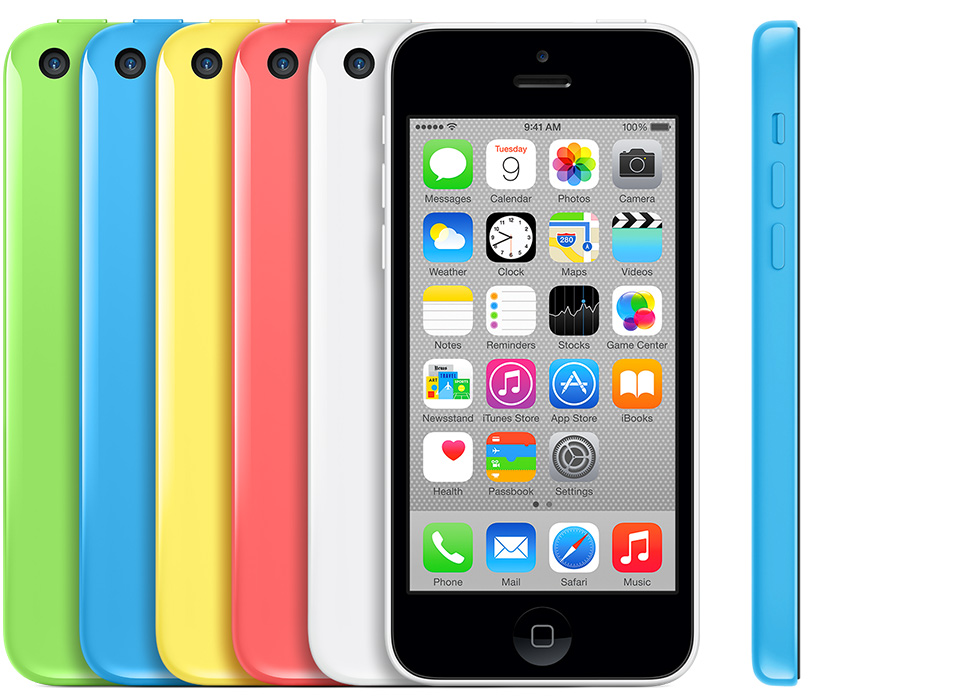
Year of launch: 2013
Versions: 8 GB, 16 GB, and 32 GB.
Colors: white, blue, pink, green, yellow.
Model Number (Model Number): A1456, A1507, A1516, A1529, A1532.
Details:
The front is protected by glass.
The back is covered with Polycarbonate (plastic).
Number of SIM slots: 1.
Sim type: Nano.
IMEI is engraved on the back cover.
7. iPhone 5
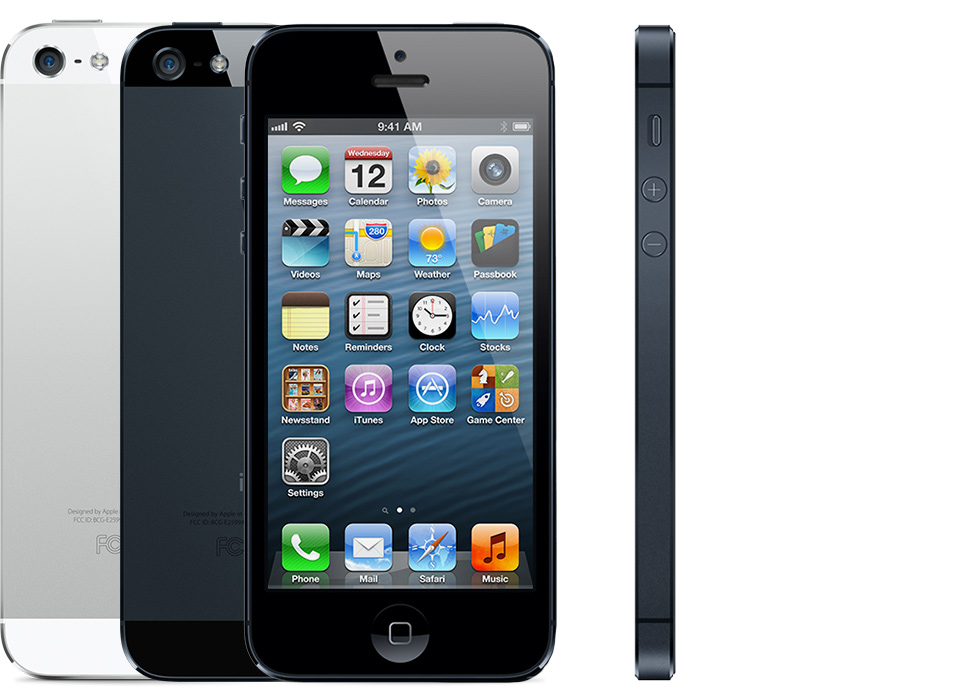
Year of launch: 2012.
Versions: 16 GB, 32 GB, and 64 GB.
Colors: black and white.
Model Number (Model Number ) : A1428, A1429, A1442.
Details:
The front is protected by glass.
The back is plated with aluminum.
Sim slot number: 1.
Sim type: Sim Nano.
IMEI is engraved on the back cover.
You can refer to some of the following articles
-
How to recognize genuine iPhone 6
-
How to recognize iPhone / iPad in 4 steps
-
How to distinguish true white iPhone 4 - fake
Having fun!
FAQ
What should I prepare before I accurately distinguish iPhone 6 or iPhone 6s?
Review the requirements in the guide, confirm that your device or software is compatible, and save important work before changing settings related to accurately distinguish iPhone 6 or iPhone 6s.
Why might accurately distinguish iPhone 6 or iPhone 6s not work as expected?
The most common causes are incompatible versions, missing permissions, incorrect settings, or an interrupted internet connection. Recheck each step and restart the app or device when appropriate.
Can beginners follow these accurately distinguish iPhone 6 or iPhone 6s steps?
Yes. Follow the steps in order, avoid skipping confirmation screens, and compare your interface with the screenshots because labels may differ slightly between versions.
Related Articles
 Guide to Distinguish Genuine iPhone 7 Plus and Counterfeit Goods8 minutes read
 How to Accurately Check the Lock or International Version for iPhone7 minutes read
 How to Distinguish Real iPhone X, Fake Company and Taiwan10 minutes read
 How to Distinguish True White iPhone 4 - Fake6 minutes read
 How to Identify the Most Accurate and Fake iPhone Headphones5 minutes read
 The Difference Between iPhone 6S and iPhone 6S Plus?6 minutes read
Reader Comments 0
Sign in with email or Google to join the discussion.