Table of Contents
This updated guide compares apps for taking polaroid - style photos and highlights the details that matter most. Many people love the look of instant film, but cannot bring themselves to lug around a bulky camera or buy expensive rolls of film. Luckily, there are a number of apps that come impressively close to recreating the Polaroid magic.
6. Gudak Orange
The Gudak app is the perfect film-style photography app to bring that vintage feel to the digital age. It costs a small one-time fee to install Gudak on your iPhone, but you'll enjoy it for years to come. it is not available on Android. For those who do not want to buy the app, there's also a free lite version.
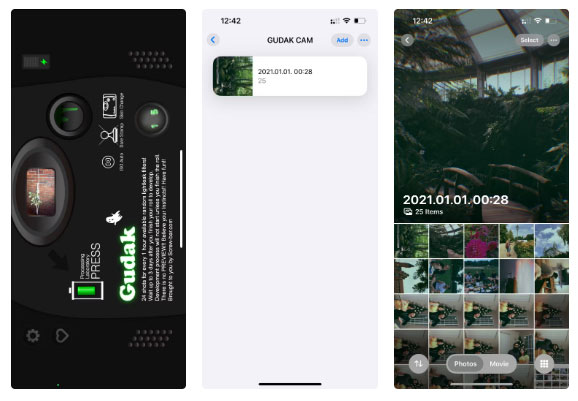
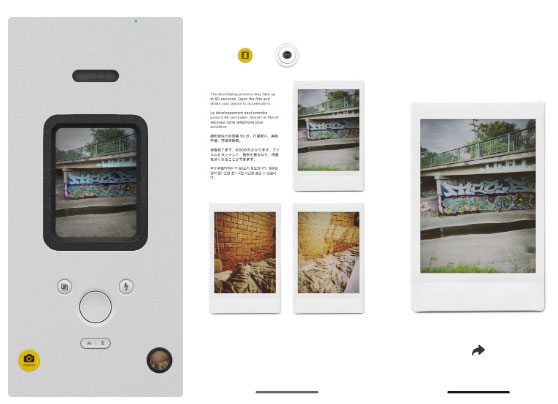
Gudak creates a virtual disposable camera on your phone, complete with a tiny eye-level viewfinder, no digital screen to preview your next shot, and no way to review your photos after you've taken them.
5. Dazz Orange
Dazz Cam gives you access to a variety of film-style cameras, including video effects. The free plan is generous – there are many great free cameras, and you can use many of the Pro cameras for free (you just cannot save photos unless you take a screenshot).
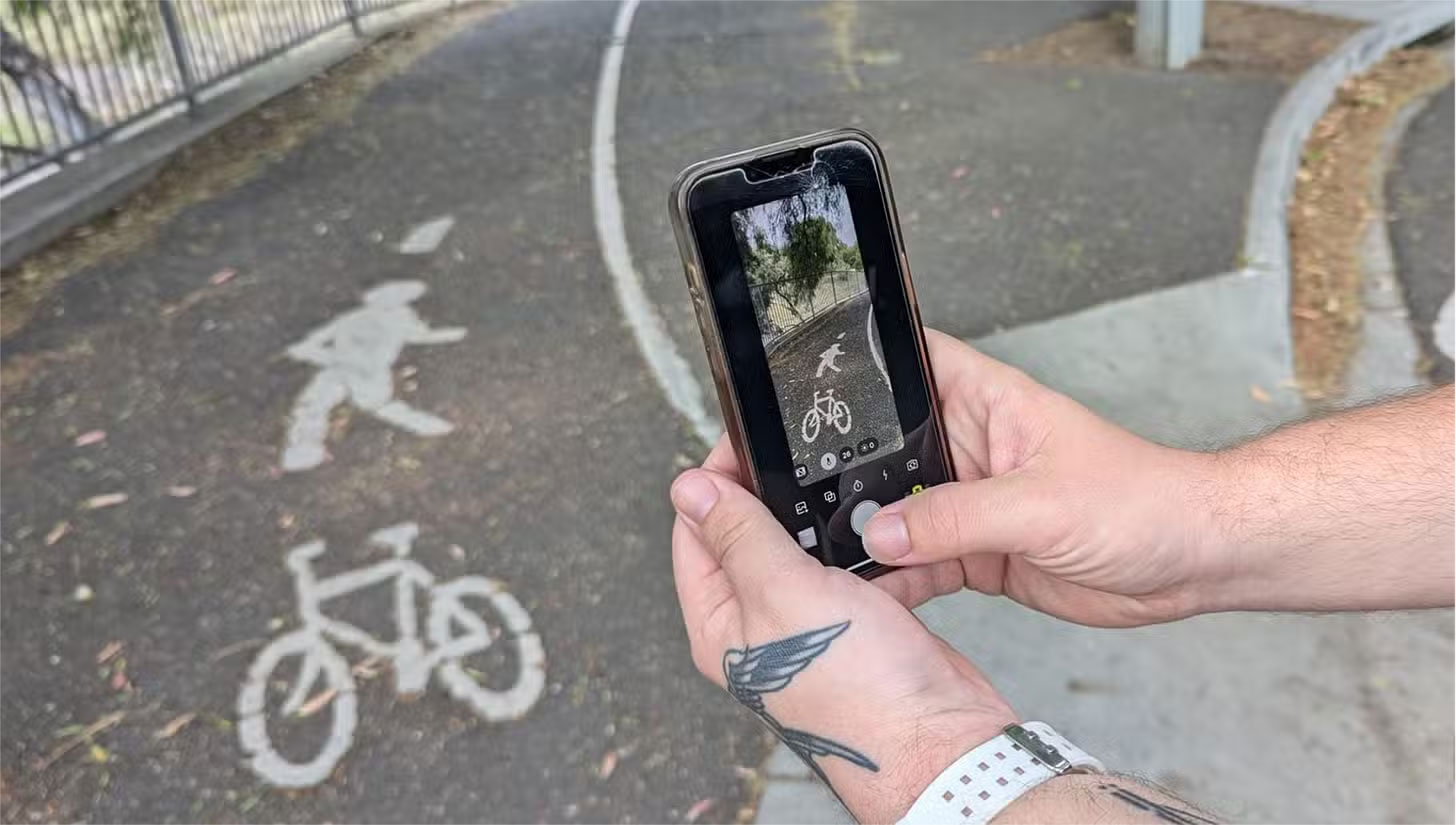
This fun app lets you experiment with a variety of vintage snaps. You can add frames or leave them unframed if you want a more authentic Polaroid or film look. There's a camera for every mood and experimenting is fun.
4. OldRoll
The premise of OldRoll is to capture the charm of film photography and bring back nostalgia. While most of OldRoll's cameras are behind its premium paywall, there are a few free cameras you can use to get the film effect from within the app.
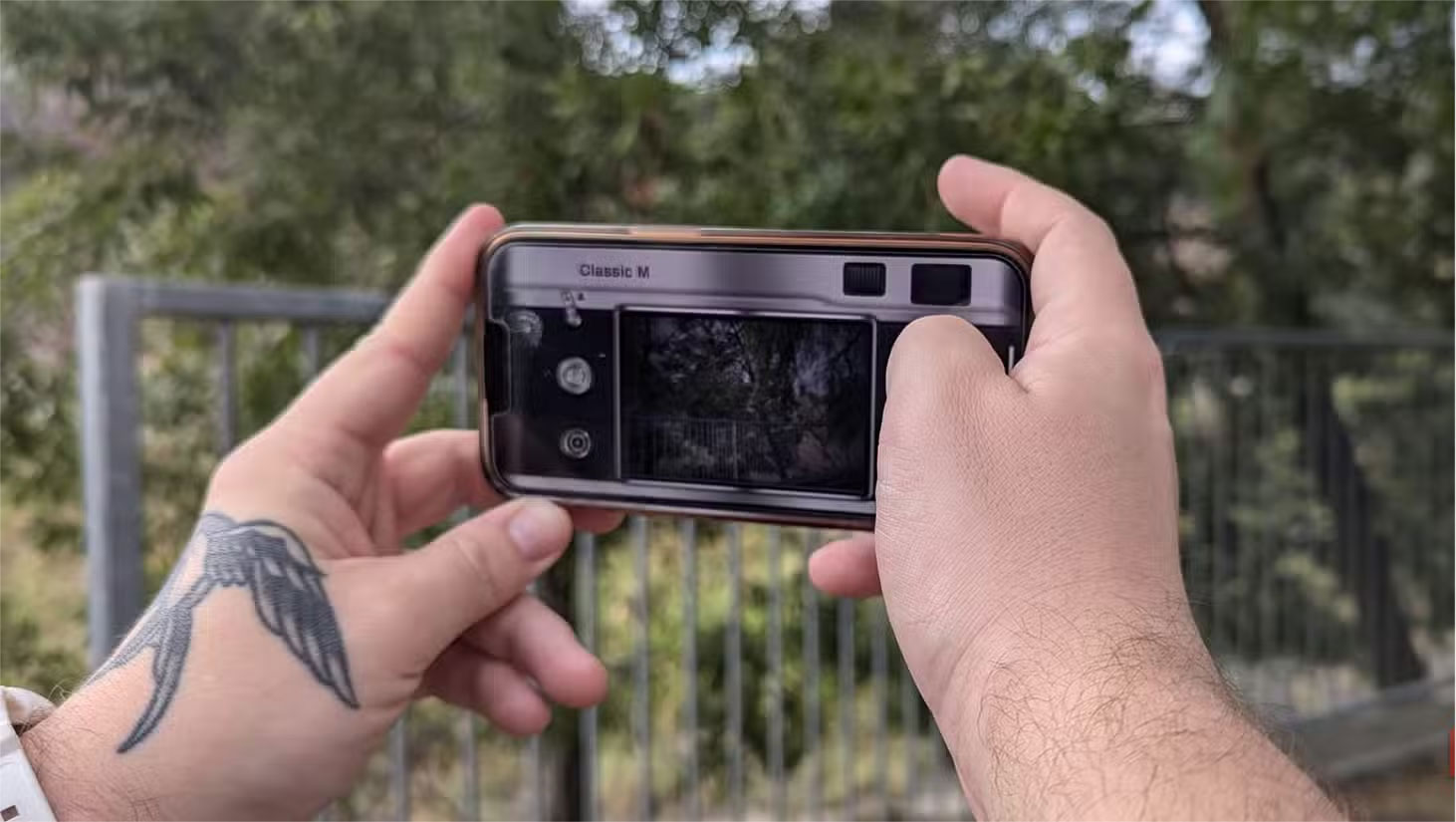
The app looks like the back of a film camera but has a large viewfinder, similar to a digital camera. The Classic M camera filter is the default. You can flip the view from the front camera to the back camera, add a flash, change the exposure value to better match the lighting, and many other settings.
3. PoPo Frame
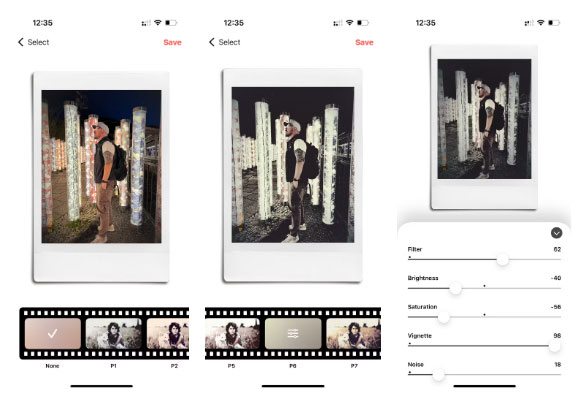
PoPo Frame isn't exactly a camera app, but a photo app. Instead of - like the other apps listed - replicating the classic camera and letting you take new photos, PoPo Frame lets you upload existing photos from your gallery and apply a variety of frames to them. Adding existing photos to a PoPo Frame frame is another great way to make your smartphone photos look vintage without much effort.
2. Nomo Cam
Nomo Cam is another instant film style digital camera app. It works in a similar way to the others listed here. You can choose from a variety of cameras – some are free and some have paid in-app purchases – with very basic features: front or rear camera and flash.
There are over 50 cameras to choose from. Most are behind a Pro paywall, but some are free, and some you can buy outright without a Pro subscription.
1. POV Camera
This app is a little different than the others, focusing less on the vintage style of photography and more on the instant and mysterious aspect of film photography. Still, it does have a disposable film filter option.
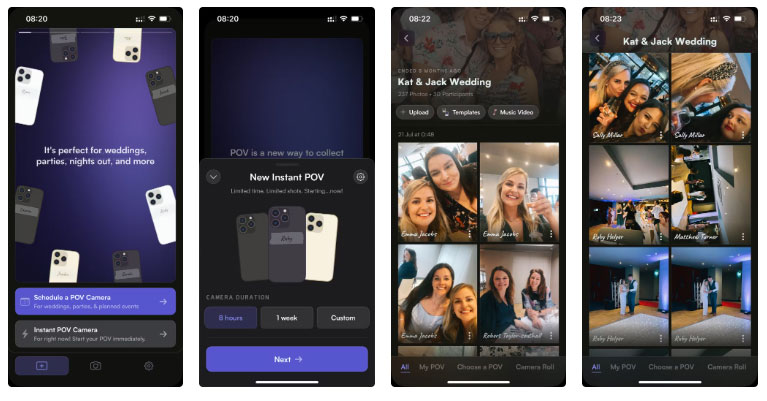
With POV Camera, there are two options: Scheduled Camera or Instant Use with Custom Duration. The Instant POV option lets you set a custom duration - 8 hours, 1 week, or custom options - and you can use the camera privately or share it with friends with a limited total number of shots.
Polaroid and vintage photos are all the rage. This list of apps gives you a variety of film styles, instant film photos, and fun ways to experiment that your regular digital or iPhone camera cannot offer. Most of the apps have free versions that are good enough, or low-cost options if you're willing to pay—and they're always cheaper than printed film, whether Polaroid, Instax, or roll film.
FAQ
How were the apps for taking polaroid - style photos options evaluated?
The comparison focuses on practical features, ease of use, limitations, compatibility, and the type of user each option is most likely to help.
Which option is best for beginners?
Beginners should prioritize a clear interface, useful documentation, reliable support, and the core features needed for their first project.
Should I choose a free or paid option?
Start with a free option when it covers your needs. A paid plan may be worthwhile when you need advanced tools, commercial rights, collaboration, or professional support.
Related Articles
 5 Most Popular Photography Trends You Need to Know9 minutes read
 4 Ways to Take Photos with Rain Give the Picture More Romantic7 minutes read
 7 Top Distraction-free Note-taking Apps for Windows: Best Options Compared7 minutes read
 Dwarf Mushrooms Want to Increase Height When Taking Photos? Use a3 minutes read
 The Best 5 Apps to Delete Photos on Android6 minutes read
 Top 10 Note-Taking Apps for Linux8 minutes read
Reader Comments 0
Sign in with email or Google to join the discussion.