Table of Contents
This guide provides a clear, practical overview of "YouTube Kills Trending Section". It organizes the most useful details, explains important considerations, and highlights the steps or choices that matter most.
This feature was introduced in 2015 when things were simpler, and YouTube needed a list of videos that were gaining traction to describe current trends or hot topics. In the years since, Trending has become part of the Explore tab, and YouTube has gradually grown into a larger feature with sections for "videos created by diverse fan communities" and "multiple micro-trends loved by diverse communities."
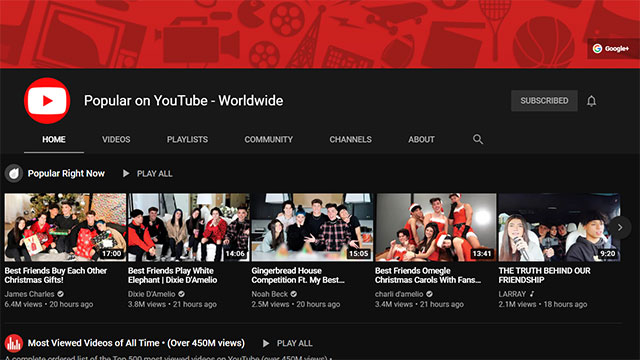
Users can now learn about what's trending on YouTube from a variety of places, including recommendations, search suggestions for Shorts, comments, and Communities. The Google-owned video platform said it has seen a significant decline in traffic to its Trending page over the past five years.
In fact, YouTube has been building out alternatives to the Trending page in recent years. When it disappears, users can head over to YouTube Charts for specific categories like top podcasts of the week, trending music videos, trending movie trailers, etc.
YouTube will continue to show personalized recommendations, and users can still use the Explore tab to browse non-personalized content. For creators, the platform will continue to provide content ideas and trending insights through features like the Inspiration tab in YouTube Studio.
The Google-owned platform will increase visibility for emerging creators and new videos through the Hype feature (currently in beta), while YouTube will continue to highlight rising creators through its official social media channels and a dedicated section on the Music Explore page.
FAQ
What does this guide cover?
This guide explains YouTube kills trending section, including the main steps, important details, and practical considerations.
Who is this guide for?
It is designed for readers who want a clear, practical overview and a reliable process they can follow without unnecessary complexity.
What should you check before getting started?
Review the requirements, confirm that your software or device is up to date, and save any important data before changing settings.
Related Articles
 Which Criteria Do YouTube Calculate Top Trending?4 minutes read
 What Is Hot Trend?4 minutes read
 YouTube Recap Vs Spotify Wrapped 2025: Lady Gaga and Joe Rogan Dominate Both Lists5 minutes read
 Youtube 'Kills' Live Messaging3 minutes read
 How to Manage YouTube Video History Watched, Searched2 minutes read
 Here Are 7 Google YouTube Apps and Their Effects5 minutes read
Reader Comments 0
Sign in with email or Google to join the discussion.