Table of Contents
This guide covers Wi-Fi on MacBook 2013 is 5 times faster than current with practical context and easy-to-follow details. Use it to understand the subject and apply the information confidently.
 The new MacBook can be released in June this year.
The new 802. 11ac wireless connection standard , also known as the 5G Wi-Fi standard, Provides theoretical data exchange rates of up to 1. 3 Gb / s, 5 times the Current 802. 11n standard. Earlier, the code in OS X revealed that the new MacBook models will be equipped with this type of connection. In an official announcement, Apple also confirmed it has partnered with Broadcom to bring new connectivity technology to product lines in 2013.
Yesterday's Tonymax86 Page revealed that the image is said to be Broadcom BCM94360CD PCI-E network card Connecting both Wi-Fi and Bluetooth used on the new MacBook line. Device Supports IEEE 802. 11ac.
Apple plans to launch New Mac computers At the WWDC 2013 conference on June 10 here in San Francisco, USA.
Images of Wireless Network Cards Will Be Used on the New MacBook
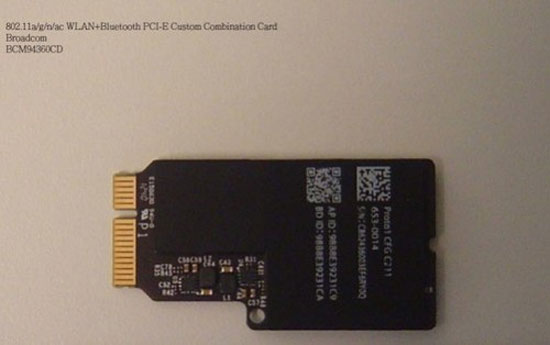 Broadcom BCM94360CD PCI-E
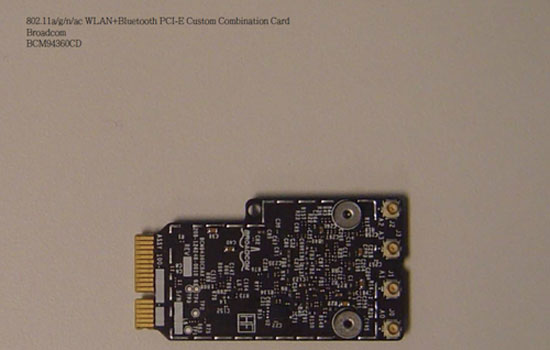 The device integrates both Wi-Fi and Bluetooth connectivity.
FAQ
What should I check before following these steps?
Confirm device and software compatibility, save important data, and make sure you have the required permissions, files, and account access.
Why might the process not work?
Common causes include outdated software, missing permissions, incompatible hardware, an unstable connection, or completing a step in the wrong order.
Can I undo the changes if necessary?
That depends on the tool or setting. Use built-in restore options when available, keep a backup, and record the original configuration first.
Related Articles
 Infra-red Wi-Fi Is 112 GB per Second, 300 Times Faster Than the Current Speed3 minutes read
 New Fiber Optic Technology Allows Signals to Travel 100 Times Faster Than Current3 minutes read
 Korean Mobile Internet Speed Is 10 Times Faster Than Vietnam4 minutes read
 China Is About to Develop 6G Network, 10 Times Faster Than 5G, 200 Times More Than 4G3 minutes read
 How to Reset Macbook, How to Factory Reset Macbook Simply11 minutes read
 The New Generation MacBook Pro Was Delayed Until October3 minutes read
Reader Comments 0
Sign in with email or Google to join the discussion.