Table of Contents
This guide provides a clear overview of buy an imac instead of an all-in-one windows desktop, including how it works, key details, and practical considerations that can help you use the information effectively.
Apple's iMacs are more expensive than all-in-one Windows PCs, but if you're buying a computer for yourself and your family, many people will pay the extra money. Here are some reasons why you should buy an iMac instead of a Windows AIO PC.
Choosing the Right Imac Is Easy

If you're shopping for an iMac, the experience is relatively straightforward, especially on the Apple Store Online. There are two processor options, one with 8 cores and one with 10 cores, and then some additional customizations.
If you choose the 8-core model, you can customize the total RAM, storage, and whether the power supply comes with an Ethernet port. This model only has two USB ports on the back.
If you opt for the 10-core model, you can choose between a glossy (standard) or matte (nano-textured glass) display, and customize the RAM and storage. This model comes with an upgraded power supply by default, and four USB ports on the back.
Both models retain the option to change the included accessories and pre-installed software, but if you're looking for a Windows AIO PC, you'll have so many options from various manufacturers with so many CPU and GPU configurations that it can be overwhelming.
Great Display for Most Use Cases

The iMac's simplicity extends to its display. There's just one size and one resolution—a 24-inch 4.5K display. The display has a typical brightness of 500 nits, making it easy to read and enjoy media, and support for the wide P3 color gamut means color-accurate work is a breeze.
The 2024 version introduced a nano-texture coating option for the glass - available on the 10-core model - which you can choose if you want a solution to reflections and glare in your workspace.
On the other hand, you can buy a Windows AIO with a 1080p, 1440p, or 4K display, depending on the price, but even the high-end models can have poor color accuracy, so you have to be very careful before deciding to buy one of them.
Seamless Integration with Other Apple Devices
If you've been slowly building up a collection of Apple devices and are looking for an all-in-one computer to keep at home, the iMac is a natural choice. It's like another cog in the gear, and it integrates seamlessly with your other Apple hardware. Features like Universal Control, Handoff, and iPhone Mirroring—one of the best features of macOS Sequoia—make it hard to leave behind.
Now, don't be afraid to buy a Windows AIO PC if you have an Android phone—Windows 11's Phone Link integration works pretty well with Android devices. But if you use your iPhone as your primary daily device, it makes more sense to use an iMac as your main desktop.
High Quality Accessories Included
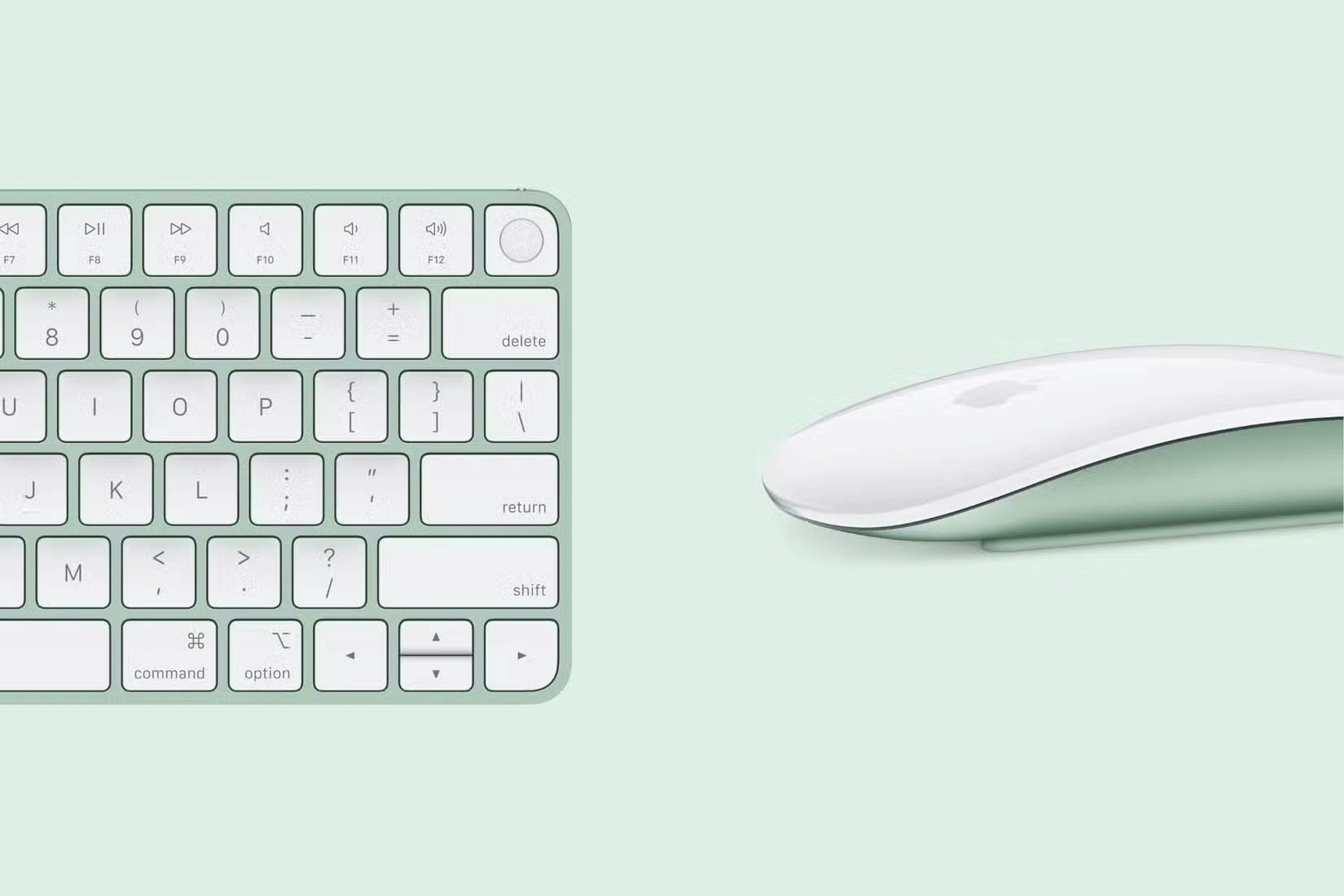
IMacs are expensive not only because of their great screens and incredible performance, but also because of the high-quality accessories you get with them. Most mice and keyboards that come with Windows AIO PCs are mostly made of plastic, whereas with an iMac, you'll find the accessories get as much attention as the computer itself.
The Magic Keyboard and Magic Mouse that come in the box are mostly aluminum and are color-matched to the iMac you buy. Apple even throws in a braided cable to charge them, which really ties the experience together and adds value.
Despite Apple's high price tag, the iMac offers great value in almost every aspect. The fact that you don't have to compromise on performance, build quality, software, or accessories with the iMac makes it a much better choice than a Windows all-in-one desktop for many people.
FAQ
What is should you buy an imac or an all-in-one Windows desktop?
It is the main topic covered in this guide, including the relevant tools, settings, features, or steps connected with buy an Imac Instead of an All-in-one Windows Desktop.
Why is should you buy an imac or an all-in-one Windows desktop useful?
It can make buy an Imac Instead of an All-in-one Windows Desktop easier to understand, compare, configure, or troubleshoot by organizing the most important information in one place.
What should I check before using this guide?
Confirm that the instructions match your device, software version, region, and intended use, then back up important data before making major changes.
Related Articles
 How to Use an Imac19 minutes read
 Compare iMac M3 and iMac M1: Is It Worth Upgrading: Main Insights10 minutes read
 How to Use an Imac as an External Monitor10 minutes read
 Imac Retina 5K Screen Is Late Because of the Shortage4 minutes read
 The Imac 2020 Concept Video of the Future of Apple: Ravishing!3 minutes read
 Apple's Future Imac Will Be a True Glass3 minutes read
Reader Comments 0
Sign in with email or Google to join the discussion.