The Minecraft 1.21.3 update brings a new rarity system that categorizes items from common to legendary, along with many graphical improvements and touch controls, creating a rich and engaging gaming experience. more than ever.
What's New in Minecraft 1.21.3 Update?
1. Rarity system improvements One of the biggest changes in this update is the rarity system of items and blocks. All items in the game are now classified by rarity, from common to rare, rare and legendary. This not only makes the game more attractive but also helps players easily recognize the value of the items they own.
2. Improved touch controls Touch controls have also been significantly improved. The new D-Pad is more compact, includes reverse movement buttons and an external extension area that does not receive signals from the camera to avoid unwanted camera movement. When customizing controls, cross buttons will also be visible.
3. UI Improvements The UI has been optimized to avoid bugs such as the scroll position of chat output not changing when the game screen regains focus and interface-related bugs other. Additionally, the sign-in URL on other devices has been shortened to make it easier to remember.

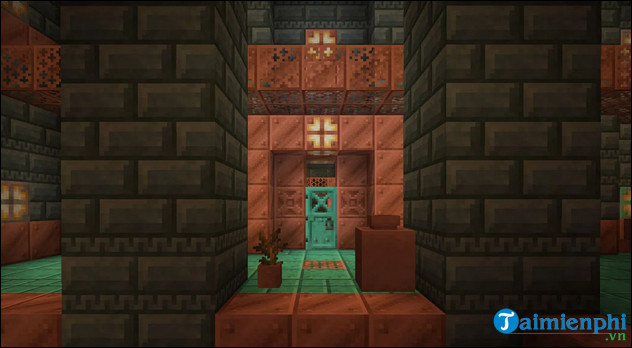
4. Changes to Trial Chambers Trial Chambers received many improvements such as the addition of new variations to the hallways, called "Encounters" - short challenges that lead to a larger room. Beds at intersections are now a random color, and empty chests at the room's entrance have been replaced with Hopper and Barrel to make it easier for players to manage their inventory.
5. Graphics and Shaders Improvements Performance and stability improvements for shaders are a highlight of this update. Lighting effects and water reflections have also been upgraded, providing a better visual experience for players.
6. Upgrade game mode Many errors in the game mode have been fixed. For example, the Bad Omen effect can be reset by drinking any bottle of Ominous. Bugs related to ships disappearing when sliding on ice and players getting stuck when exiting vehicles have also been fixed.
7. Add new banner templates Many new banner templates have been added to the game. Banner templates now include their template type name instead of a subtitle, and the Illager banner has been renamed to Ominous banner, just like in the Java version.
8. Adjusting the Locate command and API The /locate structure command now displays the identifier of the found structure instead of its name. Players can use the locate command in Minecraft to find wonders, populations, or move to a specified location as quickly as possible. In addition, the API has also been upgraded with many new features to better support the development of add-ons and scripts.
Minecraft 1.21.3 is a major update with many improvements and new features, helping to enhance the gaming experience and support players and add-ons developers. With these changes, Minecraft continues to affirm its position as one of the most popular and loved games in the world.
Currently there is a Vietnamese version for Android users, specifically they just need to download Minecraft 1.21.3 Vietnamese APK to their device and install it like other applications, allowing installation from external sources and experience using Vietnamese language itself.





Reader Comments 0
Sign in with email or Google to join the discussion.