Table of Contents
This guide provides a clear, practical overview of warning: detected malicious code hidden in the graphics, with useful context, important details, and straightforward takeaways for everyday readers.
International cybersecurity experts have just issued a warning about the fact that hackers are actively trying to exploit the victim's graphics card by hiding malicious code inside VRAM. This tactic will help prevent malicious code from being detected by the antivirus tool when it scans your PC's main RAM. Just a few days ago, a proof-of-concept (PoC) document regarding a malicious tool that helps deploy this attack was sold online, according to a report from Bleeping Computer.
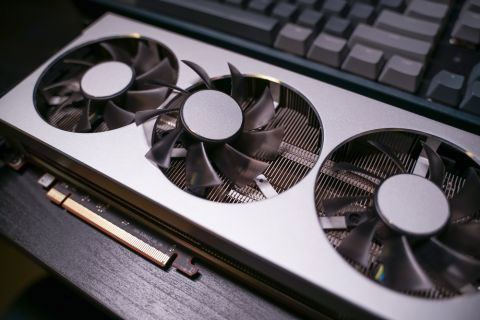
In theory, a hacker could hide malicious code in the graphics card's memory cache that the rest of the system can't detect. However, details on how to proceed are still unknown. Documents for sale by hackers include a malicious deployment toolkit, accompanied by PoCdescribe - a piece of software that allocates address space in GPU VRAM, then surreptitiously inserts and executes code from there. . Because as mentioned, all current antivirus programs are not equipped with the ability to scan the GPU's VRAM.
To deploy this malicious process, users need to have a Windows PC that supports OpenCL 2.0 or later. The test model is said to have worked with Intel's UHD 620/630 integrated graphics, as well as Radeon RX 5700, GeForce GTX 740M, and GTX 1650 discrete graphics card models.
It's important to note that this isn't the first time the security world has seen a similar exploit happen. A few years ago, an international team of security researchers also announced the discovery of an open source attack called Jellyfish, which exploited the LD_PRELOAD technique from OpenCL to connect system calls and GPUs. to force execution of malicious code from the GPU. You can see the details of this attack on GitHub here. That shows that hackers can completely use OpenCL to hide the code in the GPU without being detected by the PC.
Key Takeaways
Use the information above as a practical reference for warning: detected malicious code hidden in the graphics. Review each step carefully, confirm any requirements, and choose the option that best fits your situation.
FAQ
What does this guide explain about Warning: Detected Malicious Code Hidden in the Graphics?
It explains the main concepts, practical considerations, and useful steps related to warning: detected malicious code hidden in the graphics without requiring advanced knowledge.
Who can benefit from learning about Warning: Detected Malicious Code Hidden in the Graphics?
This information is useful for readers who want a clear overview, practical guidance, and reliable steps related to warning: detected malicious code hidden in the graphics.
What should I check before applying this information?
Review the requirements, confirm that your device, software, or situation matches the instructions, and back up important data before making major changes.
Related Articles
 Warning: New Malicious Code Is Infecting About 500, 000 Router Devices4 minutes read
 What Is VRAM?10 minutes read
 The First Warning About Malicious Code Hidden in The.zip File1 minutes read
 What Is VRAM? VRAM vs. RAM Explained14 minutes read
 the New Facebook Virus, a Malicious Code That Is Spreading Rapidly Through4 minutes read
![[AZ] All Information About What Is Vram? Simple Way to Increase VRAM](/data8/thumbs_200x120/[az]-all-information-about-what-is-vram-simple-way-to-increase-vram-capacity_thumbs_200x120_5ABtbAYUM.png) [AZ] All Information About What Is Vram? Simple Way to Increase VRAM10 minutes read
[AZ] All Information About What Is Vram? Simple Way to Increase VRAM10 minutes read
Reader Comments 0
Sign in with email or Google to join the discussion.