Table of Contents
This guide covers toshiba launched the first laptop with AMD puma chip with practical context and easy-to-follow details. Use it to understand the subject and apply the information confidently.
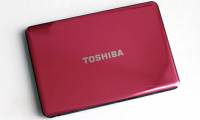
Toshiba has introduced the first laptop to integrate AMD's Puma mobile chip platform. The company's representative said new Satellite laptops with integrated Turion X2 Ultra ZM chips will be available later this year. The Turion X2 Ultra is part of the Puma platform introduced by AMD on June 3. The chip is divided into two speeds: the ZM-80 runs at 2. 1GHz, 2MB cache; while Turion X2 Ultra ZM-86 runs at 2. 4GHz, 2MB cache. Along with Turion Ultra ZM, Toshiba also knows that two other AMD chips, Athlon Dual Core QL and Turion Dual Core RM, will also be integrated for laptop products: Satellite P300D, Satellite A300D, Satellite M300D, Satellite U400D, Satellite L300D and Satellite L350D.
Also at the Puma launch on June 3, AMD said it had reached an agreement to design laptop platforms with PC makers such as Acer, Asus, Fujitsu, HP, NEC and Toshiba. About one-third of these laptop designs are 15-inch screens; the rest are from 12-inch to 18-inch. Puma laptops are designed to run on Windows Vista platforms. The Puma platform also includes the AMD 7-series mobile chipset, and the ATI Radeon HD 3000 Series graphics card. The Puma platform supports hybrid graphics technology to increase overall performance by running on both integrated graphics chips and separate graphics cards.
FAQ
What should I check before following these steps?
Confirm device and software compatibility, save important data, and make sure you have the required permissions, files, and account access.
Why might the process not work?
Common causes include outdated software, missing permissions, incompatible hardware, an unstable connection, or completing a step in the wrong order.
Can I undo the changes if necessary?
That depends on the tool or setting. Use built-in restore options when available, keep a backup, and record the original configuration first.
Related Articles
 AMD Launches a New Mobile Platform4 minutes read
 Puma Introduces a Special Shoe, Designed Specifically for Gamers3 minutes read
 Toshiba Applies PS3 Processor Chip to Laptop3 minutes read
 Toshiba Launched Satellite NB15t Touch Screen3 minutes read
 Toshiba Ivy Bridge Laptop Costs 13. 3 Million4 minutes read
 Satellite P50 - the First Laptop to Use Toshiba Haswell Chip4 minutes read
Reader Comments 0
Sign in with email or Google to join the discussion.