Table of Contents
This guide covers toshiba launched satellite nb15t touch screen with practical context and easy-to-follow details. Use it to understand the subject and apply the information confidently.
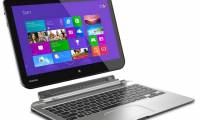
Along with Asus, Toshiba is trying to revive the seemingly extinct netbook line with the cheap Satellite NB15t.The Satellite NB15t has an 11-inch screen and has a soft price that we often see on previous netbooks: $ 380.
However, Satellite NB15t Inherits the strong side that Windows 8 Operating system brings. The device is equipped with a tap screen that allows users to experience the new interface on Windows 8 in the most perfect way. Toshiba's low-cost laptop is also equipped with 802. 11ac Wi-Fi.
It is equipped with 2-core Celeron N2810 chip, 500 GB hard drive, 4 GB RAM. In terms of weight, although only 11 inches in size, Toshiba's laptop weighs 1. 49 kg. Other connections include Ethernet, 2 USB 3. 0 ports, HDMI and VGA. It also has stereo speakers with DTS audio audio technology.
Unfortunately, Toshiba only sold this cheap laptop in November.
FAQ
What should I check before following these steps?
Confirm device and software compatibility, save important data, and make sure you have the required permissions, files, and account access.
Why might the process not work?
Common causes include outdated software, missing permissions, incompatible hardware, an unstable connection, or completing a step in the wrong order.
Can I undo the changes if necessary?
That depends on the tool or setting. Use built-in restore options when available, keep a backup, and record the original configuration first.
Related Articles
 Satellite P50 - the First Laptop to Use Toshiba Haswell Chip4 minutes read
 Toshiba Introduces Satellite Click, 'Bet' on AMD Chips4 minutes read
 Toshiba's Price Range from 12. 5 Million to Vietnam6 minutes read
 Toshiba Comes to the New Satellite Line for $$ 1, 6003 minutes read
 Toshiba Ultrabook Supports Touch, Voice Control4 minutes read
 Collection of Multi-touch Screen Laptops4 minutes read
Reader Comments 0
Sign in with email or Google to join the discussion.