Table of Contents
A MacBook can be a practical programming laptop, especially if your work requires macOS or Xcode. It is not automatically the best choice for every developer: Windows and Linux machines support many programming languages and tools, and the right laptop depends on your target platforms, workload and budget.
When a Mac is useful
macOS is required for some Apple development workflows, including building and testing iPhone and iPad apps with Xcode. A Mac can also be convenient if your team’s tools and deployment environment are built around Unix-like systems. Check the current requirements for the software and operating system versions you need before buying.
For web development, backend work and many cross-platform projects, a Windows or Linux laptop can also work well. Confirm that your IDE, container tools, SDKs and any specialized applications support the operating system you choose.
Choose a configuration for your workload
- For learning and lightweight coding, prioritize a responsive processor, enough memory for your editor and browser, and adequate storage.
- For containers, virtual machines, large projects or local builds, compare memory and sustained performance carefully.
- For graphics, machine learning or game development, check whether your tools need a particular GPU or supported hardware acceleration.
- Consider screen size, keyboard, ports, battery condition and repair or warranty options if portability matters.
About the older MacBooks pictured
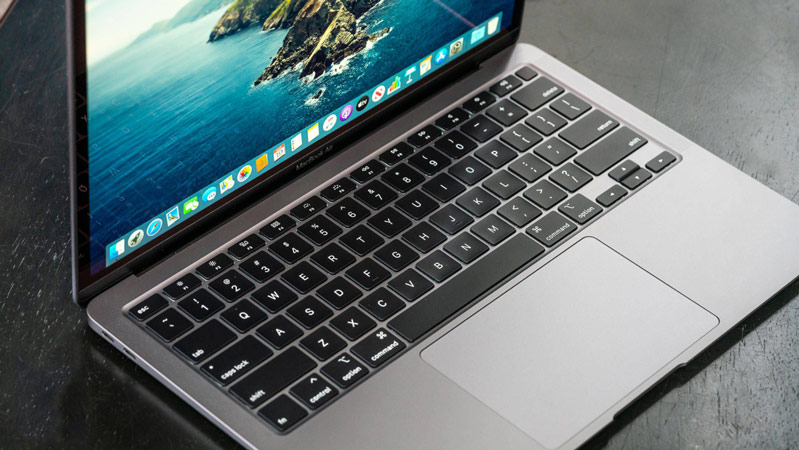
The original article featured 2020 Intel and M1 MacBook Pro models, plus 2021 MacBook Pro and MacBook Air models. These are older configurations, not current buying recommendations. If considering one used, verify its exact chip, memory, storage, macOS compatibility, battery condition and price against newer alternatives.

Should you buy one?
Choose a MacBook if macOS-specific development or your preferred toolchain justifies the cost and the configuration meets your project needs. Otherwise, compare laptops by the software you will run, not by brand claims or broad statements about one operating system being superior.
Related Articles
 Viettel officially supports customers to replace genuine iPhone batteries with a preferential price of VND 729,000
 Buy vacuum where cheap, genuine?
 Pocket the address to buy the cheapest and cheapest genuine water dispenser
 Pocket address to buy genuine, cheap cutters in Hanoi and Ho Chi Minh City. HCM
 Pocket address to buy cheap brick cutting machine, genuine reputation
 How to buy cheap and genuine Microsoft software? Windows 10 as low as $7.43 Now!
Reader Comments 0
Sign in with email or Google to join the discussion.