Table of Contents
This guide covers the personal computer market was gloomy in the second quarter with practical context and easy-to-follow details. Use it to understand the subject and apply the information confidently.
Market research firms Gartner and IDC on July 13 concluded that PC sales improved in the second quarter, but still lower than forecast.
Accordingly, Gartner said 85. 2 million PCs were shipped, up 2. 3% but lower than the company's forecast of 6. 7%. IDC said 84. 4 million PCs were consumed, up 2. 6% from their 2. 9% forecast.
IDC believes that this situation is due to the remnants of strong growth in the first half of 2010 and economic concerns and competition from smartphones, tablets and other new technological devices.
Gartner said that the personal computer market is adapting to new pressures.
"After the strong growth in consumer personal computer sales in the last four years, it was driven by high demand for cheap mini laptops and consumer notebooks, the market is turning to modest but stable growth Slow overall development indicates that the personal computer market is still in a correction phase, starting in the second half of 2010, " Said Gartner analyst Mikako Kitagawa. In a statement.
According to research by both Gartner and IDC, Hewlett-Packard still holds the position of the world's No. 1 computer business, followed by Dell and Lenovo.
High sales in Asia and Latin America as well as businesses have helped revive the industry despite the shrink in the US market.
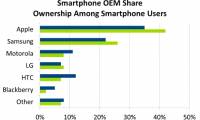
Apple, the maker of Mac computers as well as the iPhone and iPad, is the best-performing business in the US, with a market share of over 10%.
FAQ
What should I check before following these steps?
Confirm device and software compatibility, save important data, and make sure you have the required permissions, files, and account access.
Why might the process not work?
Common causes include outdated software, missing permissions, incompatible hardware, an unstable connection, or completing a step in the wrong order.
Can I undo the changes if necessary?
That depends on the tool or setting. Use built-in restore options when available, keep a backup, and record the original configuration first.
Related Articles
 The Computer Industry Faced the Worst Business Quarter3 minutes read
 The Personal Computer Market Dropped by 6% in 20143 minutes read
 Apple and Samsung Accounted for More Than 60% of the US Market4 minutes read
 Global PC Market Shows Some Signs of Prosperity After 74 minutes read
 Netbook Can No Longer Last. ..5 minutes read
 Laptop Market in the Third Quarter: Dell Was Surpassed by Acer5 minutes read
Reader Comments 0
Sign in with email or Google to join the discussion.