Table of Contents
This guide covers the cheap celeron culv laptop is about to disappear with practical context and easy-to-follow details. Use it to understand the subject and apply the information confidently.
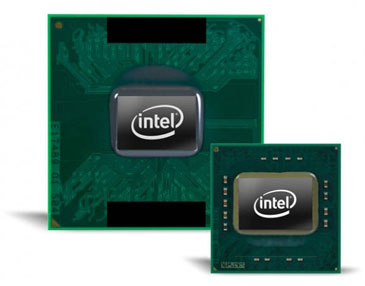 Laptop using Celeron CULV is about to be killed Photo: Blogspot .
Intel is still actively bringing the new generation dual-core Atom N550 processors to the line of compact laptops and netbooks. However, the performance of the new Atom chip, which is 1. 5GHz more than the single-core Atom chip used in recent netbooks, also means that its price is about 11 to 22 USD higher. According to DigiTimes report. The increased cost of producing a netbook will make the line between this laptop and low-cost CULV-based laptops slimmer than ever.
If the information from DigiTimes Is correct, Intel is likely to "die" of laptops using the Celeron Ultra Low Voltage processor. In other words, the new Atom chip will host the current low-cost laptop line. This also means users will not be able to find laptops running CULV chips for only about $ 400 in the near future.
Two makers of Acer and Asus computers are now offering devices running Atom N550 chips such as Aspire One D255 and Asus Eee PC 1015N launched around August. At this point, consumers will be tested on the fate of the cheap CULV laptop through its policies.
FAQ
What should I check before following these steps?
Confirm device and software compatibility, save important data, and make sure you have the required permissions, files, and account access.
Why might the process not work?
Common causes include outdated software, missing permissions, incompatible hardware, an unstable connection, or completing a step in the wrong order.
Can I undo the changes if necessary?
That depends on the tool or setting. Use built-in restore options when available, keep a backup, and record the original configuration first.
Related Articles
 Acer Chromebook Laptop Costs Just Over VND 4 Million3 minutes read
 CULV Laptop 'Crowned'6 minutes read
 Is Intel Celeron Chip Good? Which Laptop Has Intel Celeron: Key Facts22 minutes read
 The Underground War Between Laptops6 minutes read
 CULV Laptop Watching HD Videos and Playing Games3 minutes read
 Don't Buy a Cheap Laptop If It Doesn't Pass These Tests!7 minutes read
Reader Comments 0
Sign in with email or Google to join the discussion.