Table of Contents
This guide covers the 2012 'proposition' MacBook pro with practical context and easy-to-follow details. Use it to understand the subject and apply the information confidently.
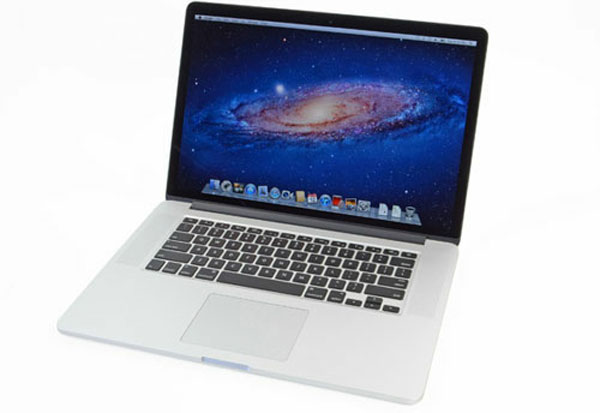 MacBook Pro 2012 is equipped with super high resolution Retina screen.
IFixit has just published a series of new generation MacBook Pro hardware disassemble images. A special feature of this product is the IPS screen panel with super high resolution up to 2, 880 x 1, 800 pixels. In addition, the device is also equipped with Intel Core i7 quad-core speed 2. 7GHz, RAM 8GB, 256GB SSD drive with NVIDIA GeForce GT graphics card 650M. The 2012 MacBook Pro allows ordering from June 12 for $ 2, 199.
Use a screwdriver to open the screw located at the bottom of the machine.
All hardware is revealed immediately after flipping up the back cover.
Hardware system is sealed with protection seal.
Remove the seal before removing the hardware.
Samsung 512GB flash memory module.
Samsung chips include: Samsung S4LJ204X01 (red), Samsung 213 K9UHGY8U7A (orange), Samsung 201 K4T263140F (gold).
Card Airport is designed to remain the same, including two main chips: Broadcom BCM4331 802. 11n (red) and Broadcom BCM20702 Bluetooth 4. 0 (orange).
Continue using a screwdriver to remove the parts from the side.
Radiator fan used on the 2012 MacBook Pro.
Next, disassemble the I / O circuit board with two USB 3. 0 ports and an SD memory card reader.
This board uses the Broadcom BCM57100 memory card controller
Continuing to disassemble the parts of the heat sink will see the logic board just below.
NVIDIA GeForce GT 650M graphics card (red), Intel Core-i7 3720QM chip 2. 6 GHz (orange), Intel E208B284 Platform Controller Hub (yellow), Hynix H5TC2G83CFR DDR3L SDRAM (blue), Intel DSL3510L Thunderbolt controller (blue)
In addition, the logic board includes: Hynix H5TC2G83CFR DDR3L SDRAM (red), Hynix H5G02H24AFR (orange), microcontrollerTexas Instruments Stellaris LM4FS1AH (yellow), R4F2113 (blue), Maxim MAX15119 (blue) and Cypress Semiconductor CY8C24794-24L (Violet)
Continuing to remove the device will see the headphone jack located just below the part in the image.
Integrated headphone jack on MacBook Pro.
Right next to it is the speaker.
Speaker set of MacBook Pro.
The supplied battery is deadly attached to the device and it is difficult to disassemble.
Product after complete removal.
FAQ
What should I check before following these steps?
Confirm device and software compatibility, save important data, and make sure you have the required permissions, files, and account access.
Why might the process not work?
Common causes include outdated software, missing permissions, incompatible hardware, an unstable connection, or completing a step in the wrong order.
Can I undo the changes if necessary?
That depends on the tool or setting. Use built-in restore options when available, keep a backup, and record the original configuration first.
Related Articles
 Top 5 MacBooks Worth Spending Money on in 20254 minutes read
 Compare Macbook, Macbook Pro and Macbook Air10 minutes read
 Macbook Air 2019 Review -- Beautiful and Durable Laptop14 minutes read
 Compare Macbook Pro and Macbook Air8 minutes read
 Understand the Connection and Key Presses on the Macbook5 minutes read
 Apple Launched a Standalone Ad for the MacBook Air3 minutes read
Reader Comments 0
Sign in with email or Google to join the discussion.