Article on the subject of "video editing application"
-
How to use Viamaker professional video editing
viamaker application helps you to edit videos according to your liking, especially tiktok video recording according to the current trend.
-
Adobe Premiere Pro has the ability to automatically change the video aspect ratio
the new feature is called auto reframe and has the ability to automatically change video aspect ratios to standard ratios according to the user's wishes.
-
Adobe released the Adobe Premiere Rush CC video editing application for Android
adobe has officially released the premiere rush cc (ru) video editing tool for android, after a release time for ios, macos and windows.
-
How to edit a video using the VivaVideo application on your phone
vivavideo is a video editing application on android and ios devices, enabling users to change the style for videos that are recorded directly on the vivavideo app.
-
How to cut iPhone videos using VivaVideo
vivavideo is a video editing application on mobile devices, which can cut video on iphone devices.
-
How to use Vizmato to create effects for videos
vizmato provides color filters and other effects to make videos more attractive.
-
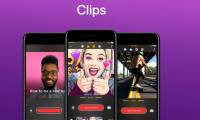
How to use iPhone video editing clips
clips are video editing applications on iphone, support more interesting filters or stickers.
-
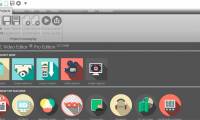
Download VSDC Video Editor PRO, video editing application worth 19.99 USD, is free
vsdc video editor pro is a software to design, edit videos with many visual effects, audio for many different objects. with this application, users can easily create desired video with full features. vsdc video editor pro is priced at us $ 19.99, and currently being free only lasts for 7 days.
-
Downloading two photo and video editing applications for Windows Phone and PC, totaling USD 198, is free
selfie beauty camera and movie maker for photos are two applications for mobile and pc that are free for a short time on microsoft store. quickly download before expiration.
-
How to reverse video online for free
when reversing the video will create a very unique, interesting effect, in addition to other video effects.
-
How to edit classic photos on KUNI Cam
kuni cam is a unique vintage photo and video editing application.
-
Match unique photos with FotoRus and SNOW apps
two applications fotorus and snow with many funny stickers on different topics will turn your photos cool and much more destructive. try to select in the application's sticker store to refresh yourself in each picture.
-
How to add background music to Instagram videos
there are several methods of adding music to instagram videos. first, you can download instagram videos to your computer, edit and then re-upload to instagram. however, this method is very time consuming and a quick method is to add live video music on mobile phones. this article will show you
-
The best video capture and editing application list voted by Apple
please refer to the list of most outstanding video recording and editing applications on ios devices voted by apple.
-
Adobe introduces a cross-platform 'all in one' video editing application
the adobe graphics software company recently introduced project rush, a cross-platform all-in-one video editing application. project rush brings three tools - premiere pro, audition and after effects - together in one place with a simple interface that gives users a better experience.
-
The best video editing applications for iPhone
the iphone is gradually becoming more powerful, the camera in this smartphone of apple has also been improved to even shoot 4k videos. all of these features make the iphone capable of handling both video recording and editing them. so, if you are looking for iphone video editing application
-
Adobe introduces a cross-platform 'all in one' video editing application
the adobe graphics software company recently introduced project rush, a cross-platform all-in-one video editing application. project rush brings three tools - premiere pro, audition and after effects - together in one place with a simple interface that gives users a better experience.
-
How to edit a video using the VivaVideo application on your phone
vivavideo is a video editing application on android and ios devices, enabling users to change the style for videos that are recorded directly on the vivavideo app.
-
The best video capture and editing application list voted by Apple
please refer to the list of most outstanding video recording and editing applications on ios devices voted by apple.
-
10 easy video editing applications on Android
video editing on android will become easy thanks to the best video editing applications and software we listed in this article. make sure you have beautiful, virtual and gorgeous photos to share with your friends on facebook or instagram.
-
How to use iPhone video editing clips
clips are video editing applications on iphone, support more interesting filters or stickers.
-
Download VSDC Video Editor PRO, video editing application worth 19.99 USD, is free
vsdc video editor pro is a software to design, edit videos with many visual effects, audio for many different objects. with this application, users can easily create desired video with full features. vsdc video editor pro is priced at us $ 19.99, and currently being free only lasts for 7 days.
-
How to cut iPhone videos using VivaVideo
vivavideo is a video editing application on mobile devices, which can cut video on iphone devices.
-
How to use Vizmato to create effects for videos
vizmato provides color filters and other effects to make videos more attractive.
-
Top best video editing software on computer
the best video editing software is the software with full tools to help you tweak the video. below is a list of the best free and cost-effective video editing software we have compiled, to help you improve your videos and videos.
-
Match unique photos with FotoRus and SNOW apps
two applications fotorus and snow with many funny stickers on different topics will turn your photos cool and much more destructive. try to select in the application's sticker store to refresh yourself in each picture.

-
Top free video editing apps without watermarks.
you can edit the video later to remove the logo, but why go through all that trouble when there are so many free video editing apps that don't contain logos?
-
How to edit videos online
there are some great free video editors on the internet, but if you don't have the time or don't want to download an editing program installed on your computer, you'll be happy to know that there are now tools online is equally great.
-
Summary of Tik Tok video editing apps on Android, iOS
with so much competition on the platform, you need to create polished and creative videos to showcase on tiktok. finding the right tiktok video editing tool is one way to achieve this.
-
Instructions to reverse video on Capcut
capcut application is currently one of the most widely used video editing and video editing applications. the application provides you with many different editing options, from basic to advanced so that you can get the video art you want.
-
8 tips to edit videos professionally
editing is usually the final process before the video is displayed to viewers. if you have to create the video yourself, you will know it is an extremely time-consuming process.
-
Instructions for video editing right on iPhone and iPad
there is no need to cut clips, videos on iphone and ipad to computer for editing. with just 6 simple steps below you can also cut and edit videos right away on iphone and ipad.
-
Adobe released the Adobe Premiere Rush CC video editing application for Android
adobe has officially released the premiere rush cc (ru) video editing tool for android, after a release time for ios, macos and windows.
-
The official LumaFusion professional video editing application has versions for Android and Chrome OS
it has long been a fact that only those who work in the field of video editing realize. it is on the market that there are many excellent video editors for windows, mac, linux and even ipad, but not for chromebooks and android devices. this
-
AI-based video editing techniques
beginners often add elements during the editing process—effects, background music, transitions. professionals remove what's unnecessary. the best edit is one that viewers don't notice because every second counts.