fix windows 10 error
-
 Fix 'Could Not Find This Item…' error in Windows 10
do you get the 'could not find this item' error when deleting files, folders, or icons in windows 10? follow this simple guide to easily delete files that cannot be deleted when you encounter this error.
Fix 'Could Not Find This Item…' error in Windows 10
do you get the 'could not find this item' error when deleting files, folders, or icons in windows 10? follow this simple guide to easily delete files that cannot be deleted when you encounter this error.
-
Fix Service Host Local System status using multiple CPUs in Windows 10
in task manager, you can see that service host: local system is taking up most of disk, cpu and memory usage. today's article will show you how to overcome the situation that service host local system is using a lot of cpu.
-
How to fix missing USB printer port on Windows 10
when you use the usb printer, turn off the computer, and disconnect or turn off the printer, the next time you start the device, the usb printer port disappears from the list of ports. as a result, windows 10 cannot complete the task and you cannot print the document.
-
How to fix error 0x80070070 on Windows 10
any 0x80070070 error message is an upgrade issue with windows 10. in this guide, readers will learn the steps to fix 0x80070070 error when the device tries to upgrade to a new version of windows 10.
-
How to fix 'An app default was reset' error on Windows 10
you may get the status message 'an app default was reset'. this guide will show you how to fix and stop receiving the message an app default was reset on windows 10.
-
How to fix 'Mmc.exe blocked for your protection' error on Windows 10
you may get 'mmc.exe blocked for your protection' error on windows 10 when trying to run computer management. however, this is not a huge problem and can be handled with just a few adjustments to the settings.
-
4 steps to fix error 0x8004FC12 when activating Microsoft Office on Windows 10
in recent times, tipsmake.com has received many messages, questions of readers sent, with content: user's computer after upgrading, updating to windows 10, or having the following error when activate, microsoft office active software: we're sorry, something went wrong and we can't do this for you
-
Errors on the latest Windows 10 updates and how to fix them (updated continuously)
microsoft always wants to send users the latest improvements of windows 10 through updates. however, the paradox is that windows 10 updates sometimes cause problems for users and their systems.
-
Fix the loss of tile icons in Windows 10 Start Menu
the tiles are what appear on the start menu. if you have applications, the start menu will basically be just a list of these applications and take up a lot of space on your computer.
-
How to fix lost Bluetooth error on Windows 10 Settings settings
sometimes in some cases when opening the settings window and you discover that bluetooth has been lost. there are many causes of the bluetooth loss error on windows 10 settings, in which the most likely cause is because bluetooth has been disabled on device manager.
-
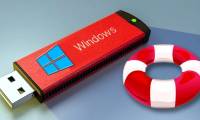
Create Recovery Recovery hard drive for Windows 10
the most effective way to recover windows 10 when a problem occurs is to create a usb recovery drive (usb recovery drive). this article summarizes all you need to know to create a hard drive to recover easily with windows. ten.
-
Fixed a bug that could not change the default application or browser on Windows 10
if you want to change one of these default applications, you can navigate to settings => system => default apps. although most users can change the default web browser, the default pdf reader or other default applications in the settings application.
 Home
Home
 Wifi Tips
 Fix Computer
 Windows 10
 Windows 11
 Artificial Intelligence
 Space Science
 Strange story