Article on the subject of "android device"
-
How to check if your Android phone is infected with Android Gooligan malware?
according to reports, every day 13,000 google accounts are infected. read this article to find out how to check if your google account is still safe.
-
Fix some common Wi-Fi issues on Android devices
many android phone users often encounter problems related to wi-fi connection of the device. the article will cover some common user errors and solutions.
-
Clear Web browsing history on Android device
on the phone, web browsing is less secure, your information is easily lost, stolen or compromised when using unsecured public wi-fi networks.
-
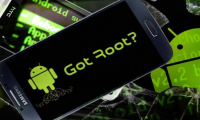
Instructions to root Android easily and quickly
after rooting your android device, you have full access to the system and can run many types of applications that require root access. these applications can disable bloatware, allow application control, enable connections and many other great things.
-
Screen capture on devices running Android from 4.0 onwards
in android 2.x, you can usually only take a screenshot of your android phone / tablet by root or connect it to your computer and use google's android sdk. but from android 4.0 ice cream sandwich, everything is different.
-
Connect your Android device to your computer via Wi-Fi network
normally to connect an android phone to a computer you will need to use a cable. however, with software data cable application, you can connect android device to windows 7, windows 8.1, windows 10 computer via wi-fi network without depending on usb cable anymore.
-
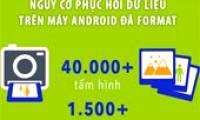
The reformatted Android device can still recover data easily
usually before selling an android device, we need to format it to erase all the data in it and think that it will be safe. however, a recent test by avast proved android factory reset is not as safe as you think.
-
6 tips for mastering the Android device's keyboard
if you only use android's virtual keyboard to type in, you're missing out on many great features. there are more things to learn about the keyboard than you think. let's find out!
-
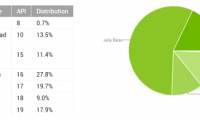
KitKat accounts for nearly 18% of all Android devices
google has just released statistics of android versions being used by users around the world in june. accordingly, the latest version of kitkat is now available on nearly 18% of total android devices.
-
Watch out for Wifi networks when using Android devices
if you are using an android phone that has been released within the last three years, it may reveal the names of all the wi-fi networks you've ever connected to.
-
Google is the reason why Android smartphones are sold expensive
recently there have been rumors that google is likely to appear in court by secret acts of agreement with manufacturers, leading to a high price of android smartphones.
-
Google forces manufacturers of new Android pre-installed hardware
when you buy a new android device from a reputable manufacturer, it's likely that the device has pre-installed android 4.2 or higher, especially for mid-range or high-end devices. meanwhile low-end devices are not so lucky.
-
Android devices will exceed 1 billion mark this year
the number of devices running android os is currently increasing rapidly and it is likely that in 2014 this will exceed the 1 billion mark, at least according to data from market research firm gartner.
-
Google Play will probably become 'egg-laying chicken'
analyst mark may of consulting firm citigroup has recently stated that the upcoming google play online app store will become an 'egg-laying' bringing huge amounts of money to google.
-
Instructions for connecting a USB keyboard to an Android phone
currently, smartphone devices are widely used. recently, android has released a new update that allows users to connect a usb keyboard to the phone. here are instructions for installing the usb keyboard on android devices and the tips you should know.
-
Microsoft updates Skype for mobile phones with Google and TripAdvisor & StubHub add-ons
microsoft skype application has announced a new wide-area update for android and ios devices.
-
Google blocks unapproved Android devices from using Google Apps
in the near future, google will prevent android devices from being certified by google using their apps.
-
Microsoft confirmed Skype has been optimized for older Android devices
great news for skype users owning older android devices is that microsoft has just announced the application has been optimized to work smoothly on android devices 4.0.3 to 5.1.
-
Your Android device is too hot, this is a fix
if your android device is too hot, it will cause your device to quickly deteriorate and quickly fail. it can even be dangerous for users.
-
The reformatted Android device can still recover data easily
usually before selling an android device, we need to format it to erase all the data in it and think that it will be safe. however, a recent test by avast proved android factory reset is not as safe as you think.
-
How to find lost Android devices using Android Device Manager
android device manager is an android device management application that helps you locate your smartphone if lost.
-
How to change the name of an iOS or Android device
there are many reasons why you want to change the name for your android or ios device, especially if you have many devices in your home. changing names makes it easy to distinguish them online. let's find out how to do it via the following article!
-
How to Access Android Device from Computer
this article shows you how to access and interact with android files from a windows computer. the simplest way to do this is to connect your android device to your computer using a usb charging cord, but you can also use bluetooth to send and receive files between your android device and computer.
-
Android devices will exceed 1 billion mark this year
the number of devices running android os is currently increasing rapidly and it is likely that in 2014 this will exceed the 1 billion mark, at least according to data from market research firm gartner.
-
Tips for Controlling Android Devices from Another Android Device
this is an article that shows you how to use your android phone or tablet to control another android device. you can use the free version of teamviewer for android to do this, or use the remodroid app...
-
Rescue an Android device that is faulty and 'dead'
when an android device has a fatal error or cannot even boot, the safe and restore device in its original state will help you save your own.
-
How to enter Recovery mode on Android phones
if you are using a device running android operating system and feel that the machine generates many errors by accidentally sticking the data containing malicious code, virus, ... disrupting the process of using the device as well as making the device if your device becomes slower, it is necessary to
-
Instructions to root Android easily and quickly
after rooting your android device, you have full access to the system and can run many types of applications that require root access. these applications can disable bloatware, allow application control, enable connections and many other great things.
-
How to fix Android device not connecting to the computer
is your android device unable to connect to your computer? there are many causes of this problem, including improper connection mode or no standard driver. just the slightest problem can prevent your computer from recognizing the device.
-
Unlock the Android device screen by tapping the screen twice
the usual way we often use to unlock the android device screen is to press the power button, or on some other android device, users can use the command to speak, requesting to unlock the android device.
-
How to Connect Android Device to Mac Computer
installing the android file transfer app on your mac will allow you to connect your android device and transfer files. once connected, you'll be able to browse for files on your android device as you would any folder on your mac. you can also transfer music from your itunes library to your android
-
Fixed an error when the Android screen is always on during charging
normally when charging the android device, the device screen will light up for a few seconds and then automatically turn off. however, in some cases, android users reflect that during charging, their android device is also bright. in the article below, network administrator will show you how to
-
How to Use Find My Device for Android Devices
this article shows you how to use the find my device feature developed by google to find your lost android device. although the find my device feature is enabled by default on most new android models, you will still need to adjust a few settings in advance to be able to track your lost phone or
-
Refresh your Android device in 5 ways
before deciding to start a new android device, try the 5 new ways we share below. who knows, your device will probably work smoother. at that time, you could save a good amount of money for a new machine to use for something more important. please try to apply it.
-
Android Q release date and device list are uploaded to Android Q
this year, android q promises to bring a host of new features and changes to the android operating system. let's see the expected release date of android q and the eligible devices via the following article!
-
How to Check RAM on Android
today's tipsmake will show you how to check the amount of ram in use and total memory on your android device. while you can no longer check your ram in the 'memory' section of the settings app, you can use the hidden developer options menu to view ram statistics on your device. android devices.
-
3 apps to help prevent overheating on Android devices
here are the 3 best apps to help warn android devices that are overheating, to avoid damaging the device and danger to users.
-
Summary of priceless shortcuts on Android
just like computers, on android devices also have shortcuts to support users to perform quick and simple operations. in the article below, network administrator will introduce you to the list of the most commonly used shortcuts on your android device, making it easy to master your android device.