Table of Contents
A black screen, flicker, colored lines, or a game crash can have several causes. These symptoms do not by themselves prove that the graphics card is failing: the monitor, cable, graphics driver, power supply, or another component may be involved. Check the simpler causes before replacing hardware.

Symptoms to note
- Flicker or visual artifacts: Record whether it happens in one app, in games under load, or across the desktop. Check whether it appears on another monitor or through another cable.
- Black screen or no signal: Confirm that the display is powered on, set to the correct input, and connected to the correct video output. On a desktop with a discrete graphics card, connect the monitor to that card’s port.
- Driver reset or app crash: Note any error message and whether the issue began after a driver, Windows, or app update.
- Unexpected shutdown or unusual noise: These are not specific to the GPU. They can point to a power, cooling, fan, or other hardware problem.
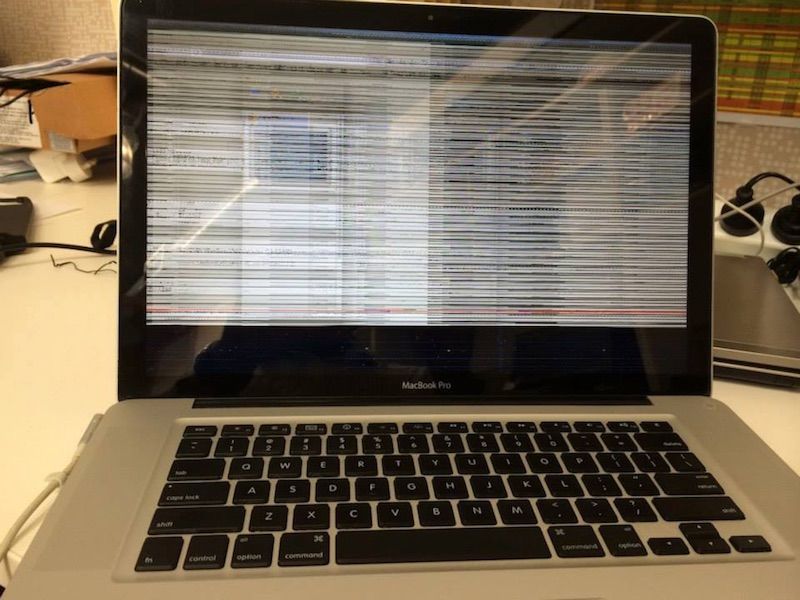
Try safe troubleshooting first
- Save your work and restart the PC once. Disconnect nonessential USB devices and docks.
- Check the display’s power and input, then reconnect the video cable or test another cable, port, or monitor if available.
- If Windows is running but the display has frozen, press Windows + Ctrl + Shift + B once to ask Windows to reset the graphics driver. The screen may briefly flicker. This will not fix a hardware fault.
- If the issue started after a driver update, install a compatible driver from Windows Update or the PC or GPU maker. If updating caused the problem, use Windows’ driver rollback option when available.
- Keep vents clear and check for dust or failed fans. Shut the computer down and disconnect power before any cleaning; do not open the power supply.
When to stop and get service
If artifacts appear before Windows loads, the PC repeatedly shuts down, or another display and cable do not help, hardware may need inspection. Do not disable graphics adapters, remove laptop components, or replace a motherboard based only on a black screen. If the device is under warranty, contact the manufacturer or seller before opening it.
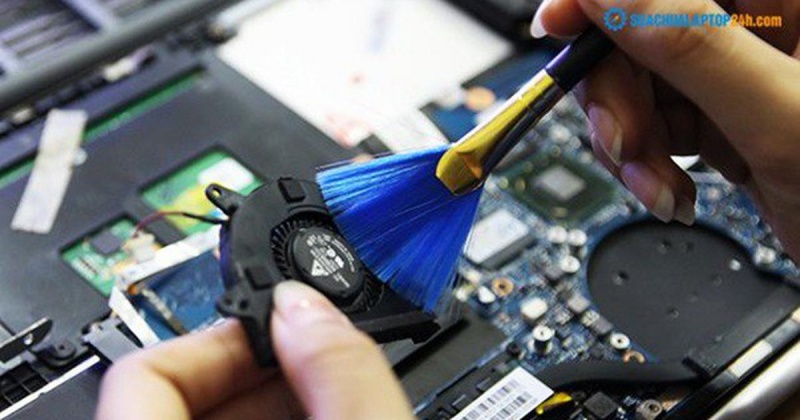
Keep a note of the exact symptoms, error codes, recent changes, and tests you tried. That information helps a repair technician distinguish a display or driver issue from a possible graphics-card fault.
Related Articles
 4 Most Effective Ways to Check if Your Video Card is Running or Not
 The simplest and most effective ways to reset the video card
 8 reasons why the video card fan does not spin and how to fix it
 7 signs of failure of the Internet 'preschool'
 5+ fastest ways to check your video card
 The simplest way to fix Macbook video card (VGA) errors
Reader Comments 0
Sign in with email or Google to join the discussion.