Table of Contents
This guide covers see acer's new ultra-thin timeline x with practical context and easy-to-follow details. Use it to understand the subject and apply the information confidently.
The Timeline X series will have models with screen sizes of 13. 3, 14 and 15. 6 inches, 720p HD resolution and are less than 2. 5 cm thick and weigh 1. 8. 2 and 2, 4 kg respectively (Timeline X also has an 11. 6-inch model but will be released later).
These new products will be equipped with Intel Core i series processors, up to 8GB of DDR3 RAM (minimum configuration with 3GB RAM), optional ATI Radeon HD 5000 graphics cards with 1GB VRAM and capacitive hard drives amount from 250 to 640 GB.
Timeline X series has a black or silver aluminum case with 6-cell battery option (battery life of 8 hours) or up to 12 hours with a 9-cell battery.
The device will be sold in May with a starting price of $ 904 (in the US market).
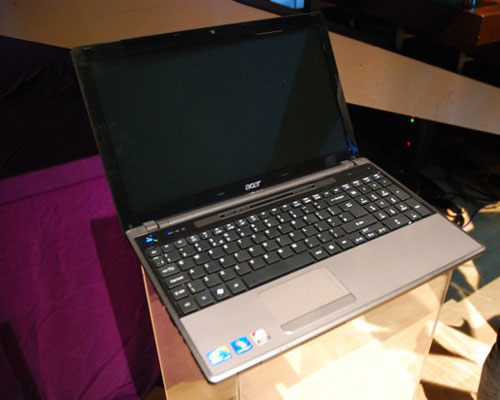 Model with 15. 6-inch screen should own a full size keyboard.
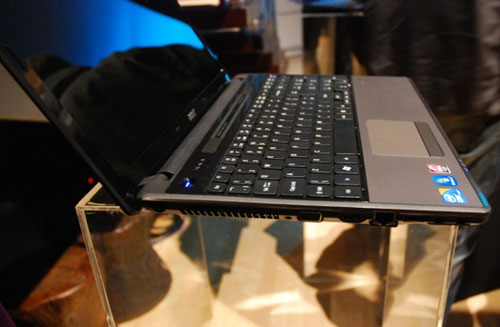 Timeline X series are less than 1 inch (2. 5 cm) thin.
 Dolby Home Theater speaker system with chicklet keyboard.
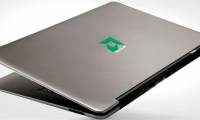
 Top with glossy aluminum cover.
 Next to the left with VGA, HDMI, LAN, USB and 2 headphone and microphone jacks.
 Right side with optical drive, 2 USB ports and power jack.
FAQ
What should I check before following these steps?
Confirm device and software compatibility, save important data, and make sure you have the required permissions, files, and account access.
Why might the process not work?
Common causes include outdated software, missing permissions, incompatible hardware, an unstable connection, or completing a step in the wrong order.
Can I undo the changes if necessary?
That depends on the tool or setting. Use built-in restore options when available, keep a backup, and record the original configuration first.
Related Articles
 Timeline X Comes to Vietnam for More Than 16 Million3 minutes read
 The Best Ultra-thin Laptops4 minutes read
 6 Strengths of Acer Timeline5 minutes read
 Acer Aspire Timeline Ultra-thin New3 minutes read
 Acer Timeline 11. 6 Inches3 minutes read
 Lack of Components Because Demand for Ultra-thin Notebooks Increased3 minutes read
Reader Comments 0
Sign in with email or Google to join the discussion.