Table of Contents
This guide covers acer timeline 11. 6 inches with practical context and easy-to-follow details. Use it to understand the subject and apply the information confidently.
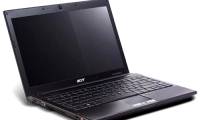
Not stopping with netbooks, Acer is planning to bring its ultra-thin, low-cost Timeline with a 11. 6-inch widescreen. This model will run on Windows 7 operating system, while its netbooks use Windows XP. This model will be called the Aspire Timeline 1810T, the same basic design with the same design as the Timeline series. The 11. 6-inch screen has a resolution of 1, 366 x 768 pixels, runs on Intel's ULV SU3500 processor of 1. 4 GHz, integrated GMA 4500MHD graphics card, supports HD video transcoding hardware, RAM 4 GB, HDMI slot, gigabit Ethernet connection, Wi-Fi, optional 3G / Bluetooth with EDR and 8-hour battery usage. Earlier, it was reported that Acer Timeline 11. 6 inch appears in June.
Timeline is Acer's new line of ultra-thin computers with screen sizes of 13. 3; 14 and 15. 6 inches have appeared on the market. Pictures of 11. 6-inch Aspire Timeline 1810T
FAQ
What should I check before following these steps?
Confirm device and software compatibility, save important data, and make sure you have the required permissions, files, and account access.
Why might the process not work?
Common causes include outdated software, missing permissions, incompatible hardware, an unstable connection, or completing a step in the wrong order.
Can I undo the changes if necessary?
That depends on the tool or setting. Use built-in restore options when available, keep a backup, and record the original configuration first.
Related Articles
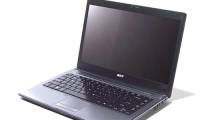 Acer Timeline Laptop Costs from 11. 9 Million3 minutes read
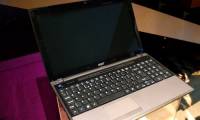 See Acer's New Ultra-thin Timeline X3 minutes read
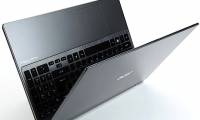 Aspire Timeline Ultra Laptop Line from Acer5 minutes read
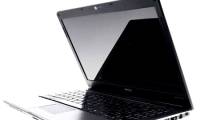 Discover Acer Timeline 4810T12 minutes read
 Acer Added 8000 Series for Timeline Series3 minutes read
 Laptop Timeline for the Whole Working Day7 minutes read
Reader Comments 0
Sign in with email or Google to join the discussion.