Table of Contents
This guide covers satellite l650-10g - perfect alternative with practical context and easy-to-follow details. Use it to understand the subject and apply the information confidently.
The L650 has the right hardware configuration for the job. The device owns a 2. 26GHz Core i5 processor, 4GB of RAM and a 500GB hard drive, so it can completely meet the needs of most users. However, with ATI Mobility Radeon 5. 145 graphics card (mid-range graphics chip), it's not enough for gamers.
The L650 has two disappointing drawbacks: no Bluetooth and low 10/100 Fast Ethernet standards.
Toshiba Satellite L650 has a sleek and rounded body design at the edges. The biggest difference on the L650 compared to Toshiba's previous laptop versions is the keyboard, the small curved strokes on the two sides of the keys, making the user feel a stronger key. There is nothing special in the design of the L650 beyond the curves on the sides of the machine.
Machine owns a fairly diverse set of connection ports, prominently in it is HDMI port. In addition, the L650 has a USB / eSATA port, a VGA port, two standard USB ports, an Ethernet port, two audio jacks (headphone and microphone) and an SD memory card slot that supports up to 64GB. There's a standard 8x DVD drive on the right side and a 0. 3 megapixel webcam with built-in microphone on the top of the screen.
With a unique keyboard design, it still owns the right numeric keypad like a regular keyboard. This is really necessary for users who want to use a laptop replacement for desktop computers, especially those who often work with numeric keypads.
Touchpad is not much different from previous versions and it supports all normal multi-tap gestures.
Much like most laptops with comparable prices, it has a 15. 6-inch screen with a resolution of 1366 x 768. For some people this seems a bit low, but in many cases it is still Good resolution for HD videos and width is quite enough to work with large document documents.
Toshiba always supports the good sound system on its laptops, but it is clear that the L650 is too cheap to continue to support this. Stereo speakers work quite well with listening to sound at moderate volume.
Several comparisons of the L650 with Sony Vaio E series computers and Acer Aspire 5553G
Specific configuration of L650
Some more pictures of 650
Final comparison results
FAQ
What should I check before following these steps?
Confirm device and software compatibility, save important data, and make sure you have the required permissions, files, and account access.
Why might the process not work?
Common causes include outdated software, missing permissions, incompatible hardware, an unstable connection, or completing a step in the wrong order.
Can I undo the changes if necessary?
That depends on the tool or setting. Use built-in restore options when available, keep a backup, and record the original configuration first.
Related Articles
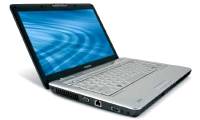 Toshiba Satellite 'Changes Blood'2 minutes read
 What Is Starlink? How Does Satellite Internet Work?9 minutes read
 The Average Laptop Is Under 650 USD11 minutes read
 Satellite T135 Handles Multitasking Not Well7 minutes read
 Toshiba Is New to the Satellite T100-series3 minutes read
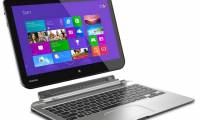 Toshiba Introduces Satellite Click, 'Bet' on AMD Chips4 minutes read
Reader Comments 0
Sign in with email or Google to join the discussion.