Table of Contents
This article examines Samsung Launched Galaxy Fold, 7.3inch Folding Screen Smartphone, 12GB RAM. It presents the main facts, practical implications, and key points in a clearer, easier-to-follow format.
Understanding Samsung Launched Galaxy Fold
At the event in San Francisco, USA, Samsung introduced the Galaxy Fold, its first folding screen smartphone. With Samsung, Galaxy Fold is more than just a new smartphone, but also a revolutionary product.
Design and features
Galaxy Fold is equipped with a 7.3-inch Infinity Flex screen, flexible screen technology that can be folded in half. This helps Galaxy Fold to convert the size of a tablet into a regular phone, when folding the device is not too thick compared to the previous imagination of the technology.

When the main screen is folded, it will use a second 4.6 inch screen and 840x1,960 pixel resolution on the outside.

 Screen when in phone and tablet mode.
The flexible screen on Galaxy Fold is also equipped with some special features to bring better experience to users. Most notably, while in tablet mode, Fold allows users to simultaneously perform 3 applications in 3 different window drives.
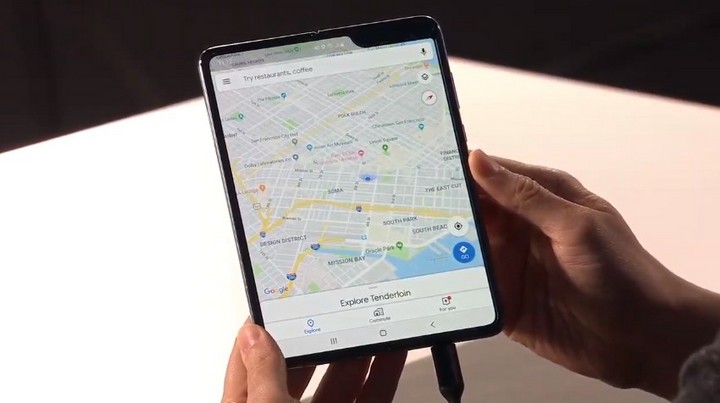
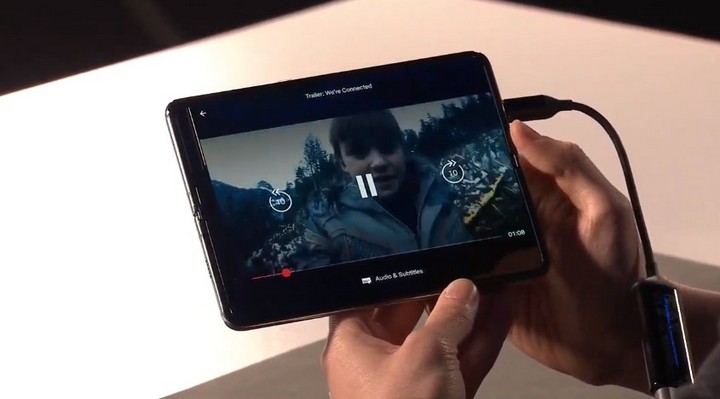 Experience Google Maps and watch videos on the 7.3-inch screen, bigger and more comfortable.
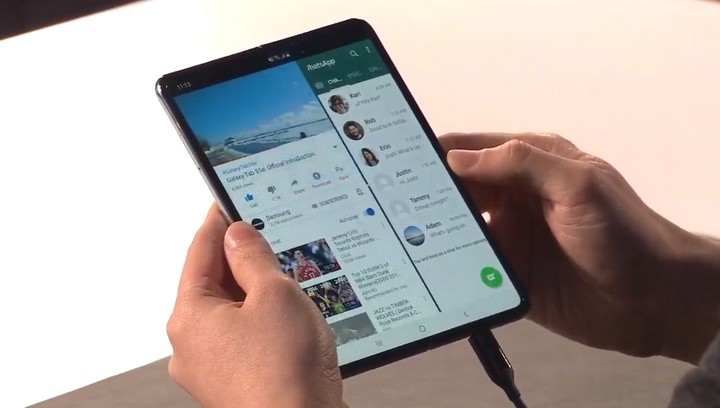
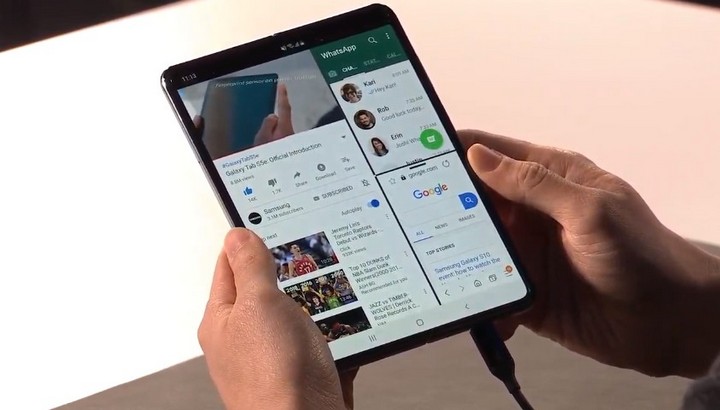 Use two or even three apps on the same screen at the same time.
Samsung has worked with developers to optimize operating systems and Android applications that make the Galaxy Fold content conversion seamless without problems with compatibility.
Configuration
Galaxy Fold is equipped with an OLED screen measuring 4.6 inches in phone mode and up to 7.3 inches in tablet mode. It has 12GB RAM, 512GB internal memory (UFS 3.0 standard) and is equipped with two batteries with a total capacity of 4,380mAh. The rear camera system of the device consists of 3 lenses (wide angle, super wide and telephoto) placed on the right side of the second screen.
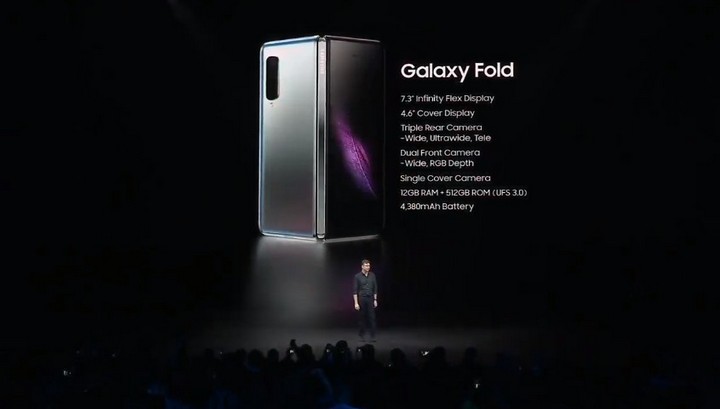
In tablet mode, the device has a wide-angle selfie camera cluster, while in phone mode, there is only one camera. The USB Type-C port of the device is located in the middle of the right screen.
Galaxy Fold will start to be available from April 26, the 4G version will start at 1980 USD (about 46 million). Users can choose the 5G version and of course the price will be higher.
FAQ
What is the main point of Samsung Launched Galaxy Fold, 7.3inch Folding Screen Smartphone, 12GB RAM?
At the event in San Francisco, USA, Samsung introduced the Galaxy Fold, its first folding screen smartphone. With Samsung, Galaxy Fold is more than just a new smartphone, but also a revolutionary product.
Why is Samsung Launched Galaxy Fold, 7.3inch Folding Screen Smartphone, 12GB RAM important?
Samsung Launched Galaxy Fold, 7.3inch Folding Screen Smartphone, 12GB RAM matters because it can affect how readers understand, choose, use, or respond to the subject discussed in the article.
What should readers verify about Samsung Launched Galaxy Fold, 7.3inch Folding Screen Smartphone, 12GB RAM?
Check the date, product or software version, compatibility, and any current guidance before acting, especially when technology, security, health, or pricing is involved.
Related Articles
 Will the Galaxy Fold 3 Be an Upgrade of the Galaxy Z Fold 7?4 minutes read
 Huawei Has Just Launched Mate X, a Compact, Beautiful Screen Smartphone, 5G Connection and Slimmer4 minutes read
 Struggling the Folding Screen Smartphone of the Drug Lord's3 minutes read
 Is Galaxy Z Fold 7 Worthy of Samsung's Foldable Screen Masterpiece?8 minutes read
 6 Major Challenges That Folding Screen Phones Need to Overcome to Prove They Are Not Technology15 minutes read
 The Galaxy Z TriFold Has Been Discontinued5 minutes read
Reader Comments 0
Sign in with email or Google to join the discussion.