Table of Contents
This article examines OneDrive for Android Updates with Office Lens. It presents the main facts, practical implications, and key points in a clearer, easier-to-follow format.
Understanding OneDrive for Android Updates with Office Lens
Microsoft today released a new update for the OneDrive app on Android. Accordingly, features from Office Lens will be posted to OneDrive with the latest updates. OneDrive's Scan feature will be significantly improved with major upgrades thanks to the power of Office Lens.
Scan feature of OneDrive will now be able to automatically cut and clarify each of your scans using Office Lens, making each scan more clear.
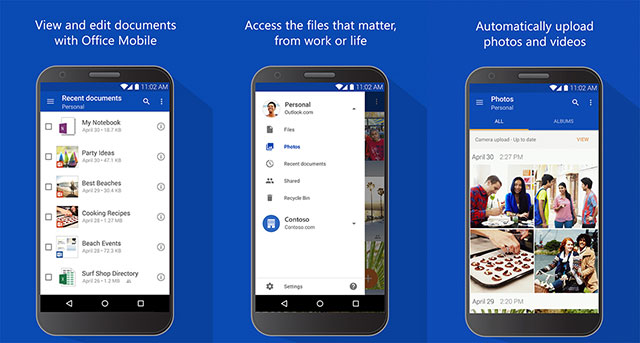 Microsoft improves some features for OneDrive on Android.
Along with upgrading the Scan feature, Microsoft also improved the image viewer. Microsoft's OneDrive team said that viewing photos on OneDrive will now become 'faster than ever'.
To use the new OneDrive features, install or update the latest version from the Google Play Store at this address. https://play.google.com/store/apps/details? id=com.microsoft.skydrive&hl=en.
FAQ
What is the main point of OneDrive for Android Updates with Office Lens?
Microsoft today released a new update for the OneDrive app on Android. Accordingly, features from Office Lens will be posted to OneDrive with the latest updates.
Why is OneDrive for Android Updates with Office Lens important?
OneDrive for Android Updates with Office Lens matters because it can affect how readers understand, choose, use, or respond to the subject discussed in the article.
What should readers verify about OneDrive for Android Updates with Office Lens?
Check the date, product or software version, compatibility, and any current guidance before acting, especially when technology, security, health, or pricing is involved.
Related Articles
 New Features in the Onedrive for iOS App4 minutes read
 How to Sign up for Office 365 and 21TB Onedrive for Free from6 minutes read
 Instructions for Using the Office Lens Application to Convert Image5 minutes read
 8 Super Useful Things You Can Do with Microsoft Onedrive on Android8 minutes read
 Google Lens Adds Handwriting Copying to a Computer3 minutes read
 10 Ways Google Lens Makes Life Easier on Android10 minutes read
Reader Comments 0
Sign in with email or Google to join the discussion.