Table of Contents
This updated guide explores NVIDIA confirms RTX 5060 black screen issues with practical details, clear explanations, and useful takeaways. The recent launch of the RTX 5060 has been met with controversy, with independent media outlets criticizing Nvidia for being vague about announcing the budget graphics card at Computex but not providing a timely review driver.
Now, the RTX 5060 has another, equally serious issue. This time, Nvidia has officially acknowledged a compatibility issue with some motherboards that causes a black screen upon reboot . The company says the issue occurs on 'older motherboards' and requires a firmware update to fix it. Nvidia has posted a detailed support page on its official website, providing steps to take if your system experiences a black screen error.
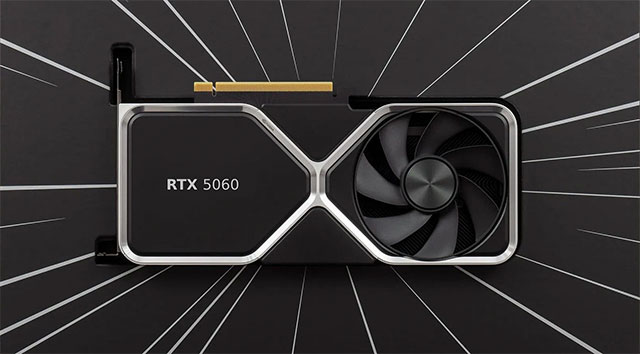
According to Nvidia, users can do one of these:
- Turn off your computer completely before restarting it .
- Update motherboard BIOS to the latest version .
- ensure the motherboard is running in UEFI mode, not Legacy/CSM . If the motherboard does not support UEFI, contact GPU customer support to update the VBIOS for older motherboards.
- Boot with integrated graphics or other GPU .
Once you're on the desktop, you can download the Nvidia GPU UEFI Firmware Update Tool to upgrade your RTX 5060/5060 Ti to the latest firmware. Note: You only need to update the firmware if your system experiences a black screen error. If your system reboots normally, you do not need to do this.
All details and download links for the update tool are posted on Nvidia's official support page.
FAQ
What is the main takeaway about NVIDIA Confirms RTX 5060 Black Screen Issues?
The key is to understand the core idea, compare the available options, and apply the practical guidance that matches your situation.
What should beginners know about NVIDIA Confirms RTX 5060 Black Screen Issues?
Start with the essential steps and terminology. Avoid changing advanced settings until you understand how they affect performance, privacy, cost, or compatibility.
How can I use this information in practice?
Follow the relevant section in order, test one change at a time, and confirm the result before moving to the next step or recommendation.
Related Articles
 A Comprehensive Guide on How to Fix Black Screen or Black Display Issues When Recording13 minutes read
 6 Best AMD Motherboards for Gaming9 minutes read
 How to Fix Black Screen or Black Stripe in Nox App Player5 minutes read
 What Is Program Compatibility Troubleshooter in Windows 11? How to Use It?8 minutes read
 How to Fix Black Screen on Android Phone5 minutes read
 How to Fix Black Screen Error When Starting Windows8 minutes read
Reader Comments 0
Sign in with email or Google to join the discussion.