Table of Contents
This guide covers msi launched x-slim 320 ultra-thin laptop with practical context and easy-to-follow details. Use it to understand the subject and apply the information confidently.
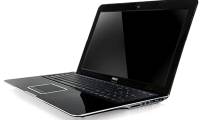
The X-Slim 320 was the first laptop to be launched by MSI in 2009. The product is very stylish and elegant, creating an attractive look with champagne gold, noble white or attractive black color. . With a light and ultra-slim design, X-Slim 320 creates convenience for users to carry around on the move.
 The ultraportable X-Slim 320 laptop is only 1. 98cm thin and weighs 1. 3kg
Besides, the X-Slim 320 configuration is not bad at all: the Atom Z530 processor with 1. 6GHz clock speed, 2GB RAM. However, the company has not disclosed the use of HDD or SSD or both.
In particular, it also has a new generation of 3. 5G telecom connection standard. The product supports Wi-Fi connection a / b / g / n, Bluetooth, WCDMA, 3 USB 2. 0 ports, VGA and card reader. X-Slim 320 has a screen size of 13. 1-inch with a resolution of 1366x768, allowing users to choose a 4 or 8cell battery with a battery life of up to 10 hours. The detailed specifications of X-Slim 320 will be officially revealed at the Fair of Electronic Products CES 2009 in Las Vegas tomorrow. X-Slim 320 will be officially sold on the market in the second quarter of 2009 for $ 800.
FAQ
What should I check before following these steps?
Confirm device and software compatibility, save important data, and make sure you have the required permissions, files, and account access.
Why might the process not work?
Common causes include outdated software, missing permissions, incompatible hardware, an unstable connection, or completing a step in the wrong order.
Can I undo the changes if necessary?
That depends on the tool or setting. Use built-in restore options when available, keep a backup, and record the original configuration first.
Related Articles
 Ultra-thin Laptops Can Replace MacBook Air7 minutes read
 Dell Launches a New Ultra-thin Laptop in China5 minutes read
 MSI X-Slim X600 Saves Power3 minutes read
 Dell Launches an Ultra-thin Laptop4 minutes read
 Toshiba Presents an Ultra-thin Laptop with an 11-hour Battery in Vietnam3 minutes read
 See Dell XPS 14z 'Supermodel' in Vietnam4 minutes read
Reader Comments 0
Sign in with email or Google to join the discussion.