Table of Contents
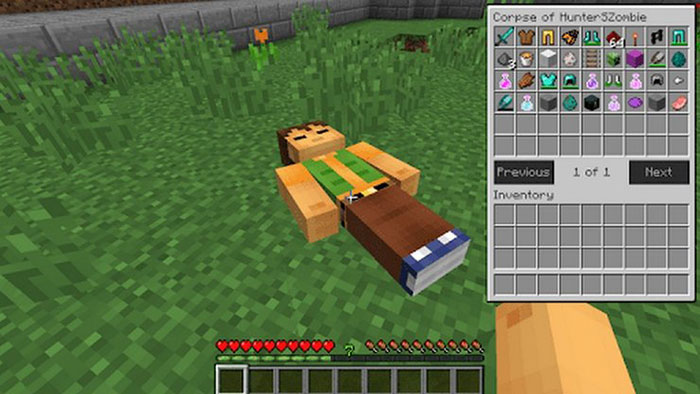
To recover items after dying in Minecraft, return to the death location before the dropped items spend about five minutes in a loaded chunk. The timer does not normally advance while that chunk is unloaded, but it starts again when the area loads. Move carefully: dying a second time does not erase the first pile immediately, but it changes the location tracked by a Recovery Compass and can make the recovery much harder.
Items can also be destroyed before the timer expires. Lava and fire destroy most dropped items, although netherite items resist fire and lava. Explosions, cacti, and other hazards can also remove items.
What to do immediately after respawning
- Note the dimension and route. Remember whether you died in the Overworld, Nether, or End and identify the nearest portal, base, village, or other landmark.
- Prepare a small recovery kit. Take food, inexpensive armor, blocks, a shield, light sources, and any fire-resistance supplies the route requires. Do not risk another complete set of valuable equipment.
- Travel directly but safely. Sprinting into the same lava pool or hostile group only creates a second item pile.
- Pick up the important items first. Clear enough inventory space before leaving your base. If the area is dangerous, secure it with blocks or light before sorting the recovered gear.
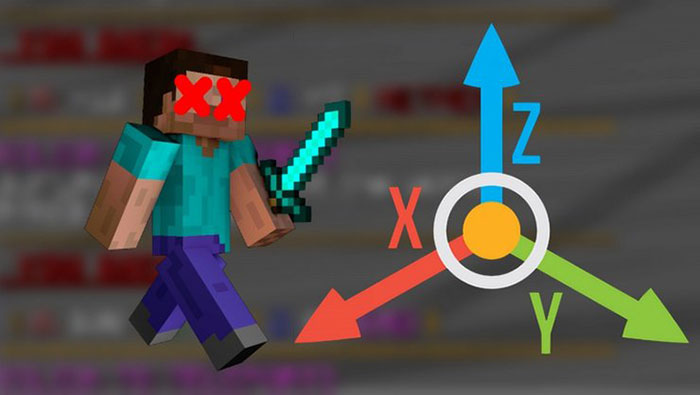
How the five-minute despawn timer works
Dropped item entities normally despawn after 6,000 game ticks, which is about five minutes while the chunk containing them is loaded and processing normally. This distinction matters: if you respawn far away and the death area is unloaded, the pile may remain until you approach and load the area again. On a multiplayer server, however, another player near the death location can keep the chunk loaded.
Do not deliberately wait simply because you believe the area is unloaded. Spawn chunks, server settings, mods, commands, or another player may keep it active. Treat every recovery as time-sensitive.
Find your death location
Use landmarks and coordinates
Coordinates are the most reliable low-tech method. In Java Edition, the F3 debug screen shows the player's current coordinates. In Bedrock Edition, enable Show Coordinates in the world settings if the world owner permits it. Record important bases, portals, and distant work sites before an expedition.

If you did not record the death coordinates, retrace the route using distinctive terrain, structures, torch patterns, signs, or colored blocks. A map can help with surface travel, but it may not identify the correct cave level or Nether passage.
Use a Recovery Compass
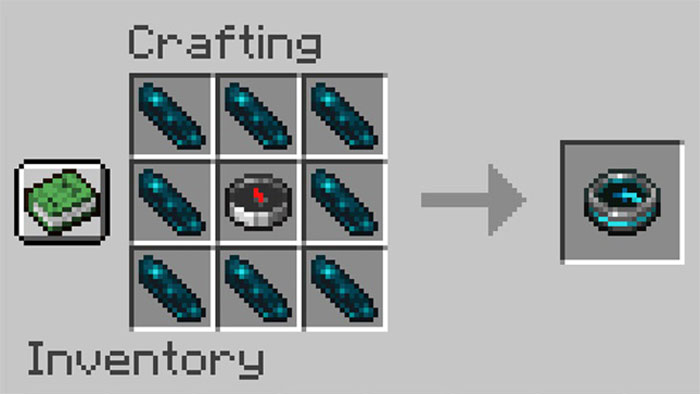
A Recovery Compass points toward the player's most recent death location. It must be used in the same dimension where the death occurred; in another dimension, or before the player has died in that world, its needle spins without a useful direction.
Craft one by placing a normal compass in the center of a crafting grid and surrounding it with eight Echo Shards. Echo Shards are found in Ancient City chests. Because the compass itself drops if it is carried at death, keep it in a chest at your respawn base together with a recovery kit. Minecraft's official Recovery Compass guide explains the recipe.
The compass supplies a direction, not distance, elevation, or automatic teleportation. Approach from different directions if necessary, and search above or below when the needle appears to reverse near the target.
Check the last death location with commands in Java Edition
Recent Java Edition versions store a player's last death location. If cheats are enabled or you have server permission, enter:
/data get entity @s LastDeathLocationThe result includes a dimension and position. You can travel there normally or, with permission, teleport using known coordinates. A standard teleport command does not discover the death location for you:
/tp @s x y zReplace x y z with the reported coordinates and make sure you are operating in the correct dimension. Commands, permissions, and stored data can differ on older versions or customized servers.

Use a map, waypoint, or tombstone mod
Minimap and tombstone mods can record a death waypoint or store the inventory in a grave. Install only a mod built for your exact Minecraft edition, game version, and mod loader. Back up the world before adding or removing a mod, and confirm that every multiplayer server permits it.
Popular projects and names change over time, so download from the developer's official project page or a well-established mod repository. Do not install an unknown executable advertised as an item-recovery tool.
Can you teleport directly to the last death point?
Vanilla Minecraft does not provide a universal “teleport to last death” command for ordinary players. In Java Edition, an authorized user can read LastDeathLocation and then use its coordinates. Otherwise, teleportation requires coordinates you recorded, a server plugin, a data pack, or a mod. The armor-stand command sometimes circulated in older guides works only as part of a tracking system prepared in advance; it cannot reconstruct a location after the fact.
Prevent item loss with keepInventory
World owners who prefer a less punishing experience can enable the keepInventory game rule. With commands available, use:
/gamerule keepInventory true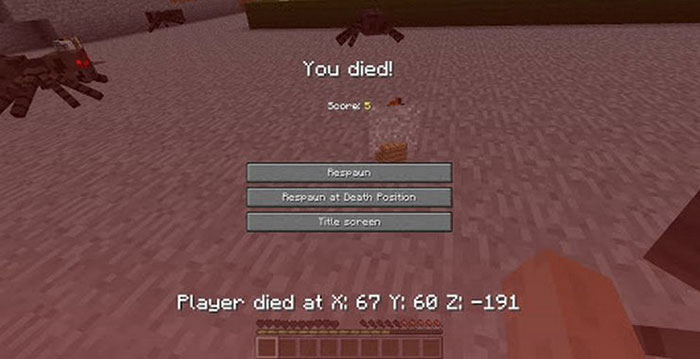
This prevents players from dropping their inventory when they die. It changes the survival rules for the entire world, so agree on it before enabling it on a shared server. Cheats or operator permission may be required, and enabling cheats can affect achievements on some Bedrock worlds.
When creating a new world, the same rule may be available in the world or game-rules settings. To restore normal item drops later, use:
/gamerule keepInventory falsePrepare before dangerous trips
- Store irreplaceable items at the base instead of carrying everything.
- Use Ender Chests for valuables you may need at distant locations; their contents are tied to the player and are not dropped with the chest.
- Carry Shulker Boxes for organization, but remember that a filled Shulker Box still drops as an item if it is in your inventory at death.
- Write down portal and base coordinates outside the game.
- Place a bed or charged Respawn Anchor safely near long projects, and keep a basic kit beside it.
- Carry a Totem of Undying in an active hand when the risk justifies it. A stored totem does not activate.
- On multiplayer servers, send your coordinates to a teammate who can secure the area or keep hostile mobs away.
Best recovery method by situation
| Situation | Most useful method |
|---|---|
| You recorded the coordinates | Return directly with a light recovery kit. |
| You know the route but not the exact point | Follow landmarks and search vertically near the suspected area. |
| You have a Recovery Compass | Use it in the same dimension as the latest death. |
| Java cheats or operator commands are available | Read LastDeathLocation, then travel or teleport to its position. |
| A compatible waypoint or tombstone mod was installed beforehand | Use its recorded marker or grave according to the mod's instructions. |
| You want to prevent future drops | Enable keepInventory with the world owner's agreement. |
The safest routine is simple: record important coordinates, leave a recovery kit at the respawn point, and keep valuable items in secure storage. If a death occurs, identify the correct dimension, return promptly, and avoid creating a second emergency on the way.
Related Articles
 Minecraft: Quick Tips to Collect XP5 minutes read
 How to Create and Optimize Your Inventory in Minecraft: Step-by-Step Guide6 minutes read
 TOP Most Useful Mob Drop Items in Minecraft 1.184 minutes read
 Minecraft: Instructions for Crafting Necessary Tools and Items6 minutes read
 Instructions to Build a Mob Farm in Minecraft9 minutes read
 Command to Die Without Losing Items in Minecraft7 minutes read
Reader Comments 0
Sign in with email or Google to join the discussion.