Table of Contents
Millions of PC Users Breathe a Sigh of Relief with New Announcement from Microsoft is easier to approach with a clear overview and reliable steps. This guide organizes the essential information, highlights practical details, and explains what to check along the way.
Key Takeaways
- Follow the recommended steps in order to avoid common mistakes with millions of PC users breathe a sigh of relief with new announcement from Microsoft.
- Review compatibility, settings, or requirements before making changes.
- Use the troubleshooting notes to confirm the final result.
Windows 11 24H2 still runs fine on consumer PCs using 8th, 9th, and 10th generation Intel CPUs.
So where did the rumor come from? It all started with Microsoft's announcement of official hardware requirements on its website, which is meant to make it easier for OEMs like HP and Lenovo to get the information they need to develop new products.
On February 13, Microsoft updated its OEM support document titled 'Windows 11 version 24H2 supports Intel processors', with new information about version 24H2. One of the notable changes is that the document doesn't list Intel's 8th, 9th, and 10th generation CPUs, leading to the misconception that these chips are no longer supported for Windows 11 24H2.
However, this document is primarily intended for PC manufacturers, not consumers. Previously, the company recommended that consumers use the PC Health Check app to check compatibility with Windows 11.
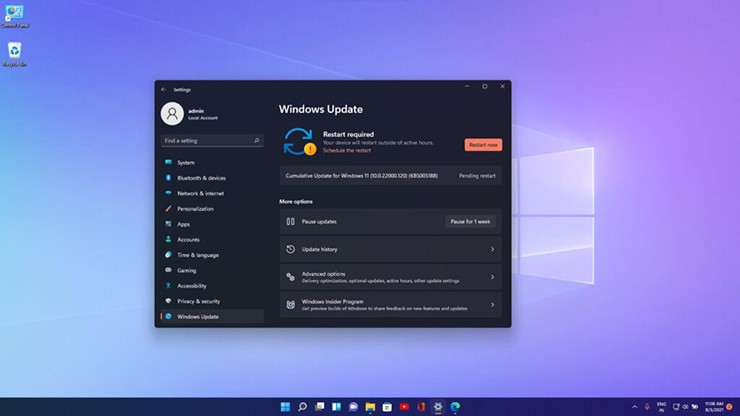
Users should use PC Health Check to check compatibility.
Microsoft has essentially clarified that OEMs can use newer CPUs for Windows 11 devices and don't recommend using older CPUs to install this update. This is actually not a big deal, as OEM support documents are always updated to recommend newer processors for new products.
In its latest response, Microsoft asserted that 'the requirements have not changed', stressing that the support document doesn't affect current Windows support for consumers. This is also why consumer PCs with Intel 8th, 9th, or 10th generation CPUs can still run the Windows 11 24H2 update without any issues.
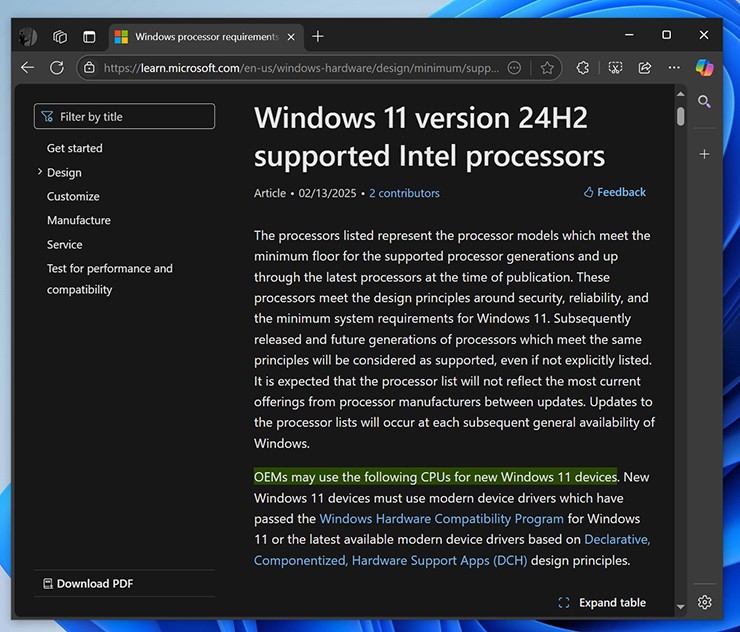
Previous misleading documentation from Microsoft.
Microsoft recommends using the PC Health Check app and not looking at OEM documentation. This helps you check if your PC is officially supported. The company also says it won't block users from installing Windows 11 24H2 on unsupported devices. Consumers can still use Windows 11 as long as their device has TPM 2.0, and even if they don't have a TPM, they can bypass the requirements by modifying the registry, although that's not recommended.
Final Thoughts
The most reliable way to handle millions of PC users breathe a sigh of relief with new announcement from Microsoft is to follow the process in order, verify each important setting, and test the result before moving on. Use the guidance above as a practical reference, then adjust the details for your device, software version, or specific goal.
FAQ
What should I know first about Millions of PC Users Breathe a Sigh of Relief with New Announcement from Microsoft?
However, this information is incorrect as Microsoft has confirmed in a report that Windows 11 hardware requirements have not changed since 2021.
How do I get the best results with Millions of PC Users Breathe a Sigh of Relief with New Announcement from Microsoft?
Use current software or equipment, follow the steps in order, review the recommended settings, and test one change at a time so you can identify what improves the result.
What should I do if Millions of PC Users Breathe a Sigh of Relief with New Announcement from Microsoft doesn't work as expected?
Check compatibility, permissions, connectivity, and version-specific settings. Restart the relevant device or app, then repeat the process carefully before trying a more advanced fix.
Related Articles
 Microsoft Continues to Support Paint on Windows 104 minutes read
 People Living in Polluted Atmosphere Are Vulnerable to4 minutes read
 Stop Sighing, People Will Die3 minutes read
 Mozilla Restarted the Open-source IoT Platform Project Things Under the Name WebThings7 minutes read
 Use the Pane Relief Plugin to Get a Dual Pane Layout in Obsidian: How-To Guide6 minutes read
 Microsoft Warns of the Dangerous Usage Habits of Millions of3 minutes read
Reader Comments 0
Sign in with email or Google to join the discussion.