Table of Contents
Windows 365 Reserve gives organizations short-term Cloud PC access when an employee's physical computer is unavailable. It can help bridge a repair, replacement or shipping delay, but it requires advance setup and another usable device with network access. It is not an automatic backup of a broken PC.
What the service provides
Microsoft now lists Reserve as generally available, rather than only a limited preview. Administrators manage it through Microsoft Intune and make a temporary Cloud PC available to a covered user.
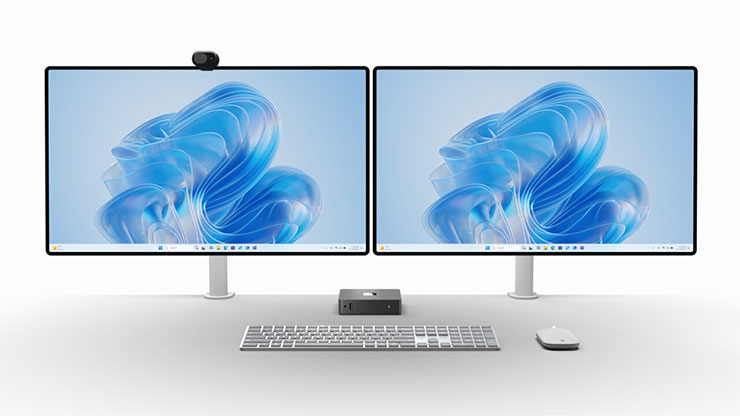
The user connects through a supported Windows App client or web access. The cloud desktop can provide access to organizational applications and resources, but local-only files and specialized software on the failed physical PC do not automatically appear there. Those dependencies need to be planned and tested.
The 10-day allowance has important limits
According to Microsoft's licensing documentation, each annual Reserve license provides up to 10 days for one user. The allowance cannot be pooled among employees. Usage is based on time provisioned, not simply the minutes spent actively working in a session; partial use of a 24-hour increment counts toward that day.
Closing the browser or signing out is therefore different from returning or deprovisioning the Cloud PC. The remaining allowance can be conserved by ending provisioning when it is no longer needed, subject to the service's rules.
Prepare before an outage
A user first becomes eligible for provisioning seven days after license assignment, including after a lapse in coverage. Buying or assigning a license only when a laptop fails is not an instant recovery plan. Required supporting licenses include Windows Enterprise, Intune and Microsoft Entra ID P1; check the current prerequisites for your subscription.
Microsoft's management guide covers provisioning policies, user groups and optional device-preparation configuration. Administrators should test the applications, authentication, access policies and connection method employees will actually use.
Know the recovery boundaries
- Another device is still needed. A cloud desktop cannot solve a complete loss of power and connectivity at the user's location on its own.
- Files need an accessible home. Confirm that essential work is backed up or synchronized to approved storage, rather than trapped on the unavailable PC.
- Capacity is not reserved in advance. Microsoft's Reserve FAQ says provisioning availability can depend on region, capacity and service conditions.
- Returning the PC can delete work. Manual deprovisioning deletes the Cloud PC and non-backed-up data without a normal grace period. Save and verify files in approved storage before returning it.
A useful continuity exercise is to provision for a test user, complete a real work task from a spare device, confirm where the output is saved, and practice the handback. Reserve can reduce dependence on physical loaner hardware, but the benefit depends on that preparation rather than a promise of interruption-free work.
Related Articles
 How to install Savior on Coc Coc
 Steps to fix 'Getting Windows Ready' error on Windows 10
 Microsoft launches Windows 365, a cloud operating system that can run on any device
 Microsoft is ready for a world farther than Windows
 Microsoft urgently stops the free Windows 365 Cloud PC program due to server overload
 7 ways to fix 'Getting Windows Ready' error on Windows 10
Reader Comments 0
Sign in with email or Google to join the discussion.