Table of Contents
This updated guide examines Lenovo Announced a New Line of Computers for Content Creators and organizes the essential facts, background, and practical takeaways in clear American English.
Launching before CES 2020, Lenovo today officially announced the Lenovo Creator product line including desktop models, laptops for content creators with some highlights as follows:
- Each device has a unique identification mark - 'Creator Edition'.
- The latest version of the Lenovo Vantage software for Creator devices will provide a unique user experience, suitable for creative-working people, along with many exclusive offers.
- Free Lenovo Premium Care service, troubleshooting support, and additional support packages.
Let's take a look at some outstanding devices of the newly launched Creator series:
Lenovo Yoga Creator 7
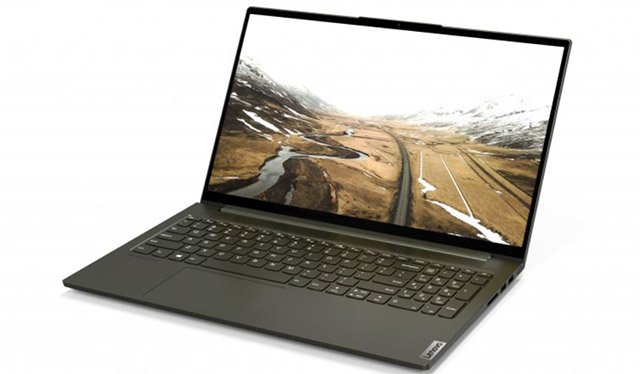
- 10th-generation Intel Core i7 CPU and NVIDIA GPU.
- Easily switch performance modes with Lenovo Q-Control. Intelligent cooling automatically adjusts to system operation to optimize battery life by as many as 20%.
- 15.6 inch Full HD screen, 100% sRGB.
- Fully support Pantone Matching System, Dolby Atmos Speaker System.
- Full support for NVIDIA GPUs and Studio Drivers to take full advantage of NVIDIA Studio.
- Support to optimize the performance of creative applications with Digital Content Creators.
- Lenovo Smart Assistant supports hands-free login, automatic logout via infrared camera with Windows Hello or integrated fingerprint scanner.
- Weighs only 4.18lbs (1.9kg) and is 0.64 inches thin (16.4mm).
- as many as 13 hours of battery life, exclusive Rapid Charge technology.
- Backlit keyboard, numeric keys make custom image parameters easier.
Lenovo IdeaPad Creator 5
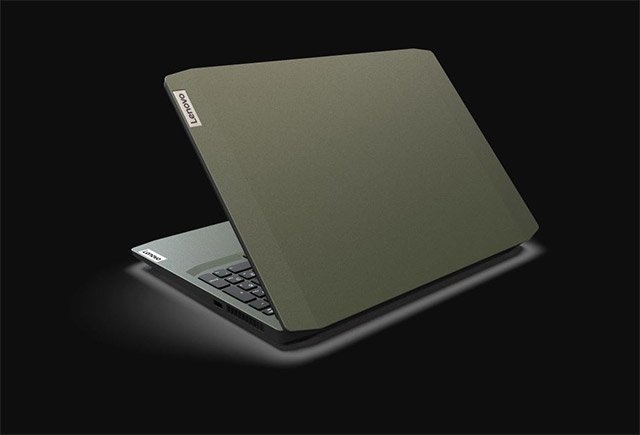
- 10th Generation Intel Core i7 processor, DDR4 RAM up to 16GB and 1TB PCIe storage memory.
- 15.6-inch Full HD screen with 100% AdobeRGB.
- Supports NVIDIA GPU and Studio Drivers.
- Dolby Audio.
- Exclusive Lenovo Q-Control and Intelligent Cooling, which optimizes battery life by 20%.
- Weight 4.85lbs (2.2kg).
- as many as 8 hours of battery life, Rapid Charge technology.
Lenovo IdeaCentre Creator 5
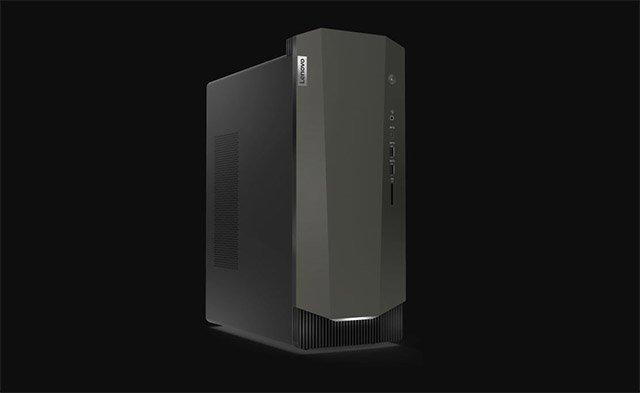
- CPU Intel Core i9 Gen 10.
- NVIDIA GeForce RTX 2060 GPU with Studio Drivers.
- DDR4 RAM up to 16GB.
- Supports Premium Dolby Audio.
Lenovo Qreator 27 screen
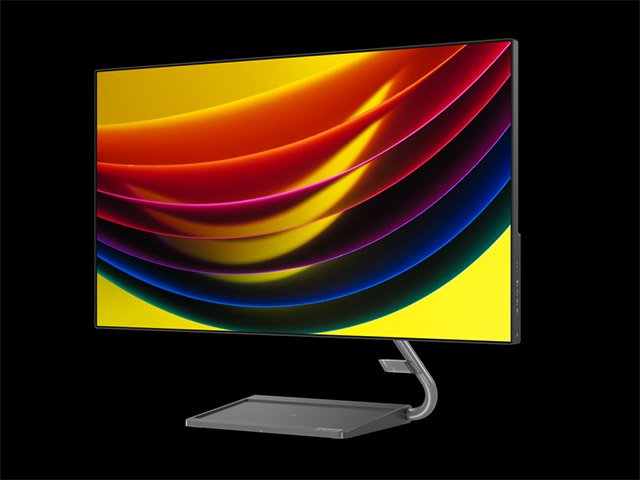
- 27-inch IPS Smart Crystal Sound display, 4K UHD (3840 x 2160) with a 4-sided 'infinity' design.
- Proprietary Smart Crystal Sound Display technology allows sound to be output from the panel itself, supporting synchronized sound with motion on the screen.
- Smart Power feature helps optimize power consumption by managing the device connected to the screen.
- 10-bit color depth, 98% DCI-P3 color gamut, supporting the display of more than one billion different colors.
- One-cable Solution technology, combining power, data, video and audio simultaneously through a cable.
- Built-in wireless charging function
- Eye Eye Certified, eye-friendly.
Price and time of sale
15-inch Lenovo Yoga Creator 7 and 15-inch IdeaPad Creator 5 don't have a specific price and release date. While IdeaCentre Creator 5 will start at $ 1,099, it is expected to hit shelves in October. The Lenovo Qreator 27 screen starts at $ 899 and goes on sale in March.
FAQ
What is Lenovo Announced a New Line of Computers for Content Creators about?
It provides a structured overview of lenovo laptop, explains the main context, and highlights practical takeaways for readers.
Why does this topic matter?
Understanding the main concepts helps readers evaluate the issue, avoid common mistakes, and make better-informed decisions.
How should readers use this information?
Use the guidance as a practical starting point, confirm details that may have changed, and follow current product, safety, or security recommendations.
Related Articles
 8 Reasons Why Content Creators Can't Rely on AI Chatbots8 minutes read
 How to Optimize the System Windows 10 Creators Update5 minutes read
 Laptop Lenovo: 'Still' and 'Will' Is. .. Thinkpad!9 minutes read
 British Intelligence Said No to Chinese Computers4 minutes read
 9 Ways Chatgpt Helps Content Creators7 minutes read
 Roblox Allows Content Creators to Keep All the Revenue: Key Facts4 minutes read
Reader Comments 0
Sign in with email or Google to join the discussion.