What you will learn
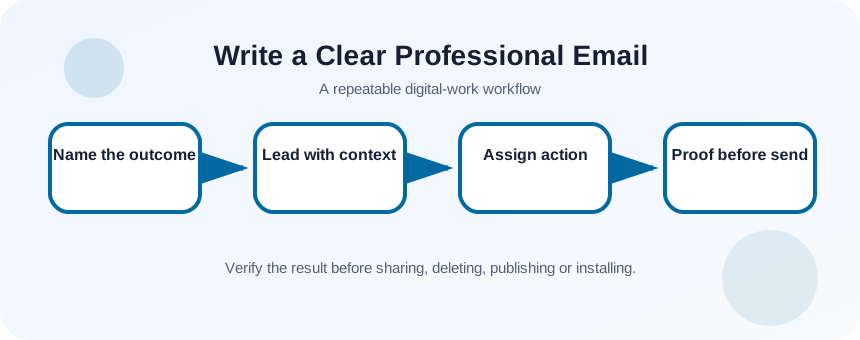
- Write a subject that identifies topic and action.
- Put purpose and recipient value near the beginning.
- State owner, action and timing explicitly.
- Review recipients, tone, links and attachments before sending.
What you need
- An email application.
- A real or sample workplace request to rewrite.
Design the message around the recipient’s next action
Outlook supports composing messages, attaching files from local or cloud locations and using mentions to draw attention to a person.
Plain-language guidance emphasizes organizing information for the audience and using clear, concise wording.
Begin by deciding the outcome: approve, review, provide information, schedule or acknowledge. If there is no required action, say “For information” and explain why the recipient was included. A long chronology belongs below the request or in an attachment.
Define audience, outcome and evidence
List the primary recipient, people who genuinely need visibility, the requested action, deadline and supporting material. Choose To for action owners and Cc for informed participants. Sensitive or contentious messages may require a call before a written record.
- 1
Write the desired outcome.
- 2
Name one action owner.
- 3
Choose a realistic deadline.
- 4
List facts required to act.
- 5
Identify attachments or links.
- 6
Remove recipients who do not need the message.
Draft from subject to action
Use a subject such as “Review requested: July website launch copy by Tuesday.” Open with the reason for writing. Give only the context needed for the decision, then state the action in a separate sentence or short list. End with next steps and contact information when appropriate.
- 1
Write an action-oriented subject.
- 2
Use an appropriate greeting.
- 3
State purpose in the first two sentences.
- 4
Add concise context.
- 5
Place the requested action on its own line.
- 6
Name deadline and owner.
- 7
Close with the next step or thanks.
Handle files, tone and reply chains
Use cloud links when collaborative editing is intended, and check permissions before sending. Use an attachment when recipients need a stable snapshot or when policy requires it. Rename files meaningfully and mention them in the body.
In a long reply chain, update the subject if the decision has changed and summarize the current state above quoted history. Avoid sarcasm, ambiguous urgency and emotional drafting. For high-conflict messages, pause, verify facts and ask a colleague to review tone.
- 1
Confirm link permissions.
- 2
Open each attachment.
- 3
Remove obsolete attachments from the thread.
- 4
Check names and titles.
- 5
Read the message once from the recipient perspective.
Run the send checklist
Verify To, Cc and Bcc; check names, dates, amounts, links and attachment references; then read the first paragraph and action line aloud. Delay sending if the message depends on an unresolved fact. For urgent operational issues, use the agreed live channel and follow with email documentation.
- The subject and first paragraph reveal the purpose.
- The recipient can identify action, owner and timing.
- Every link and attachment opens with correct permissions.
Rewrite a vague request
Turn a rambling message into a concise action email.
- 1
Choose a sample with at least three paragraphs.
- 2
Write the desired outcome.
- 3
Create a specific subject.
- 4
Move the request near the top.
- 5
Reduce background to essential facts.
- 6
Run recipient, date, link and attachment checks.
Common mistakes to avoid
- Hiding the request at the end.
- Using urgent without a date or consequence.
- Cc’ing people without a clear reason.
- Mentioning an attachment that was not attached.
Key takeaways
- Email should produce a clear next action or documented understanding.
- Subject, opening and action line carry most of the coordination value.
- Recipient and attachment checks are part of writing.
Frequently asked questions
How long should a professional email be?
As long as required for the recipient to act, but put the purpose and action first. Move detailed evidence into a structured attachment when necessary.
When should I use Bcc?
Use it according to policy for privacy or large distributions, not to hide participants in a sensitive conversation.
Sources and further reading
- Quick tips: Create and send email in Outlook for WindowsMicrosoft Support
- Federal plain language guidelinesPlainLanguage.gov
Ready to continue?
Mark the lesson complete so your Learning Path progress stays current on this device.