What you will learn
- Separate content constraints from style preferences.
- Define a stable output structure.
- Use examples to clarify difficult requirements.
- Validate the result rather than assuming compliance.
What you need
- A prompt with a clear goal and audience.
- A downstream use such as email, table, CMS field or review form.
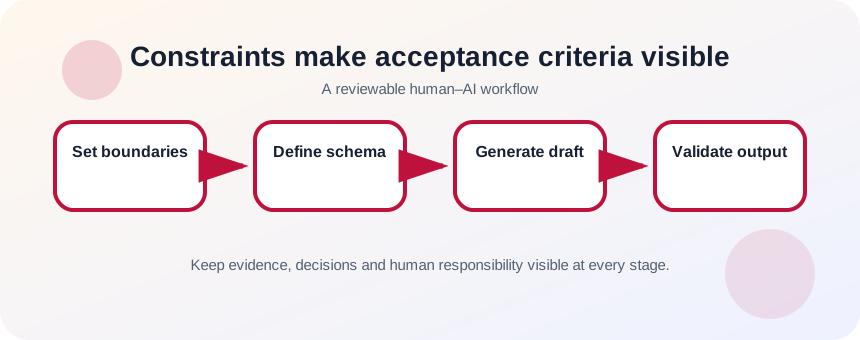
Constraints make acceptance criteria visible
OpenAI’s prompt guidance recommends being clear and specific, providing relevant context and refining the prompt based on the response.
OpenAI also warns that generated answers may include confident errors, so a requested format does not prove that the content inside it is correct.
A format requirement controls presentation; it does not verify truth. “Return JSON” can make fields predictable, while “use only the supplied facts” controls content. “Friendly tone” is a preference. “Do not include customer names” is a privacy boundary. Keeping these categories separate makes conflicts easier to spot.
Write a short constraint hierarchy
Start with requirements that protect correctness and safety, then add structure, then style. If the prompt contains twenty equal instructions, the model may satisfy visible formatting while missing a more important boundary. Rank the rules and remove any that do not change acceptance.
- 1
List mandatory facts and prohibited inventions.
- 2
Add privacy or confidentiality exclusions.
- 3
Specify the allowed source material.
- 4
Choose the required sections or fields.
- 5
Set practical length or row limits.
- 6
Add tone only after correctness requirements.
Design output for the next user or system
Choose a structure based on what happens next. A human reviewer may need headings, evidence notes and open questions. A spreadsheet import needs consistent columns and empty values represented predictably. A content brief may need title, audience, key claim, supporting facts and CTA. Include one small example when a field is easy to misunderstand, but do not let the example introduce facts for the real task.
- 1
Name every required field.
- 2
Define the expected type or form of each field.
- 3
State how missing information should appear.
- 4
Provide one miniature example with dummy data.
- 5
Ask the model to check its output against the schema.
- 6
Reject output that silently adds fields or omits required ones.
- 7
Validate factual content separately from format.
Test conflicts and edge cases
Try an input with a missing fact, an overlong note and a statement that should be excluded. The output should mark the missing value, compress without changing meaning and omit prohibited content. If one requirement repeatedly fails, simplify the prompt or split the task into stages rather than adding more instructions.
- Mandatory and optional requirements are distinguishable.
- Missing data is labeled instead of invented.
- The output can be validated by a human or simple rule.
Create a reusable structured prompt
Design a prompt for extracting a content brief from raw notes.
- 1
Define six output fields.
- 2
Specify allowed source notes.
- 3
Add a rule for missing facts.
- 4
Add one dummy example.
- 5
Test with incomplete notes.
- 6
Review both structure and factual fidelity.
Common mistakes to avoid
- Treating every preference as mandatory.
- Using examples that leak into the real answer.
- Assuming a requested format guarantees accuracy.
- Creating conflicting word-count and completeness rules.
Key takeaways
- Constraints define acceptable output.
- Structure should serve the next workflow step.
- Validation must cover both format and content.
Frequently asked questions
Should I ask for Markdown, a table or JSON?
Choose the format the next reviewer or system can use reliably. JSON is useful for machine processing; headings and tables are often easier for people.
What if the model keeps missing one rule?
Move the rule earlier, simplify competing instructions, provide a clear example or split the work into separate stages.
Sources and further reading
- Prompt engineering best practices for ChatGPTOpenAI Help Center
- Does ChatGPT tell the truth?OpenAI Help Center
Ready to continue?
Mark the lesson complete so your Learning Path progress stays current on this device.