What you will learn
- Create a baseline prompt and output.
- Classify the defect in a weak result.
- Change one prompt variable at a time.
- Compare versions using repeatable criteria.
What you need
- A prompt and its first output.
- A short acceptance checklist.
Turn “better” into a named defect
OpenAI describes prompt engineering as iterative: start with an initial prompt, review the response, then refine wording, context or scope based on the gap.
NIST’s AI RMF encourages measurement, documentation and ongoing management rather than one-time confidence in an AI system.
Common defect categories include factual drift, missing context, wrong audience, excessive length, weak structure, unsupported claims and failure to follow a format. Naming the category prevents a style change from hiding a factual problem.
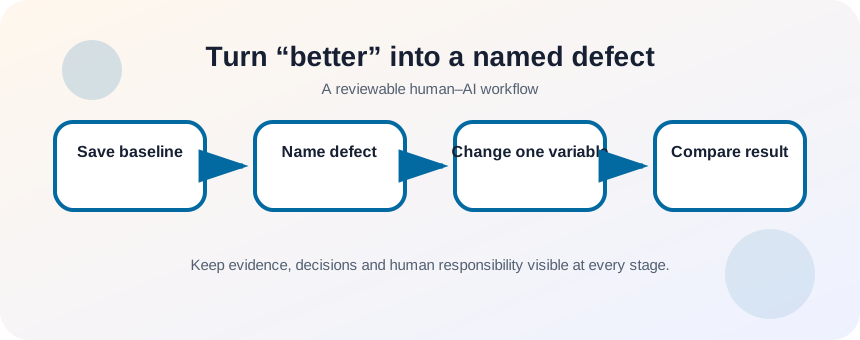
Freeze the baseline and evaluation set
Save the original prompt, source material, output and date. For a reusable prompt, select two or three representative inputs: normal, incomplete and difficult. If the test input changes every time, you cannot tell whether the prompt improved or the new task was simply easier.
- 1
Save prompt version 1.
- 2
Save the exact input and output.
- 3
Write three acceptance criteria.
- 4
Choose representative test cases.
- 5
Label the largest defect.
- 6
Decide which single instruction might correct it.
Run a controlled revision loop
Make one meaningful change: add a missing audience, strengthen a source boundary, define a format or provide an example. Re-run the same test cases and record what improved and what regressed. When the prompt becomes longer, remove instructions that do not change performance.
- 1
Create prompt version 2 with one change.
- 2
Run the same input set.
- 3
Score each output against the checklist.
- 4
Compare defects, not personal preference alone.
- 5
Keep the change only if performance improves across cases.
- 6
Record new failure modes.
- 7
Repeat with the next highest-impact defect.
Know when to split the task
If the prompt asks the model to research, verify, decide, draft and format in one pass, iteration may become unstable. Split it into stages with visible intermediate output. For example: extract claims, verify sources, create outline, draft, then review. Each stage gets a narrower acceptance test.
A useful comparison also preserves the original input and evaluation conditions. If you change the source text, model, temperature, audience and prompt at the same time, a better result does not tell you which change mattered. Keep a small experiment log with the prompt version, test input, observed defect and score against the same rubric. This turns iteration into evidence you can reuse instead of a collection of lucky examples.
- Each version records the exact change.
- The same test cases were used.
- The final prompt is shorter or clearer, not only longer.
Run three prompt versions
Improve a prompt for a recurring task using controlled changes.
- 1
Save the current prompt and output.
- 2
Classify the largest defect.
- 3
Create version 2 with one change.
- 4
Test it on three inputs.
- 5
Create version 3 only if another defect remains.
- 6
Write a changelog and choose the winning version.
Common mistakes to avoid
- Changing prompt and source material at the same time.
- Evaluating only one easy example.
- Adding instructions without removing conflicts.
- Using “make it better” as the only revision signal.
Key takeaways
- Iteration requires a baseline and criteria.
- One-variable changes reveal cause and effect.
- Complex tasks often improve when split into stages.
Frequently asked questions
How many iterations are enough?
Stop when the prompt meets the acceptance criteria across representative inputs or when remaining errors require a different tool or human judgment.
Should I keep old prompt versions?
Yes for recurring or important workflows. Version history helps explain regressions and restore a known working prompt.
Sources and further reading
- Prompt engineering best practices for ChatGPTOpenAI Help Center
- AI Risk Management FrameworkNIST
Ready to continue?
Mark the lesson complete so your Learning Path progress stays current on this device.