What you will learn
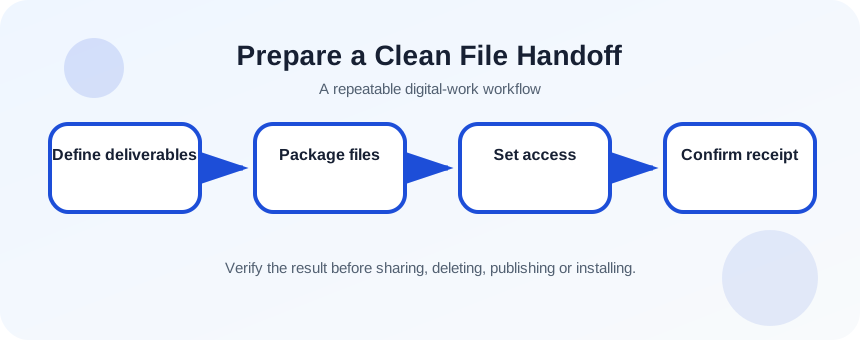
- Define deliverables, sources and exclusions.
- Package files with clear names and folders.
- Choose transfer and permission settings.
- Confirm recipient access, completeness and ownership.
What you need
- A completed sample project.
- A cloud sharing service or secure transfer method.
The handoff package is a product
Microsoft documents copying files between OneDrive and SharePoint locations, noting that copying may not preserve full version history.
OneDrive sharing permissions can be managed or revoked after links are created.
A good handoff distinguishes approved outputs, editable source files, licensed assets, instructions and items intentionally excluded. The recipient should not need the sender’s memory to understand the package.
Create a deliverable manifest
List each expected file, format, purpose and status. Identify software or fonts required to edit sources, license restrictions, credentials that must be transferred through a separate secure channel and any pending issues. Do not include passwords in the handoff folder.
- 1
List final deliverables.
- 2
List editable sources.
- 3
Identify dependencies and licenses.
- 4
Remove caches and temporary exports.
- 5
Choose the authoritative owner location.
- 6
Write known issues and next actions.
Package and transfer the files
Use top-level folders such as 01_Final, 02_Source, 03_Assets and 04_Documentation only when they reflect real contents. Include a README or manifest. Create a checksum or file count for large technical packages when integrity matters. Upload to an approved team-owned location and grant the recipient the minimum required access.
- 1
Create the handoff folder structure.
- 2
Copy approved final files.
- 3
Add editable sources and required assets.
- 4
Create README with manifest.
- 5
Open representative files.
- 6
Upload to approved storage.
- 7
Set and test recipient permissions.
Test portability and ownership
Test from another account or device. Confirm files are fully downloaded, not broken cloud shortcuts, and that relative links or placed assets work. For creative software, package linked files where licensing permits. For code, include setup instructions and exclude secrets, caches and machine-specific paths.
Decide whether the recipient gets a snapshot, collaboration link or full ownership. If a personal account owns business records, move or copy them to a team-controlled location and document any version-history limitations.
- 1
Open the package as recipient.
- 2
Compare contents with manifest.
- 3
Test one final and one source file.
- 4
Check linked assets and fonts.
- 5
Confirm long-term owner and retention location.
Close the handoff with confirmation
Send a concise message naming location, access level, file count, key deliverables and response requested. Ask the recipient to confirm access and completeness. Record acceptance, then remove temporary external access or local staging copies according to policy.
- The manifest matches actual files.
- The recipient can open required formats and knows dependencies.
- Ownership, access duration and next action are documented.
Package a five-file project
Create a complete handoff and test it from another account.
- 1
Define final and source deliverables.
- 2
Build the folder structure.
- 3
Write a manifest.
- 4
Upload and set permissions.
- 5
Test access as recipient.
- 6
Send a handoff note and record confirmation.
Common mistakes to avoid
- Sending all working drafts.
- Omitting fonts, links or required dependencies.
- Using a personal location for permanent team records.
- Assuming delivery without recipient confirmation.
Key takeaways
- A handoff package must be understandable without the sender.
- Manifest, permissions and ownership are part of the deliverable.
- Test recipient access before declaring completion.
Frequently asked questions
Should I send a ZIP or a cloud link?
Use a link for collaboration and controlled access; use a ZIP for a stable package when size, policy and security permit. In either case provide a manifest.
Should source files always be included?
Only when the agreement and licenses require them. Clearly state which formats are final and which are editable sources.
Sources and further reading
- Copy files and folders between OneDrive and SharePoint sitesMicrosoft Support
- Manage sharing and permissions in OneDrive and SharePointMicrosoft Support
Ready to continue?
Mark the lesson complete so your Learning Path progress stays current on this device.