Table of Contents
This guide covers laptop charging with USB port with practical context and easy-to-follow details. Use it to understand the subject and apply the information confidently.
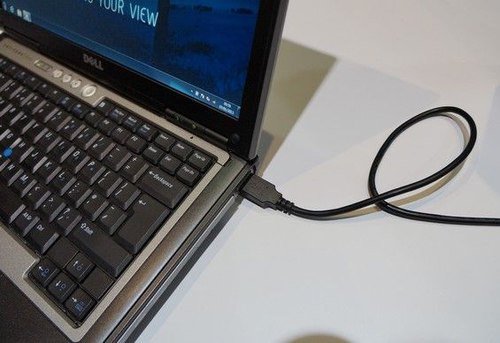 The new standard enables USB cable to transmit 100W of power.
Current users can use the USB port to charge mobile phones, tablets, music players or some other devices. However, in the near future, this common cable will be used to charge laptops for batteries. USB Implementer forum this week has passed new standard USB Power Delivery that supports power transfer up to 100W via USB cable.
Laptop Magazine had the opportunity to "market" The laptop model with the new charging standard at USB-IF booth at CES last week. A special feature is that the device can both charge and exchange data simultaneously. If the user plugs a laptop into an extended screen, in addition to transmitting image signals, the cable also helps to charge the computer quite conveniently.
CEO, Jeff Ravencraft, of USB-IF said that the product tested was actually an old Dell laptop modified to connect a USB port that supports USB Power Delivery. The cable model is then connected to a Lenovo ThinkVision monitor to both send power and receive an image signal.
FAQ
What should I check before following these steps?
Confirm device and software compatibility, save important data, and make sure you have the required permissions, files, and account access.
Why might the process not work?
Common causes include outdated software, missing permissions, incompatible hardware, an unstable connection, or completing a step in the wrong order.
Can I undo the changes if necessary?
That depends on the tool or setting. Use built-in restore options when available, keep a backup, and record the original configuration first.
Related Articles
 What Is Type C Charging Port? Should I Use It or Not?8 minutes read
 8 Things You Can Do with Your Laptop's USB-C Port, Besides Charging8 minutes read
 How to Clean the Charging Port: Practical Guide8 minutes read
 How to Use the Public USB Charging Port Safely?10 minutes read
 How to Clean the iPhone Charging Port3 minutes read
 10 Devices That Can Be Plugged into the Smartphone Charging Port8 minutes read
Reader Comments 0
Sign in with email or Google to join the discussion.