Table of Contents
This guide covers Intel developed the 3rd generation classmate PC laptop with practical context and easy-to-follow details. Use it to understand the subject and apply the information confidently.
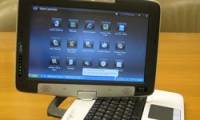
Intel has just confirmed the development of the third generation of Classmate PC mini laptops with a more user-friendly interface. Intel declined to provide details about upgraded hardware and software features in the 3rd-generation Classmate PC, but said the new laptop version would be released within a month or more. The company also refused to disclose the delivery date and product prices. According to Intel spokesman, Agnes Kwan, the new version of Classmate PC has a different and more convenient design. These changes are based on feedback from customers (teachers and students) that Intel has received over time. It is known that the Classmate PC's original design purpose is for elementary school children in developing countries.
But then the second version - Classmate 2 (announced earlier this year) has expanded its audience, not confined to primary education. For Classmate PCs for learning purposes, it only has basic apps such as surfing the Web and checking e-mail. Today, the Classmate PC is available in 35 countries and distributed through 30 PC manufacturers. In the UK, Actronix launched the JumPC computer (based on the Classmate PC design) for 239. The user interface of the new Classmate PC may be the Sugar version, which was developed for the OLPC project's XO laptop. Intel is currently accelerating the development of Sugar for Classmate PC through Sugar Labs Foundation.
And although not officially announced, the Sugar interface has been shown on several websites about OLPC. Intel said it will upgrade the current Classmate 2 with more powerful hardware, higher capacity and memory speed. Classmate 2 has a 1. 6GHz Atom chip, 1GB RAM support, 8. 9-inch hi-screen, 30GB hard drive. Previous Classmate version integrated 900MHz Intel Celeron chip, support 256MB RAM. Intel is currently cooperating with the Portuguese government to transfer about 500, 000 new Classmate 2s to the country's primary students
FAQ
What should I check before following these steps?
Confirm device and software compatibility, save important data, and make sure you have the required permissions, files, and account access.
Why might the process not work?
Common causes include outdated software, missing permissions, incompatible hardware, an unstable connection, or completing a step in the wrong order.
Can I undo the changes if necessary?
That depends on the tool or setting. Use built-in restore options when available, keep a backup, and record the original configuration first.
Related Articles
 The New Classmate Laptop Has Many Features for $$ 3003 minutes read
 Intel Is About to Launch a Touchscreen Laptop5 minutes read
 Intel Launches 'Mini' Laptop3 minutes read
 Intel Launched the Classmate PC Touch4 minutes read
 Intel Developed a Hybrid Netbook3 minutes read
 What's the New Generation of CPUs Released by Intel?9 minutes read
Reader Comments 0
Sign in with email or Google to join the discussion.