Table of Contents
Learn how to play say the word on beat with clear steps, practical tips, and troubleshooting guidance for a reliable result.
This trend has become as popular as the legendary Pitch Perfect challenge, attracting participants of all ages, from content creators to groups of friends and families during holiday seasons.
1. What does "Say the Word on Beat" mean?
The game's gameplay is based on a perfect combination of visuals , audio, and voice .
- Objective: You must name the object that appears on the screen at the exact moment the beat falls.
- Mechanism: The game uses an AI algorithm to analyze sound waves from your microphone, comparing the timing of your pronunciation to the timeline of the music. Even a one-millisecond (ms) deviation will result in an immediate "Fail" rating.
2. Detailed instructions on how to play Say the Word on Beat
To begin your journey to becoming a "rhythm master," you need to follow these steps:
Step 1: Set up access permissions (Most important)
When you open the app for the first time, the game will request access to your microphone . This is mandatory. If you refuse, the game will not be able to "hear" you and you will not be able to play.
-
Tip: If you accidentally turned it off, go to Settings > Privacy > Microphone to turn it back on for the app.
Step 2: Choose a game mode
The game offers multiple difficulty levels, from easy to hard:
- Classic: Familiar objects (fruits, animals).
- Numbers/Colors: A challenge to count numbers or name colors in an increasing rhythm.
- Impossible: A mode for those with exceptional reflexes and an extremely high heart rate.
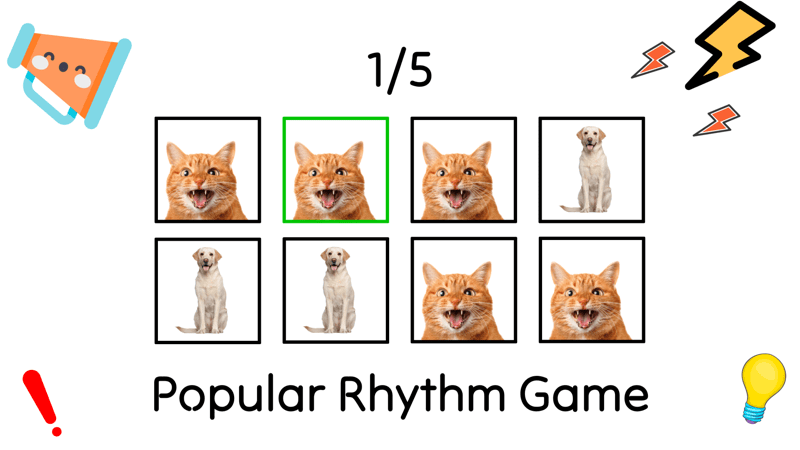
Step 3: Complete the challenge
- An image (for example, a banana) appears.
- Listen for the rhythmic accompaniment (usually a "tick" or drum beat).
- Say the word "Banana" (or "Banana" depending on the language) loudly at the exact moment the rhythm sounds.
- Continue maintaining the combo streak to score the highest points.
3. Tips for playing Say the Word on Beat
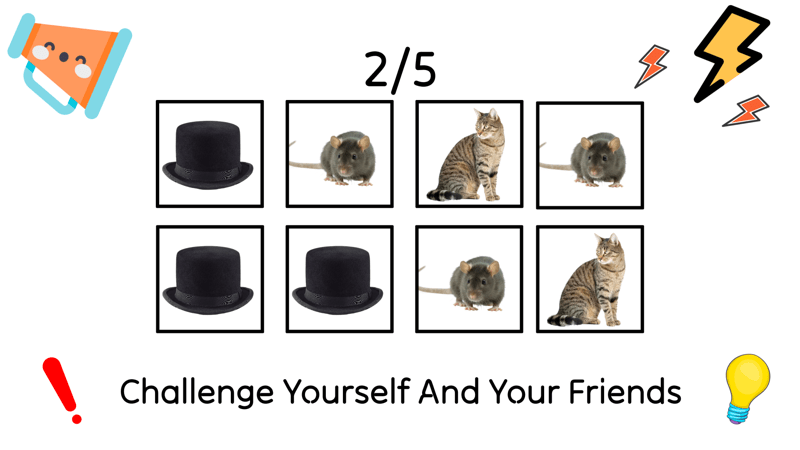
Playing by instinct isn't enough; here are some tips to help you overcome the most difficult levels:
- Focus on the rhythm, not the image: The image usually appears a short time before the rhythm to give you time to prepare. Don't speak as soon as you see the image; wait for the rhythm to "tap" your ear before pronouncing the words.
- Use concise, single-syllable words: If the game allows language selection, prioritize words with one syllable. The clearer the pronunciation, the easier it is for the AI to identify the sound's placement.
- Maintain a consistent microphone distance: Don't hold the phone too close to your mouth (causing interference from breathing) or too far (AI won't hear clearly). The ideal distance is 15-20cm.
- Play in a quiet environment: Ambient noise is the number one enemy of Say the Word on Beat. It can cause the system to misunderstand what you've said or disrupt your rhythm.
- Tap your toes or nod your head in rhythm to synchronize your body with the BPM (beats per minute) of the game.
4. Why is Say the Word on Beat so addictive?
The game's appeal lies in its "no-holds-barred" nature. It forces players to achieve absolute precision. Successfully completing a long combo sequence provides an intense feeling of adrenaline (dopamine), making you want to try again immediately after each failure. Furthermore, screen recording while attempting this challenge easily attracts massive engagement on social media.
Final Thoughts
Use this guide as a practical checklist for how to play say the word on beat. Work through the steps in order, verify each result, and adjust the options to match your needs.
FAQ
What do you need before following this How to Play Say the Word on Beat guide?
Review the required tools, accounts, settings, or materials mentioned in the article. Learn how to play say the word on beat with clear steps, practical tips, and troubleshooting guidance for a reliable result.
What are the main steps for how to play say the word on beat?
Follow the sections in order, especially 1. What does "Say the Word on Beat" mean?, 2. Detailed instructions on how to play Say the Word on Beat, Step 1: Set up access permissions (Most important). Complete each step before continuing and verify the result as you go.
What should you do if the process does not work as expected?
Recheck the prerequisites, update the relevant app or service, review the settings, and repeat the step that caused the issue. Use any troubleshooting notes included in the guide.
Related Articles
 Say the Word on Beat: Fun Game: Explained7 minutes read
 The Most Professional Beat Splitter and How to Use It5 minutes read
 How to Make a Basic Beat in Fruity Loops: Step-by-Step Guide8 minutes read
 Latest Au Beat Code 11/19/2024 and How to Enter the Code6 minutes read
 How to Play Go from A to Z for Beginners8 minutes read
 How to Create a Video That Beats Photos to Music on Tiktok4 minutes read
Reader Comments 0
Sign in with email or Google to join the discussion.