Table of Contents
This guide provides a clear overview of minecraft 1.19, including Subjugate the Villagers, Kidnapped from a Village. Use it to understand the topic, compare the available options, and make a more informed decision.
In addition, gamers can also apply the simplest solution is to create their own village. In this article, let's learn how to create a village in Minecraft 1.19 The Wild Update and enjoy the benefits of owning it.
Subjugate the Villagers
There are 2 ways to get villagers from the Overworld: kidnapping from the village and curing a zombie villager.
Kidnapped from a Village

First, the player needs to get the villagers on board by pushing or steering the boat towards them. The villagers won't leave until the boat breaks down.
Push the boat to the location where you want to build a village. Boats can still move on flat ground without water.
Heal a Zombie Villager
Zombie villagers can often be found in abandoned villages, igloo basements, or sometimes anywhere in the Overworld.
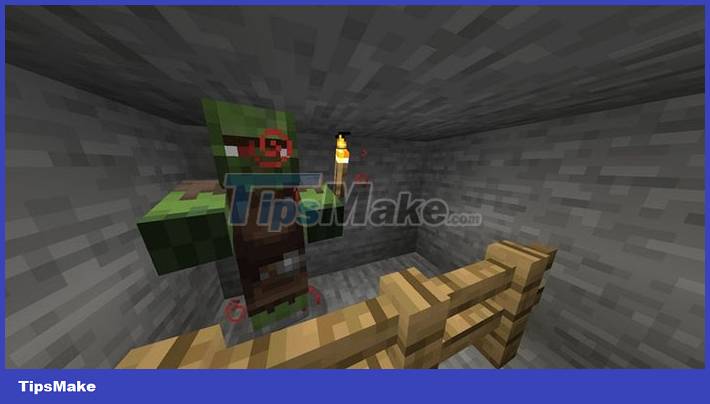
The player should first create a pit 2/3 block deep to trap them, then heal with a Weakness potion and a golden apple. Cover the zombie villagers with a canopy first if needed, as they will burn in the sunlight.
The basement of the igloo has a zombie villager and a cleric, which can be cured to create 2 villagers instantly.
How to Create a Village in Minecraft
Generally, a villager needs to stay in a house to be protected from hostile threats like zombies. The only requirement for a house is a bed.
Simple Tent
This is for players who want villagers to start farming or have low supplies.
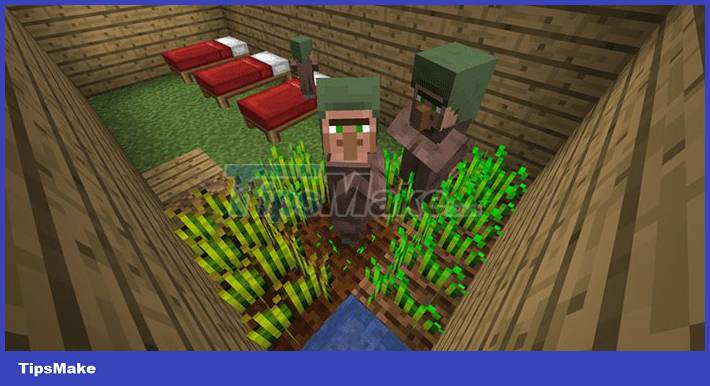
Just put a bed and wait for a villager to come and sleep on it. Build a wall around the bed then place some torches and a working block.
Livestock Tents
This is an easy way to group villagers so they can spawn and multiply.
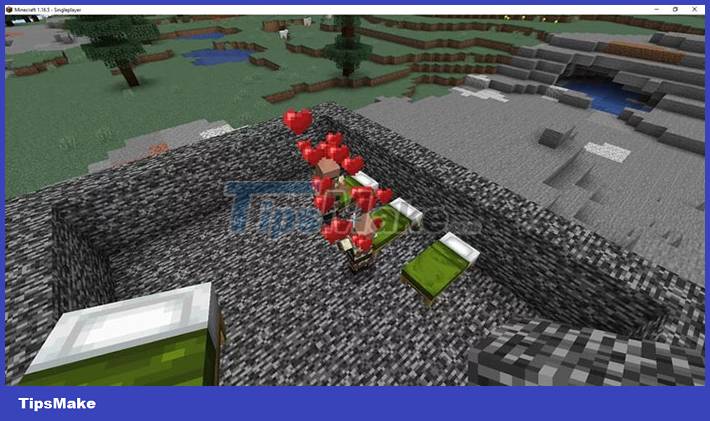
- Set up 10 beds, then set a bell so the villagers can gather.
- Place at least 1 Composter for at least one villager to accept becoming a farmer.
- Dig a hole and fill it with water, then create some farmland and give the farmer seeds (wheat, beets, potatoes or carrots) so they can grow and harvest crops. Sharing food with other villagers helps them to multiply.
Build a Defensive Layer for the Village
Since artificial villages can be attacked by zombie sieges or raided by invaders, it is also necessary for the player to build a defense for it.
The larger the village, the easier it is to be surrounded by zombies. For a zombie siege to happen, there must be at least 10 beds or 20 villagers and the player must be present in the village.

First, place at least one bell and make sure it's in the safest place in the village. The player can activate the bell in the event of an attack to rally the villagers to a defensible point.
Then, light up the area inside the village to minimize the number of hostile mobs that spawn at night. Build walls around the base and players can add as many other defenses as they like.
Conclusion
Understanding Minecraft 1.19 makes it easier to compare options, avoid common mistakes, and apply the information in this guide more effectively. Review the relevant requirements before making changes or choosing a solution.
FAQ
What is Minecraft 1.19?
In addition, gamers can also apply the simplest solution is to create their own village.
Why is Minecraft 1.19 important?
Understanding Minecraft 1.19 helps you evaluate features, compatibility, performance, and potential limitations before you choose a product or follow a procedure.
What should you consider when using or choosing Minecraft 1.19?
Consider your specific goal, compatibility requirements, available features, cost, security, and the practical recommendations described in this guide.
Related Articles
 The TOP Seed Has Many Villages in Minecraft 1.2117 minutes read
 How to Find a Village in Minecraft: Step-by-Step Guide14 minutes read
 How to Creating Your Own Minecraft Mods to Play Games in Your Style12 minutes read
 Tips to Find Villages in Minecraft 1.18.25 minutes read
 Minecraft: a Guide to Preventing Raids3 minutes read
 Things You Don't Know About Villages and Villagers in6 minutes read
Reader Comments 0
Sign in with email or Google to join the discussion.