Table of Contents
This guide covers hp added cq42 model using Intel p6200 processor with practical context and easy-to-follow details. Use it to understand the subject and apply the information confidently.
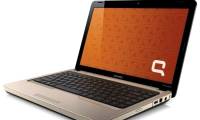
 HP CQ42-353TU uses Pentium Dual Core P6200.
The new Intel Pentium Dual Core P6200 processor is designed specifically for the low-end PC segment, replacing the previous Pentium Dual Core T4500 series. The innovation of the chip is based on the new 32nm technology platform that incorporates a memory and graphics controller. This means that Intel Pentium Dual Core P6200 processor performance will be much better while energy consumption is significantly reduced. This is also the architecture of Intel Core i-series chips that are very popular in the market. With the new processor, CQ42-353TU will run smoother graphics apps with Intel HD GMA graphics chips instead of GMA Intel 4500 as in the CQ42 version using Pentium Dual Core T4500. Other basic configurations remain unchanged, such as 2GB DDR3 RAM (upgradeable to 8GB), 320GB hard drive, optical drive DVD RW capable of LightScrible disc labeling, Wi-Fi connection b / g / n, Bluetooth 2. 1, 14. 1 "wide screen: 16: 9 with a resolution of 1366 x 768 pixels. It has built-in Webcam and Mic, HDMI connection and 5 card memory slot in one. Free DOS helps to optimize users' choices according to their needs, from the popular Windows XP to the latest Windows 7 version. CQ42-353TU retains a simple Unibody style similar to the high-end HP Envy product. The outer layer of CQ42-353TU also has embossed embossed prints that increase the ability to scratch and leave no fingerprints when used, helping to keep the machine longer. This product has been on the market for retail price of VND10, 500, 000 (not including VAT).
FAQ
What should I check before following these steps?
Confirm device and software compatibility, save important data, and make sure you have the required permissions, files, and account access.
Why might the process not work?
Common causes include outdated software, missing permissions, incompatible hardware, an unstable connection, or completing a step in the wrong order.
Can I undo the changes if necessary?
That depends on the tool or setting. Use built-in restore options when available, keep a backup, and record the original configuration first.
Related Articles
 Compaq Presario CQ42 Adds New Lines3 minutes read
 Compaq CQ42 Uses a Quad-core Chip Costing 10 Million in Vietnam3 minutes read
 Intel Brought Its Strongest Chip, a Core I9 Processor, to a Laptop4 minutes read
 8 Ways to Check Intel Processor Generation on Windows8 minutes read
 The Fastest AMD Chip Does Not 'Threaten' Intel2 minutes read
 What Is Intel's New Core i9 CPU Line?6 minutes read
Reader Comments 0
Sign in with email or Google to join the discussion.